Color adjustment
If a system is professionally calibrated, color adjustment or color balande shouldn't be necessary. For smaller projects, color adjustment can be a game changer, as exemplified by this real-life example:
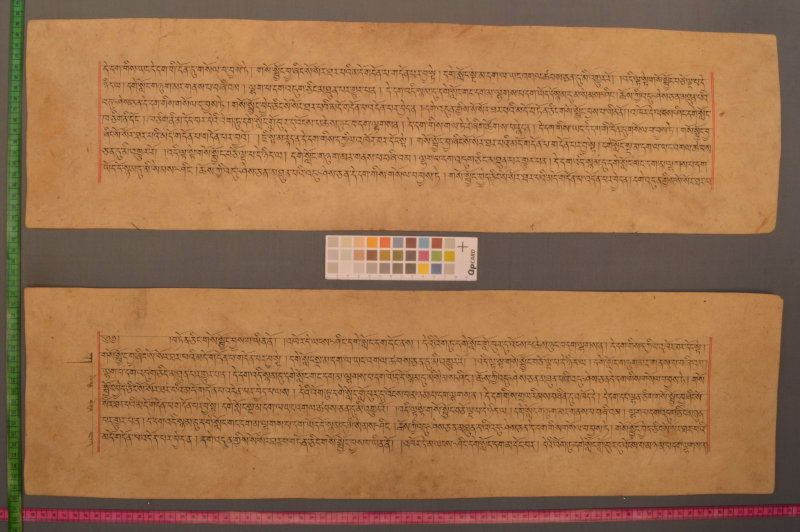
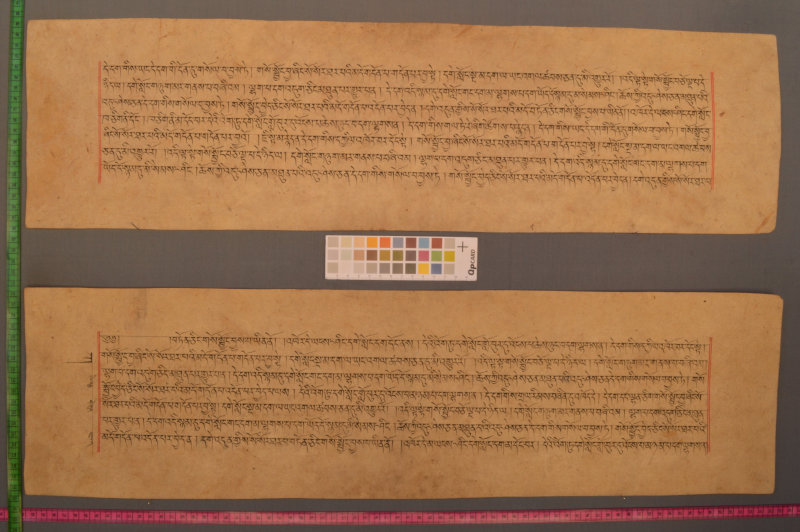
The second version is more easily legible and will give better OCR results.
To apply color adjustment, there needs to be a color target in the image (such as the one in the example above). Then a software needs to recognize it and create a color profile (.icc file). Then an image software can take the color profile and apply on the image.
Possible targets for color calibration include:
- QPcard
- ColorChecker SG from x-rite, or the OpenDICE version
In terms of software, the open-source Argyll works well, see this tutorial.
In the end of the adventure, you should get a .icc color profile file. You should then assign it to the archive files. Note that at that point it's best not to convert the image in that color space, but keep the original pixels and assign the color profile.