Quick Start Guide

| Action | Control |
|---|---|
| Finance Manager | Shift+F anywhere |
| Search Used Vehicles | U in shop |
| Repair/Repaint Vehicle | Click owned vehicle on map |
| Buy/Lease Land | Click unowned field on map |
- Go to the Shop
- Select any vehicle
- Click Buy → Opens Unified Purchase Dialog
- Choose Finance mode
- Adjust:
- Down Payment (0-50% depending on credit)
- Loan Term (1-15 years)
- Cash Back (optional, for working capital)
- Click Confirm
Your monthly payment will be deducted automatically.
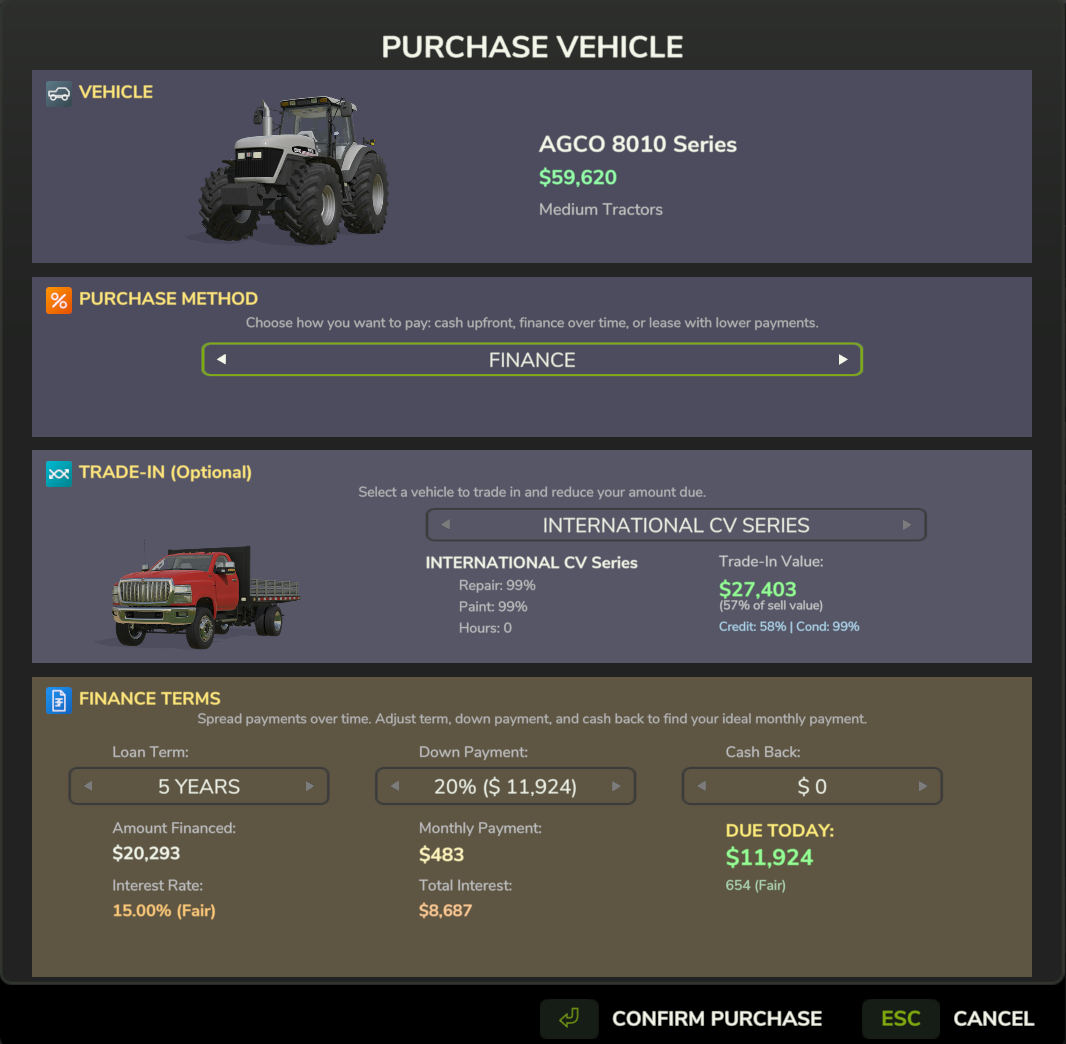
Unified Purchase Dialog showing Finance options with trade-in capability
- Same as above, but choose Lease mode
- Lower monthly payments than financing
- At lease end: Return, Buyout, or Renew
- Press U in the shop (or click "Search Used")
- Choose an Agent Tier:
- Local ($500) - 5% discount, small selection
- Regional ($2,000) - 15% discount, medium selection
- National ($5,000) - 30% discount, best selection
- Wait for search to complete
- Inspect the vehicle to check quality
- Negotiate the price
- Purchase with Cash, Finance, or Lease
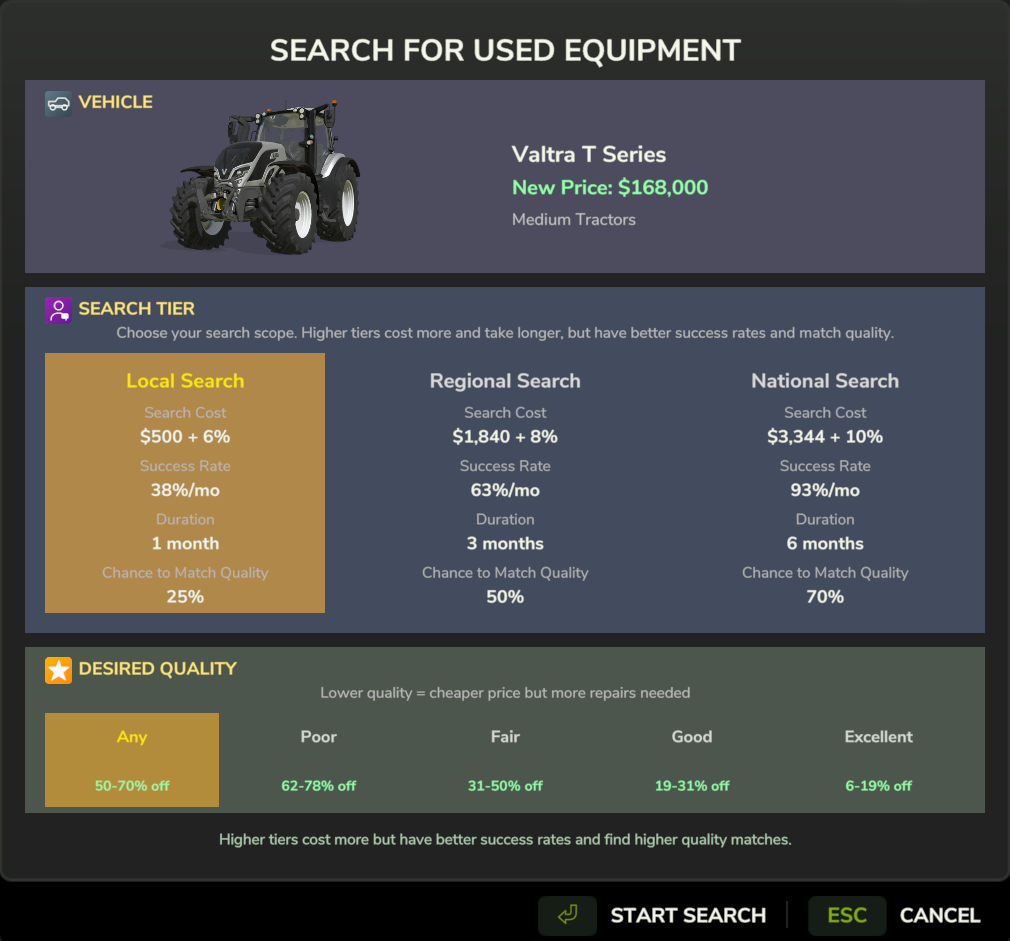
Agent selection - higher tiers find better deals but cost more upfront
Press Shift+F to open the Finance Manager.
- View all active loans and leases
- Make payments (Skip, Minimum, Standard, Double, Custom)
- Early payoff with interest savings
- See payment history
- Your credit score (300-850)
- Payment history breakdown
- Credit factors explained
- Active agent searches
- Found vehicle listings
- Pending inspections
- Vehicles listed for sale
- Incoming offers
- Accept/decline/counter
Keep your equipment in top condition to maintain reliability and resale value.
- Open the Map
- Click on your vehicle
- Select "Repair" or "Repaint"
- Choose full or partial service
- Finance the cost if needed
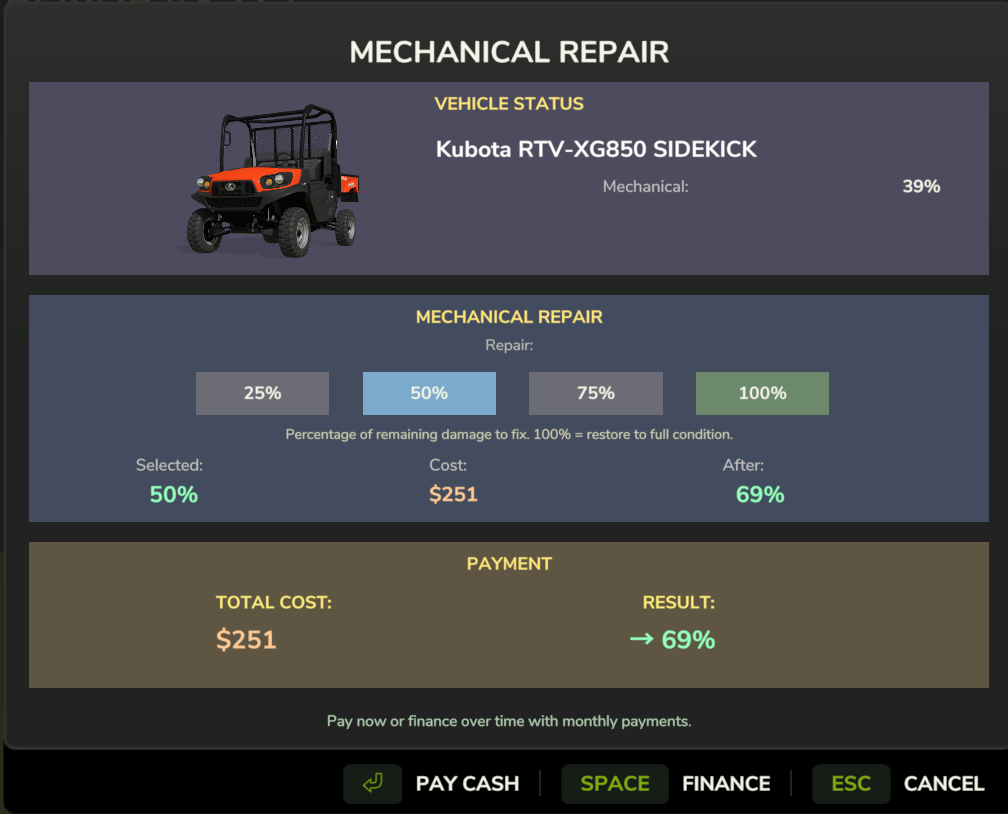
Repair options - choose full or partial repair based on budget and vehicle condition
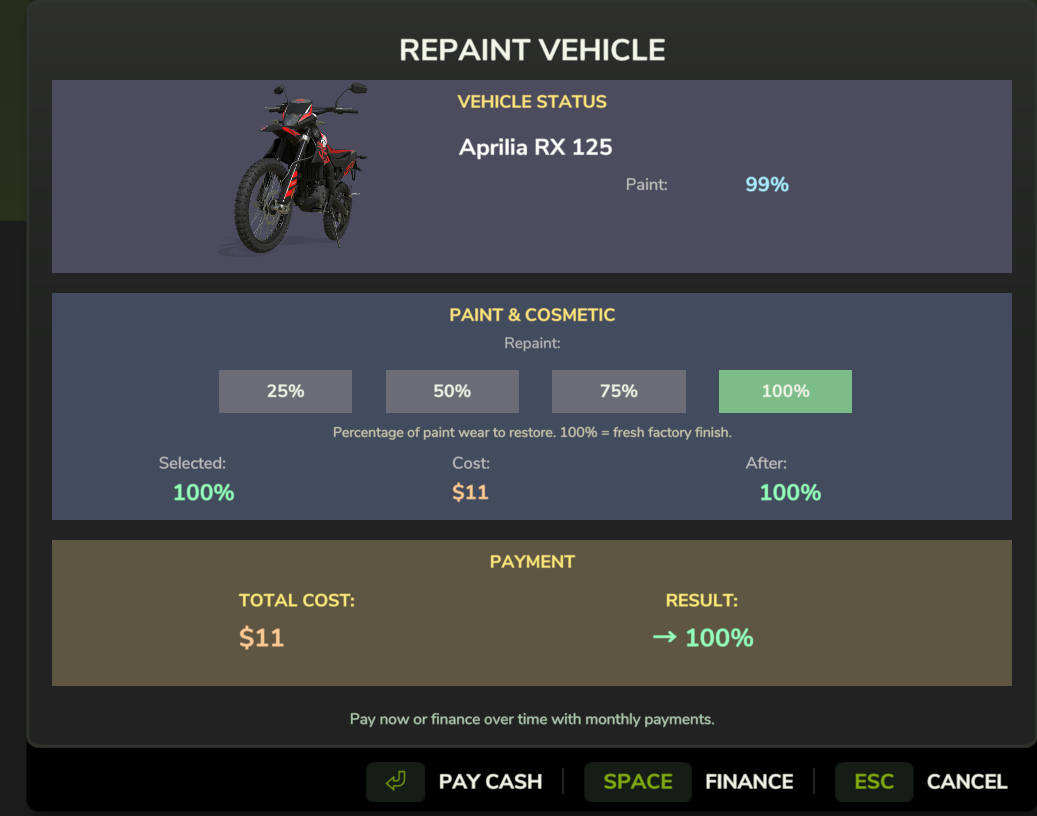
Repaint options - full or partial repaint to restore appearance and value
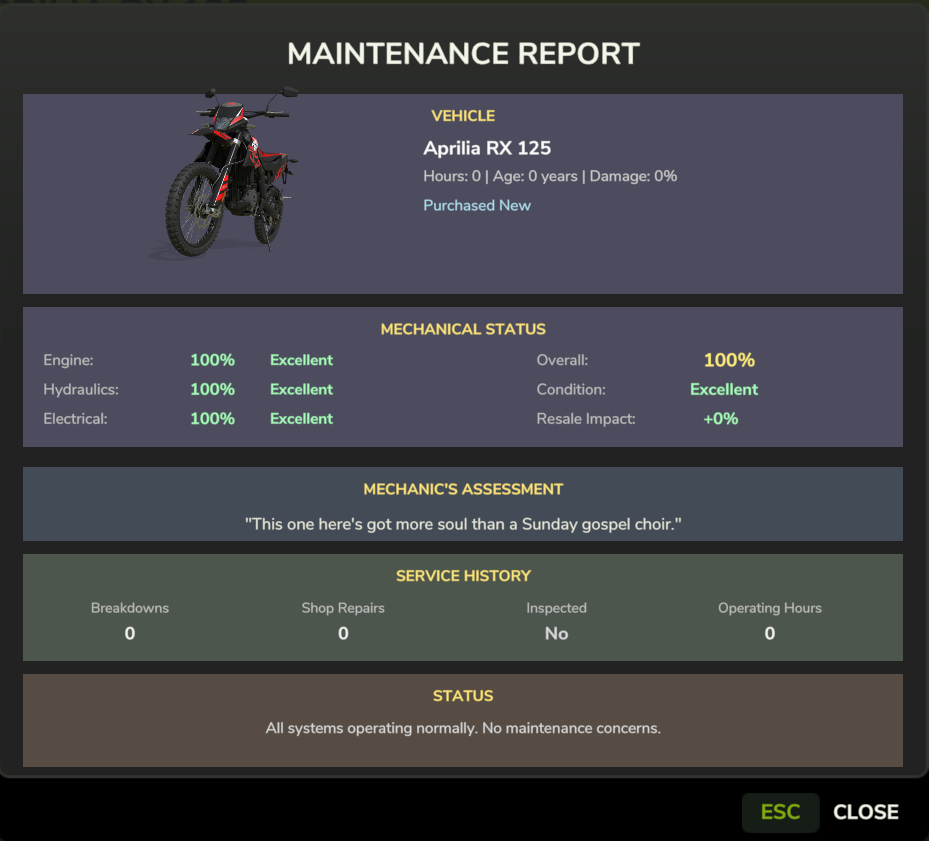
Service summary showing detailed breakdown of repairs, parts replaced, and costs
Pro Tip: Regular maintenance prevents costly Malfunctions and maintains Vehicle-DNA performance potential.
Start: 650 (Fair) Goal: 750+ (Excellent)
Credit builds SLOWLY but drops FAST - The system was rebalanced in v2.9.6 to require long-term consistency. Excellent credit takes 5+ years of perfect payments to achieve.
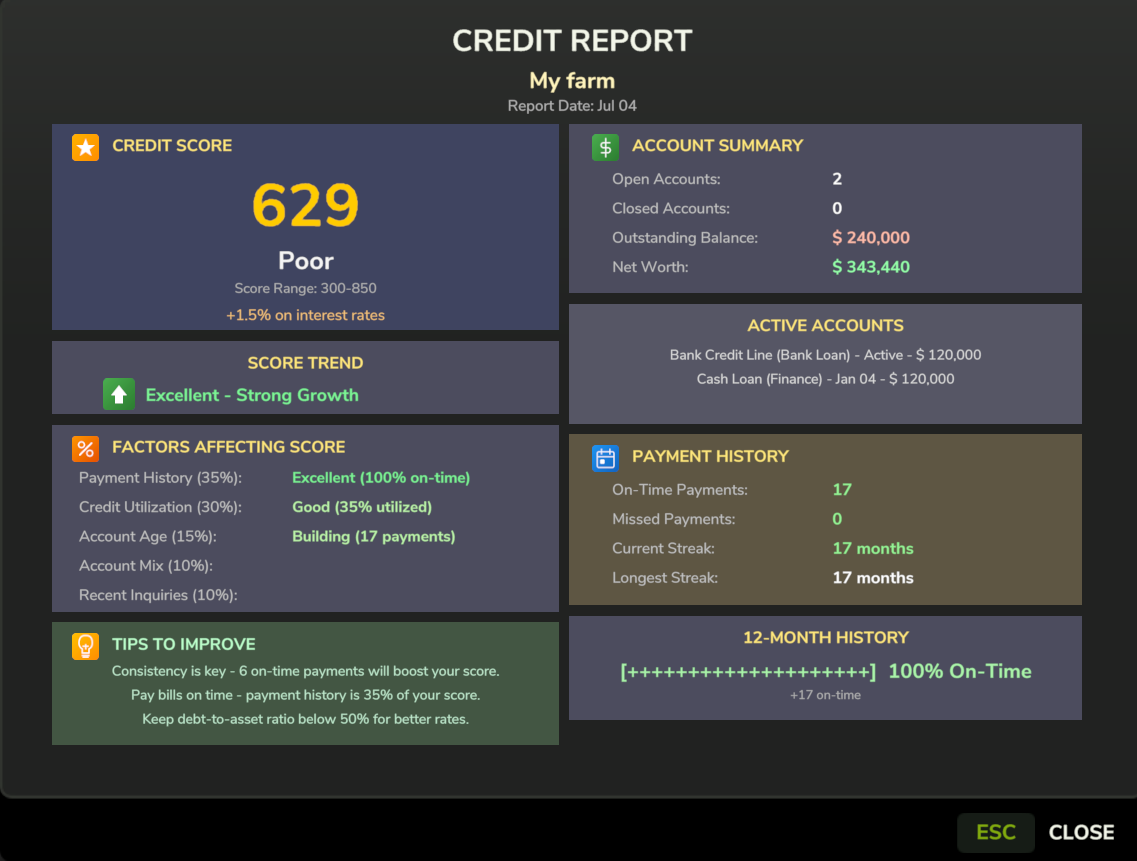
Your credit report shows score, tier, and complete payment history
| Action | Credit Impact |
|---|---|
| On-time payment | +2 points (base) + streak bonus |
| Pay off loan early | +15 points |
| Late payment | -15 points |
| Miss a payment | -45 points (3x worse than late) |
| Vehicle repossessed | -175 points (devastating!) |
| Loan defaulted | -200 points (catastrophic!) |
Recovery time after one missed payment:
- One miss = -45 points
- Recovery at +2 per payment = 23 months of perfect payments
Better credit unlocks:
- Lower interest rates (3.5% vs 12%)
- Longer loan terms (up to 20 years for land, 15 years for vehicles/buildings)
- Lower down payment requirements
- Building financing (750+ required)
- Start small - Finance a cheap tractor first to build credit
- Never miss payments - The credit hit is severe
- Inspect before buying used - DNA determines long-term reliability
- Check the weather - Negotiate on bad weather days for better deals
- Don't insult sellers - Lowball too hard and they walk away forever
- Learn about Credit Scoring to maximize your financial power
- Understand Vehicle DNA to avoid buying lemons
- Explore the Used Marketplace for deals