Twitch Integration
Various options and extensions for streaming modules are shown in this section. These are just examples, so many more functions are possible and conceivable. If you have any questions or feasibility issues, please contact the support team.
The following explains how to set up Twitch Rewards. These are the actions offered by Twitch that can be carried out with Twitch's own channel points. This function is currently available for all affiliates or Twitch partners.
The setup is set up via the “streamer.yml” file. If the streamer is not available, please refer to the first setup steps to add a streamer to your server.
streamer.yml:
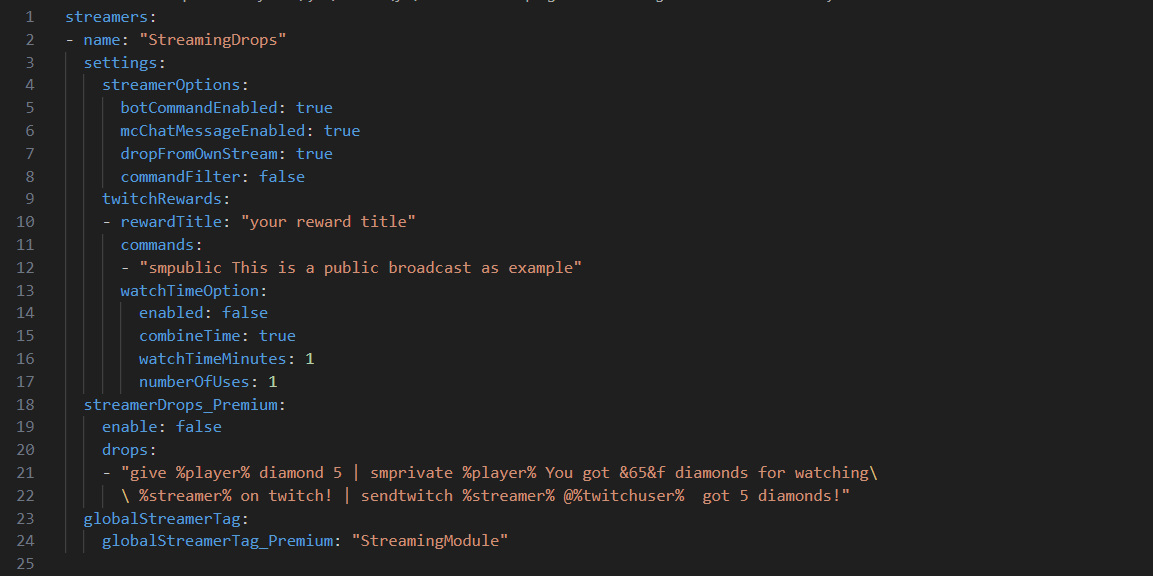
- Add a new Twitch Reward on the twitch.tv platform in the corresponding Twitch channel. The name of the reward should be memorized. The required points can be set and changed here. If the name is changed, this must be transferred in the config file. If the points, the description or the icon are changed, no changes need to be made in the StreamingModule config.
- In the “streamer.yml” file, go to the appropriate place for the streamer and change the “RewardTitle” field under the “TwitchRewards” list. In the default configuration it says “your reward title”. Change this text to the exact text that you have specified as the name for your button on Twitch.
- In the “Commands” section, you can specify the Minecraft commands that are to be executed. Several commands can be entered here, which are executed from top to bottom. Placeholders can also be used in the commands. See internal placeholders for this
- Save the file and execute the command “/sm reload” in Minecraft to activate the changes.
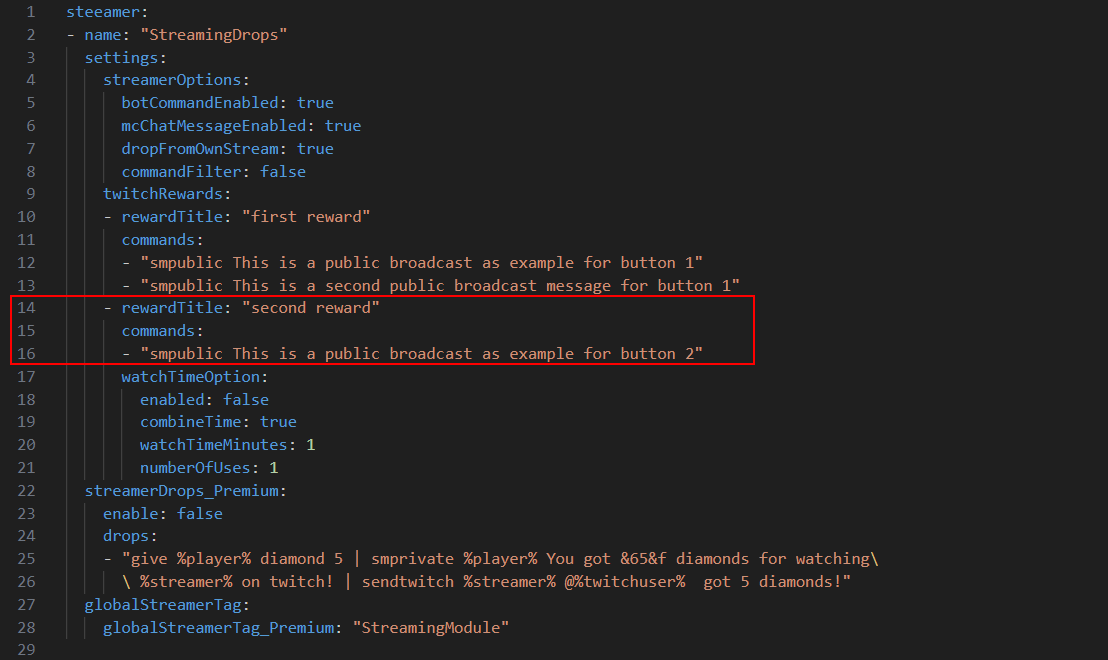
To add multiple Twitch Rewards (different ones), the following block must be copied. Please pay attention to the indentation so that the YAML file can still be recognized correctly.
The number of rewards is not limited by StreamingModule.