TurtleBot3_SLAM
This example performs SLAM (Gmapping) using a Laser Distance Sensor.
For the specifications of Laser Distance Sensor, please refer to here.
See here for an explanation of Gmapping.
Start the Ubuntu side and then the Windows side.
Open a new terminal and run the following command:
roslaunch sigverse_turtlebot3_laser_distance_sensor slam.launchStart the [Assets/SIGVerse/ExampleScenes/Turtlebot3/LaserDistanceSensor(.unity)] scene with reference to here.
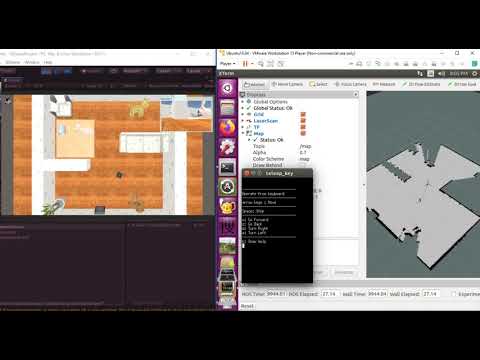
You can control TurtleBot3 by keyboard operation on the teleop_key terminal.
If you move TurtleBot3, you can see that the map is creating on RViz.
- Check the terminal for details of the operation.
- Because of the high image processing load, the robot's camera image transmission interval is set to 1000 [ms].
(If you want to shorten the sending interval, please reduce the Sending Interval of the ZEDMiniPubCameraImageController attached to turtlebot3_with_open_manipulator/RosBridgeScripts)
If you want to finish, stop the Unity side and then the ROS side.
Ubuntu side (The details may differ from the latest version)

Windows side (The details may differ from the latest version)

Reference Video