Experiment Module
This section contains the documentation on the Experiment Module and all its components.
This page contains an overview of the windows and modules in the Experiment Module.
The Experiment Module is designed to create an experiment with connected instruments and run the experiment. It is accessed from the Instrument Server main window using the "Create Experiment" button.
It consists of two windows, spread across 6 files:
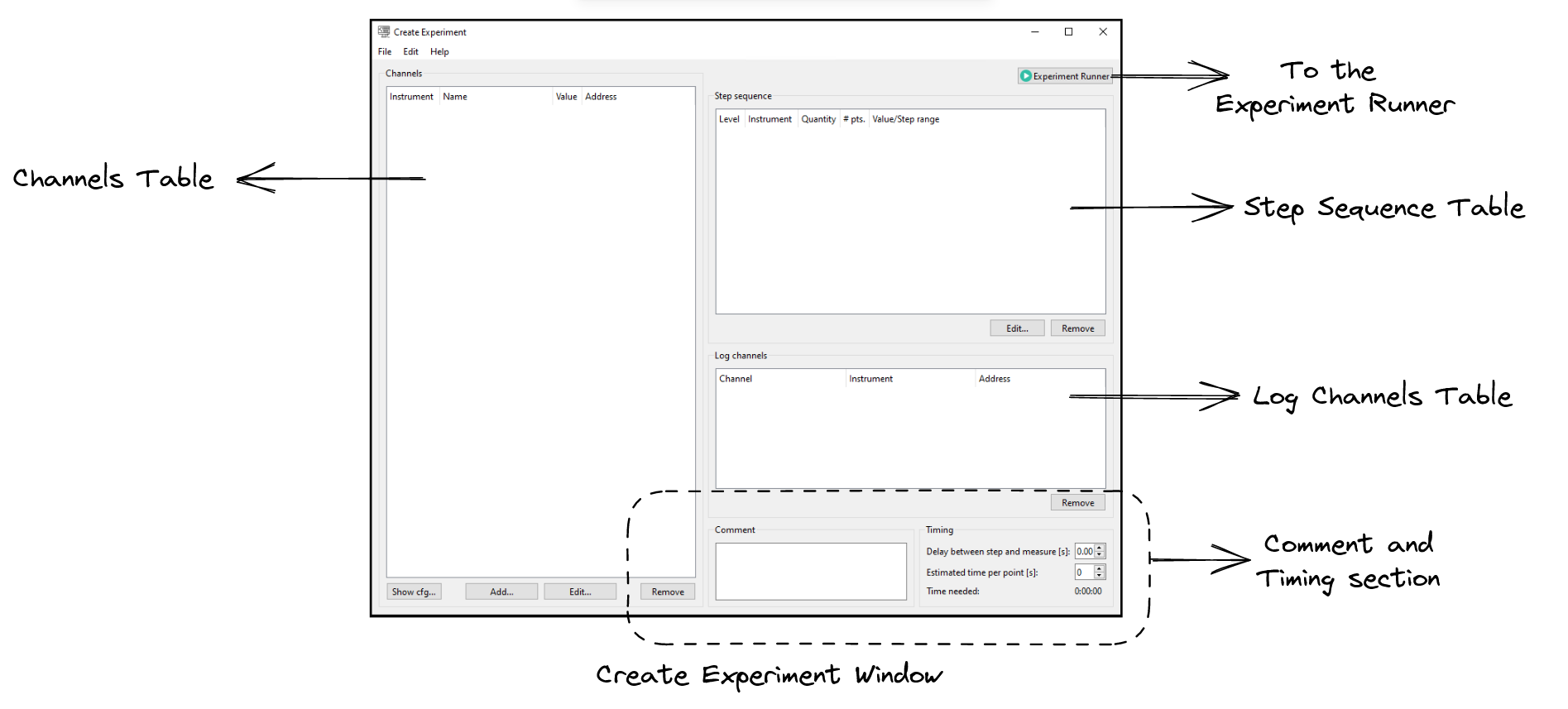
- Create Experiment Window
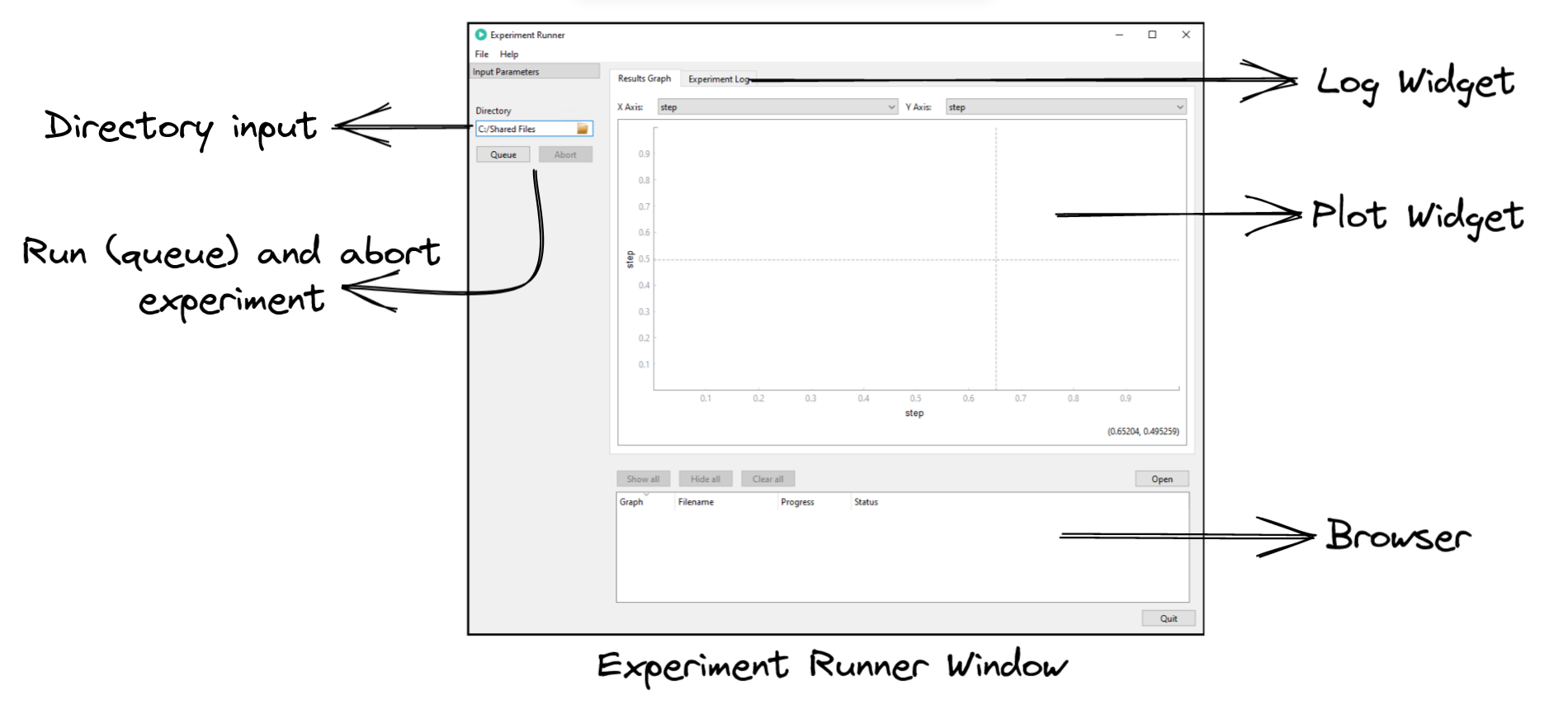
- Experiment Runner Window
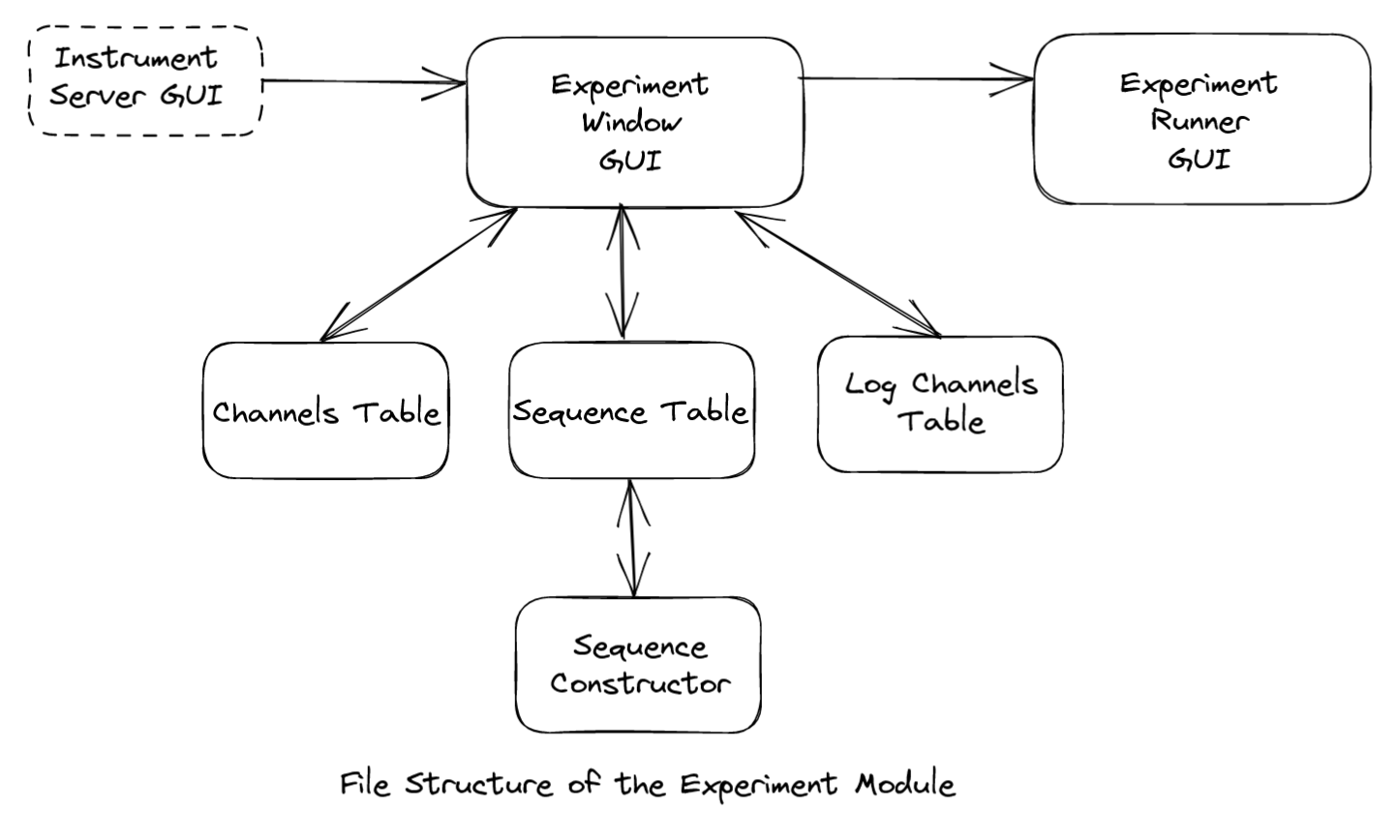
The following is an overview of the files included in your module and their purpose:
ExperimentWindowGUI:
It creates the 'Create Experiment' window. ExperimentWindowGui class creates different tables in the window using their respective classes and connects them - namely the Channels table, Step Sequence table and Log Channels table. Implementation for the Timing and Comment section is provided in this class only.
ChannelsTable:
It contains the ChannelsTreeWidget class to create the Channels table in the window. Channels are instruments that are connected to the Instrument Server. This table lists added channels and the quantities supported by the instrument. It contains methods to add a channel, remove a channel, modify a channel quantity and functionality to drag quantities to the other tables. AddChannelDialog class is used to add a connected instrument to the Channels Table.
SequenceTable:
It contains the StepSequenceTreeWidget class to create the Step Sequence table. This table is used to construct the steps of the experiments. Each step sequence in the experiment is a loop containing the quantity being changed and the range of values it is being changed over. These are the inputs to an experiment -- quantities being changed. Loops are nested at different levels and multiple quantities can be modified in each loop. SequenceConstructor class is used to construct a sequence for a quantity. It contains methods to add sequence for quantities, remove quantity sequence and modify added step sequences.
SequenceConstructor:
SequenceConstructor dialog provides functionality to build a step sequence for various quantity types such as boolean, double and combo.
LogChannelsTable:
The LogChannelsTreeWidget class adds quantities to the Log Channels table. These are the output quantities of the experiment - the quantities that are to be measured after the input quantities are set according to the step sequence.
ExperimentRunnerGUI:
This uses PyMeasure module to run an experiment and follows PyMeasure's structure of creating and executing an experiment. It receives experiment details through the "experiment_DTO" object from the parent gui, ExperimentWindowGUI. The ExperimentRunner class extends PyMeasure's ManagedWindow class to create the "Experiment Runner" window. It creates an instance of the MainExperimentProcedure to create and run an experiment as designed in the "Create Experiment". ManagedWindow handles executing the experiment, recording data points and plotting them in the plotter widget.