Search Filters
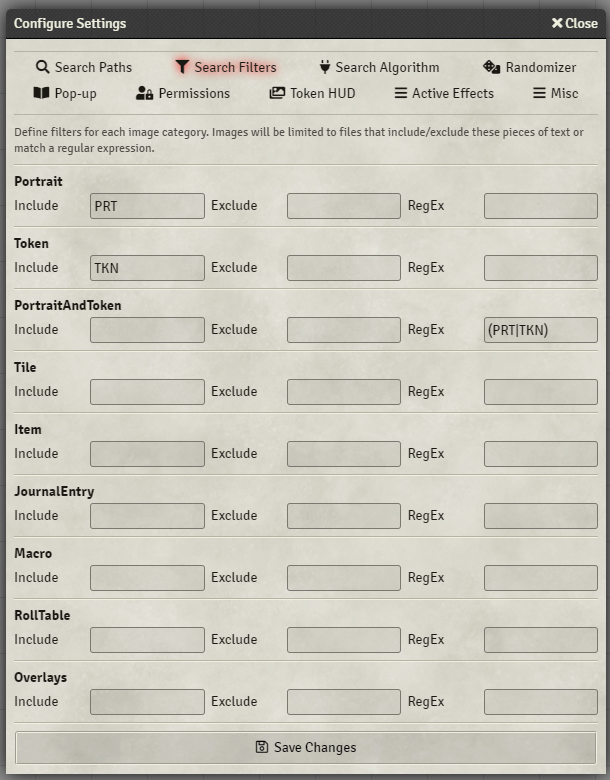
Example image setup for files labelled as so: Dragon_PRT.png, Dragon_TKN.png
The module can perform many different types of searches. The three you're likely to be most interested in are Portrait, Token, and 'PortraitAndToken', as these will be performed when opening up any search related to the actor sheet or token image. Each type of search can be configured with filters to specify text that must or must not be present in the file name or path for it to be considered a match.
In the example above a Portrait search results would match:
- Dragon_PRT.png
- RavenPRT.jpg
- William[PRT].webm
and not match the following:
- Dragon_TKN.png
- RavenTKN.jpg
- William[TKN].webm
The opposite would be true for the Token search, and the 'PortraitAndToken' search would match all of them as the regular expression (TKN|PRT) would match both kinds of file names.
Any additional categories entered under Misc > 'Custom Image Categories' will result in another row being added under this settings tab for that category.