macleod python3 (beta) GUI setup
These instructions are intended to be used with the following setup:
- Mac OSX 10.10+ (Yosemite and beyond)
- Python 3.7.2
For Windows, make sure to install:
- pywin32 https://github.com/mhammond/pywin32/releases
- wmi http://timgolden.me.uk/python/wmi/index.html
NOTE: this version of macleod DOES NOT draw a diagram outlining the import structure of a hierarchy
For the beta GUI, the scripts appear to run on Python 3.0+.
You will need to set up the following directories (examples are from Carmen's Mac):
-
Local copy of the COLORE repository: https://github.com/gruninger/colore/tree/master/ontologies
File path on Mac:
/Users/cchui/Documents/GitHub/colore/ontologies -
Local copy of the macleod repository: https://github.com/thahmann/macleod
File path on Mac:
/Users/cchui/Documents/GitHub/macleod
It is easiest to just clone the repositories for COLORE and macleod if you already use the GitHub desktop app.
-
Create a new folder in your home directory on macOS called macleod to store the macleod configuration files and log file, along with any theorem provers. This file path is hardcoded in the macleod Python scripts, so you must create this folder to set up the configuration files in the steps that follow.
File path on Mac:
/Users/cchui/macleod/ -
Create a new folder called reasoners. You will store the theorem prover and model finder binaries inside this directory.
File path on Mac:
/Users/cchui/macleod/reasoners -
Download the following zip file (http://stl.mie.utoronto.ca/macleod_mac_reasoners.zip) containing the binaries, unzip the zip, and place the files inside the
reasonersfolder. You should be able to see the binaries for: Prover9/Mace4 (also known as LADR), Vampire, and Paradox.
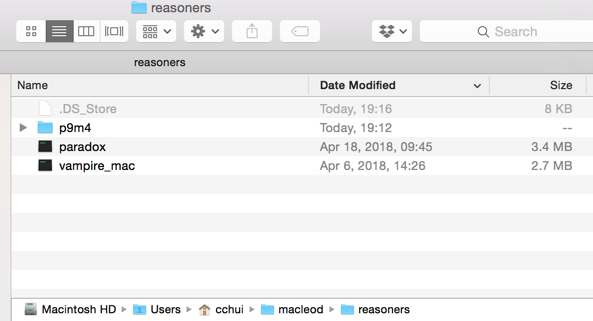
-
In the
/GitHub/macleod/confdirectory, copy the contents from theconffolder into/Users/[your username]/macleod/. You will need to change the contents inside two files:logging.confandmacleod_mac.conf. -
In
macleod_mac.conf, modify the highlighted lines with the corresponding paths to your local COLORE repository and the reasoners.
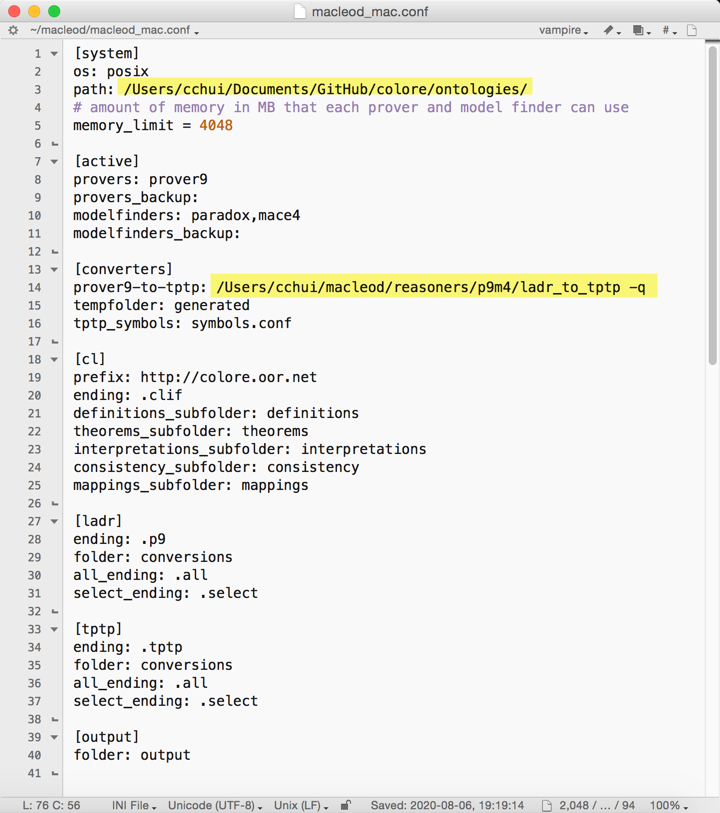
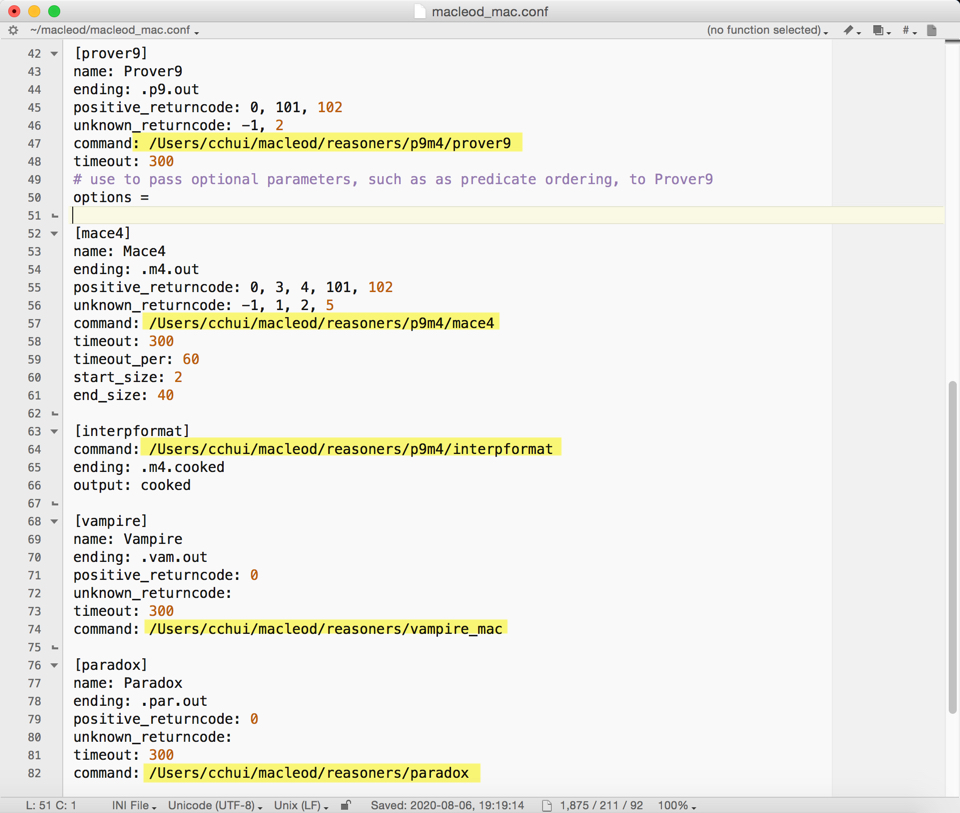
- Similarly, you want to change the following line in
logging.confwith the path to where you want to store your log files. In my case, I created a new folder calledlogand the log file is stored inmacleod.log.
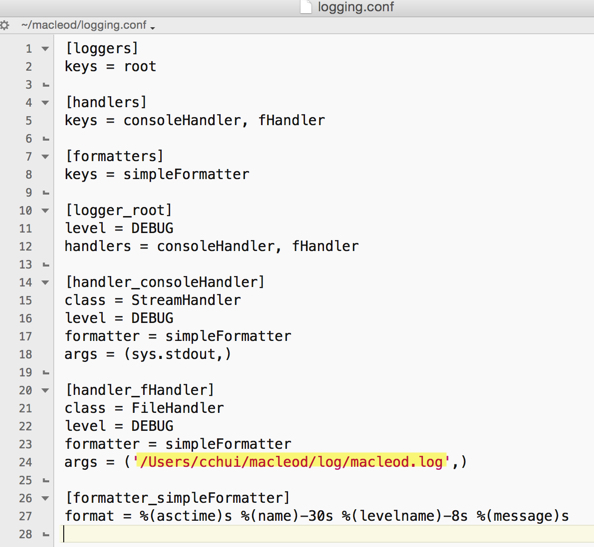
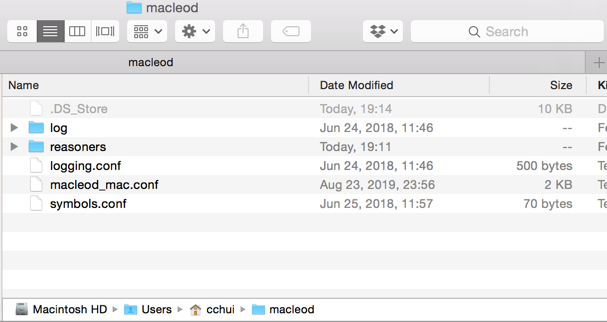
- Your home
macleodfolder should look like this.
-
Open Terminal.app on your Mac.
-
Navigate to your GitHub folder.
cd Documents\GitHub-
You should be inside the following path:
/Users/[your username]/Documents/GitHub -
Give macleod folder executable permission (just in case OS-level permission errors show up):
chmod +x macleod(Terminal will not provide any feedback when you run this command.)
- Check your Python version (should be Python 3.0+)
python --version- Install the following dependencies (rename to pip3 if you also have Python2 installed). The dependencies versions are important if you are running Macleod on macOS 10.10 (Yosemite) as the binaries for version 5.10 or higher for PyQt5 will not work on OS X Yosemite. These are just the minimum version numbers required to work on macOS 10.10 (see https://github.com/thahmann/macleod/issues/33#issuecomment-496762466).
sudo easy_install pip3==19.0.2
sudo pip install ply==3.11
sudo pip install pyparsing==2.3.1
sudo pip install configparser==3.7.3
sudo pip install texttable==1.6.1
sudo pip install owlready==0.3.1
sudo pip install PyQt5==5.10- Add the
bin/andmacleod/folders to thePYTHONPATHvariable on your machine.
echo $PYTHONPATH
export PYTHONPATH=/path/to/macleod/bin:/path/to/macleod/macleod:$PYTHONPATH
For example, on my computer, I would enter the following:
echo $PYTHONPATH
export PYTHONPATH=/Users/cchui/Documents/GitHub/macleod/bin:/Users/cchui/Documents/GitHub/macleod/macleod:$PYTHONPATH
If you want to add this to the PYTHONPATH permanently, you will need to modify ~/.bash_profile by appending this at the end of the file (located in home directory; e.g., /Users/cchui/ - if you want to find this file using Finder, make sure you've enabled viewing hidden files in macOS Finder.)
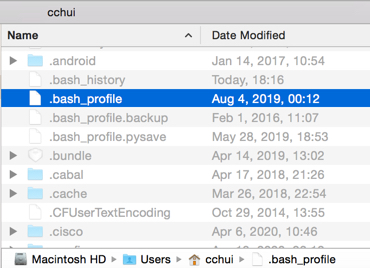
Alternatively, you can just do this in Terminal.app:
cd /Users/cchui
nano .bash_profile
The file will be opened in the terminal. Add this line to the file:
export PYTHONPATH=/Users/cchui/Documents/GitHub/macleod/bin:/Users/cchui/Documents/GitHub/macleod/macleod:$PYTHONPATHPress Ctrl+O to Write Out, hit Enter to save the changes, and then press Ctrl+X to exit the nano text editor.
- Making sure you're inside the Github macleod folder, navigate to Macleod GUI folder and run the Beta GUI script:
cd /Users/cchui/Documents/GitHub/macleod/macleod
python3 gui/gui_beta/gui_main.py-
If you've configured the
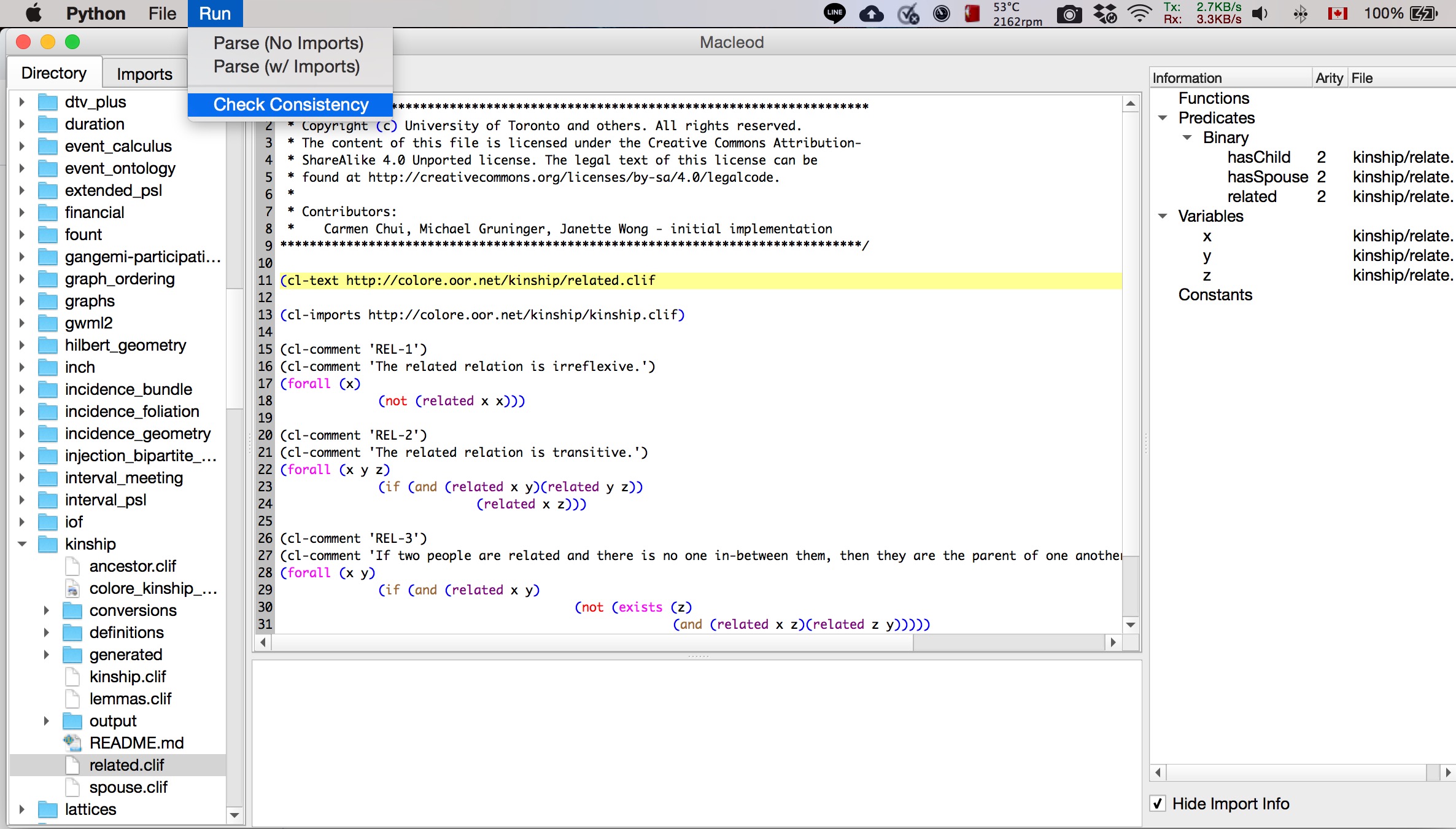
macleod_mac.conffile properly, you should see the listing of COLORE ontologies on the left hand navigation bar. Open a CLIF file by double-clicking it.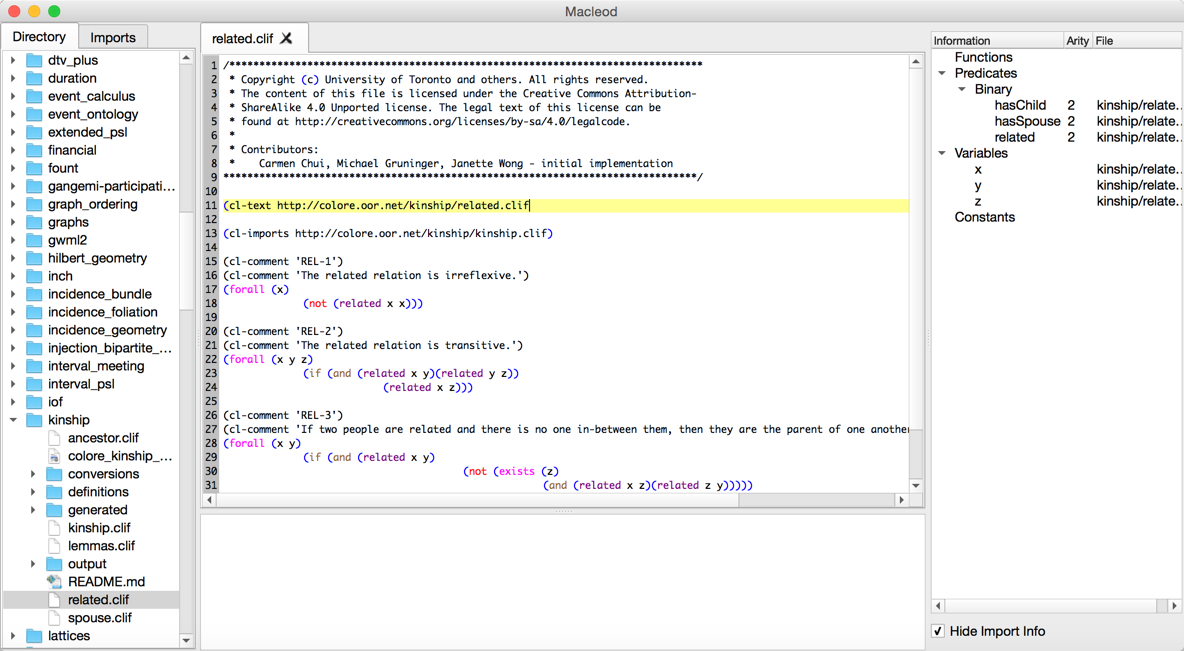
-
To see if it parses the imports correctly, click on Parse (w/ Imports) - if doing nested imports, make sure your COLORE directory path is correct in
macleod_mac.conf; otherwise, you will get errors during parsing.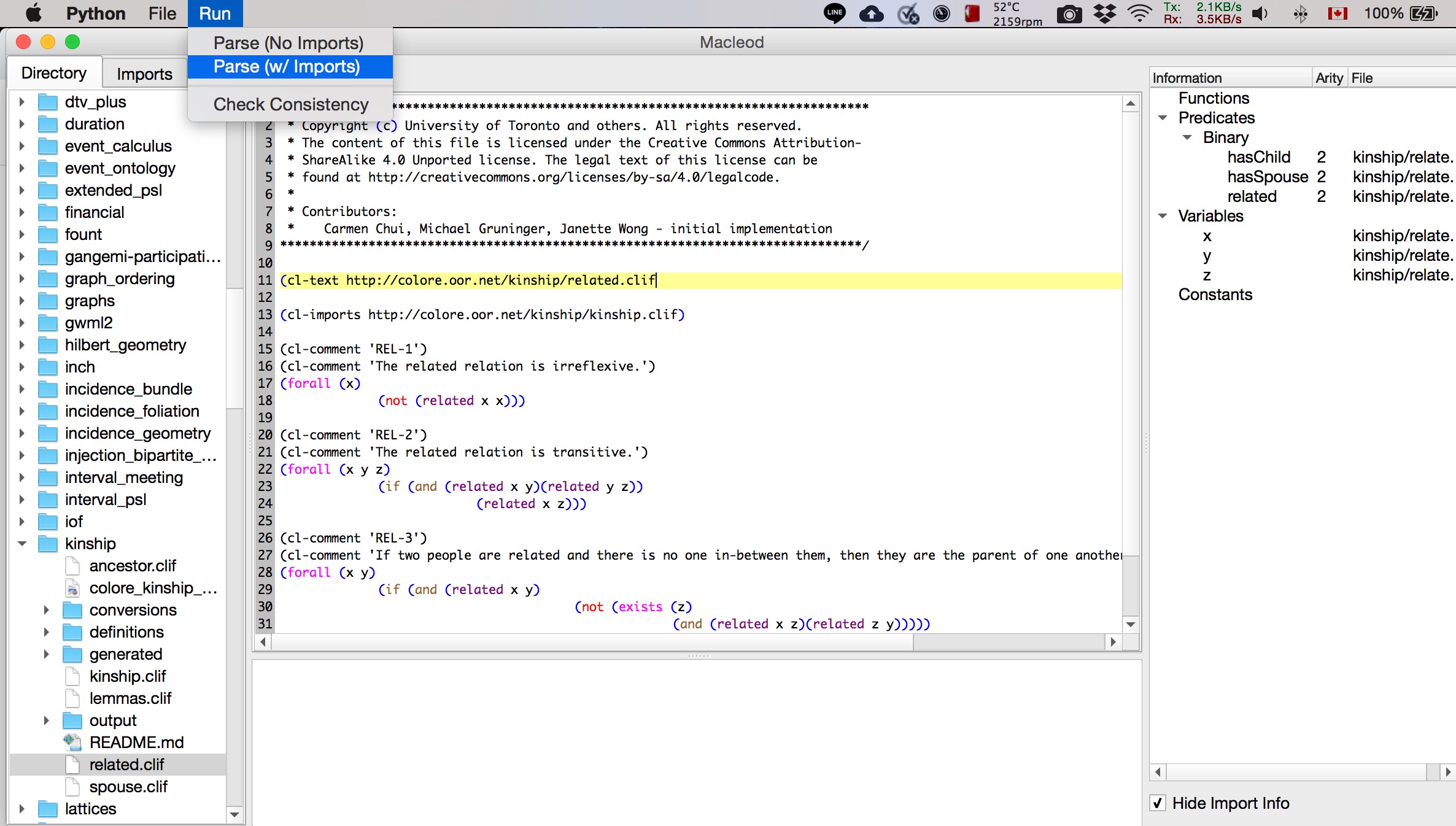
-
To do a translation from CLIF to LADR (Prover9/Mace4 syntax) or CLIF to TPTP, click on the Check Consistency button.
-
Open the Terminal/Command Prompt to check the output of the translation and the consistency check. Each prover has their own output status code and macleod will tell you whether a proof or model was generated.

-
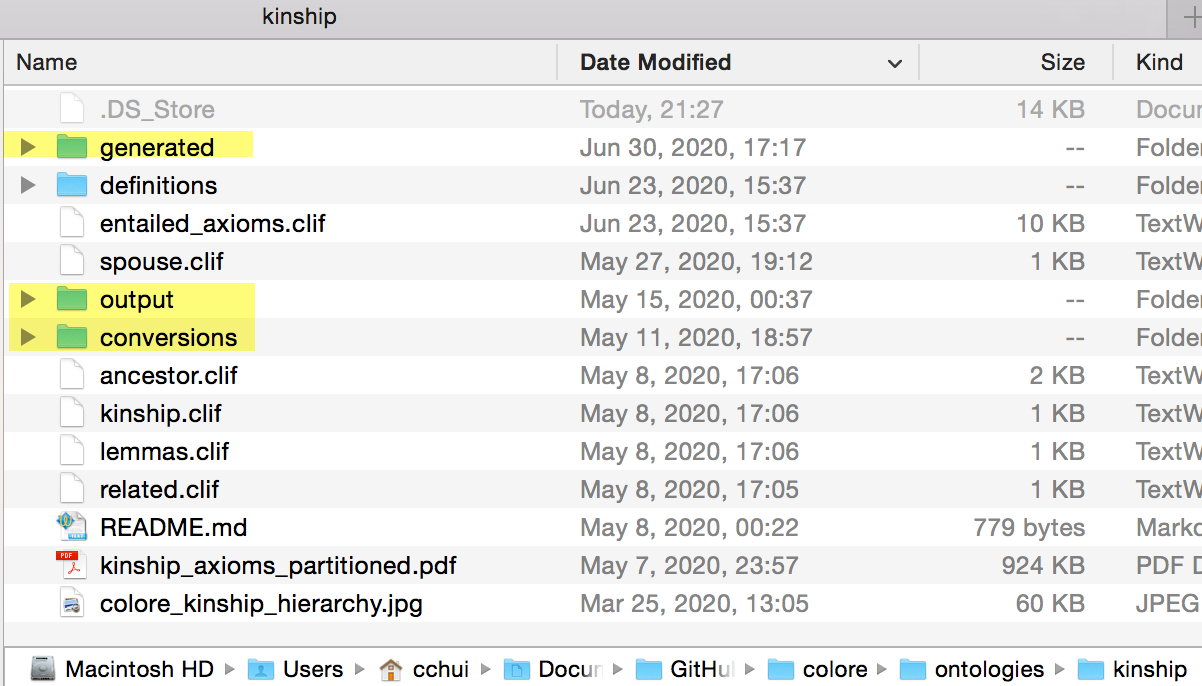
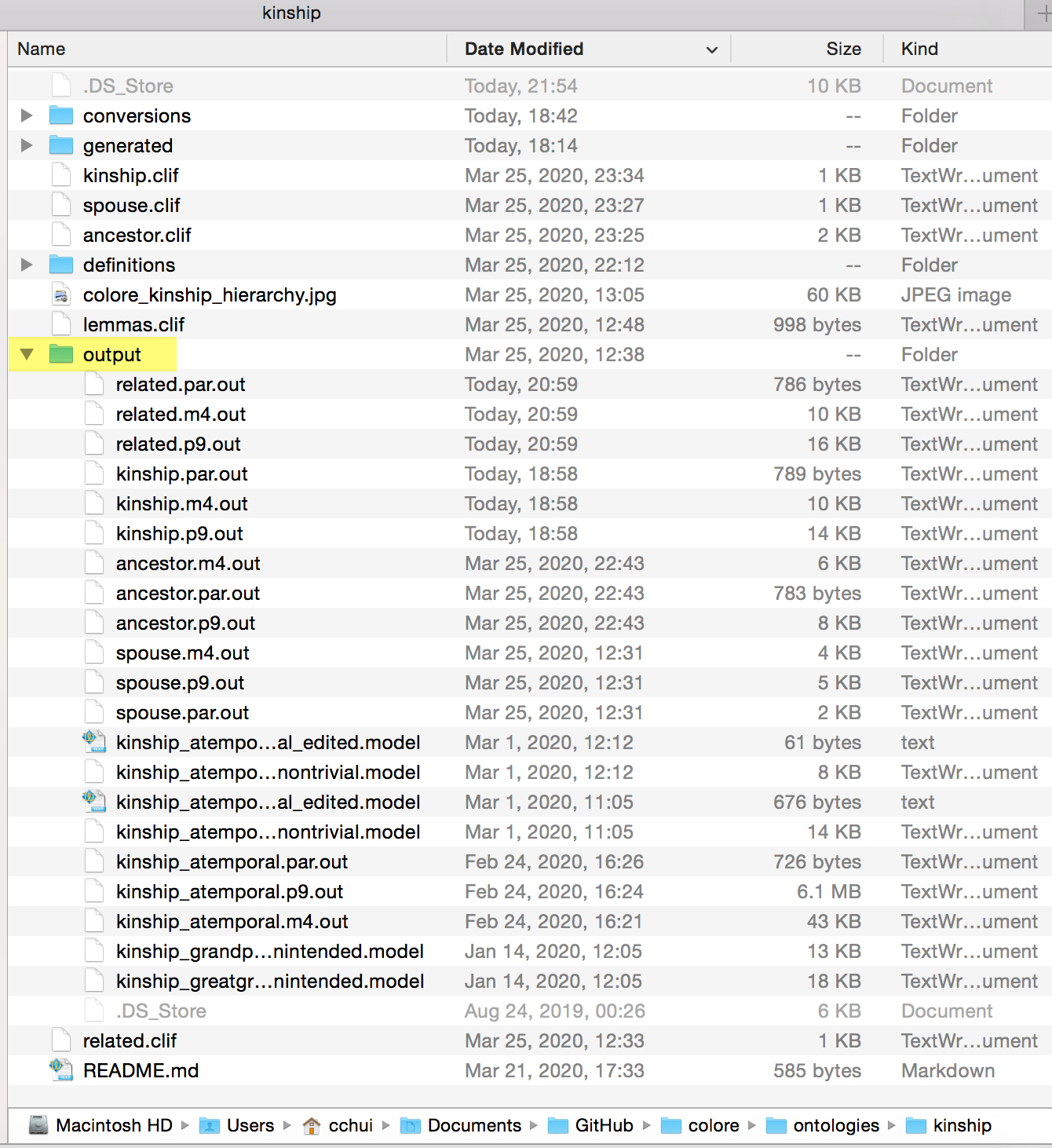
Translations will go into the
/generatedand/conversionsfolder of the ontology folder containing the CLIF file. -
When you run the translation, the CLIF file will also be parsed through the designated theorem prover, so proofs and model output(s) will be in the
/outputfolder.
- If all else fails or the macleod GUI generates too many errors and does not parse the files, use the scripts via Terminal/command-line.
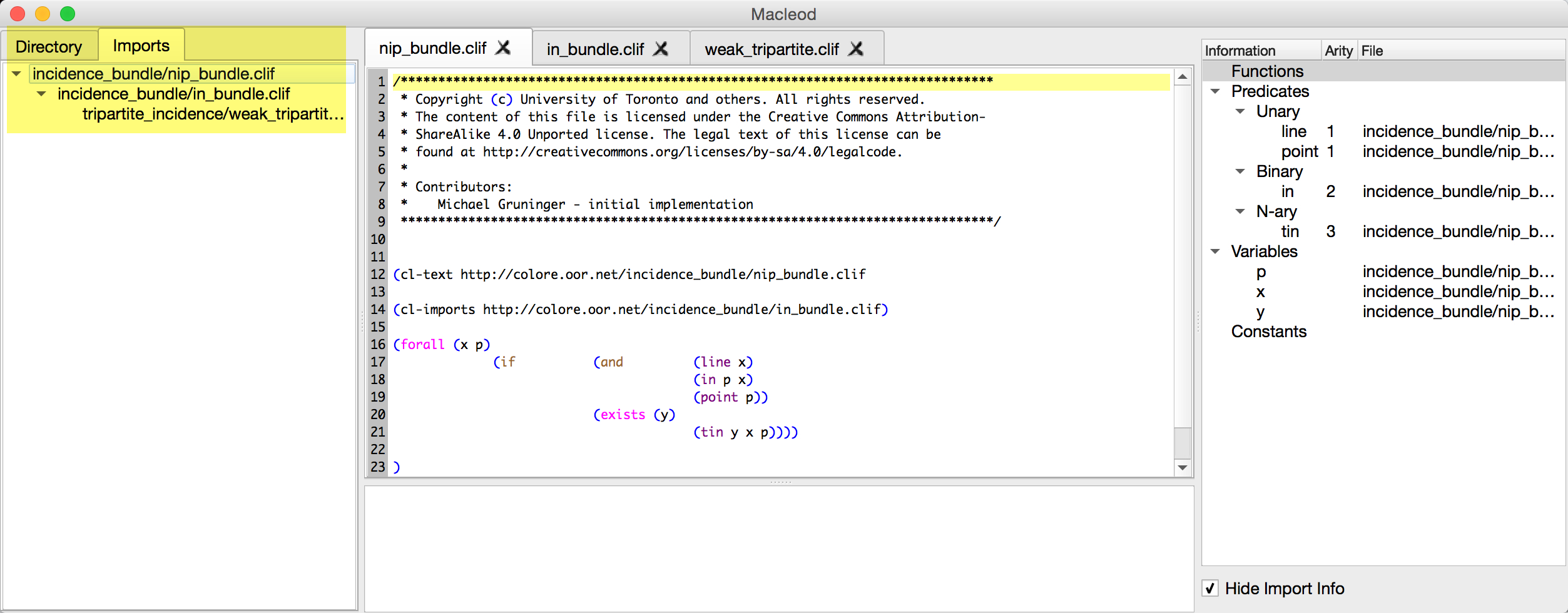
Once you run the Parse (w/ Imports) option, you will be able to see the import structure of the CLIF file if there are import statements.
- LADR and Paradox consistency check work. Set the provers and model finders in
macleod_mac.conf. - Vampire may throw OS-level threading errors on Mac. It's probably better to build/compile the Vampire binary from https://github.com/vprover/vampire and call it in a separate terminal. I do not have a Windows or Linux machine to test, but YMMV (your mileage may vary).
Tested and confirmed to work for:
- CLIF to Prover9 translation
- CLIF to TPTP translation
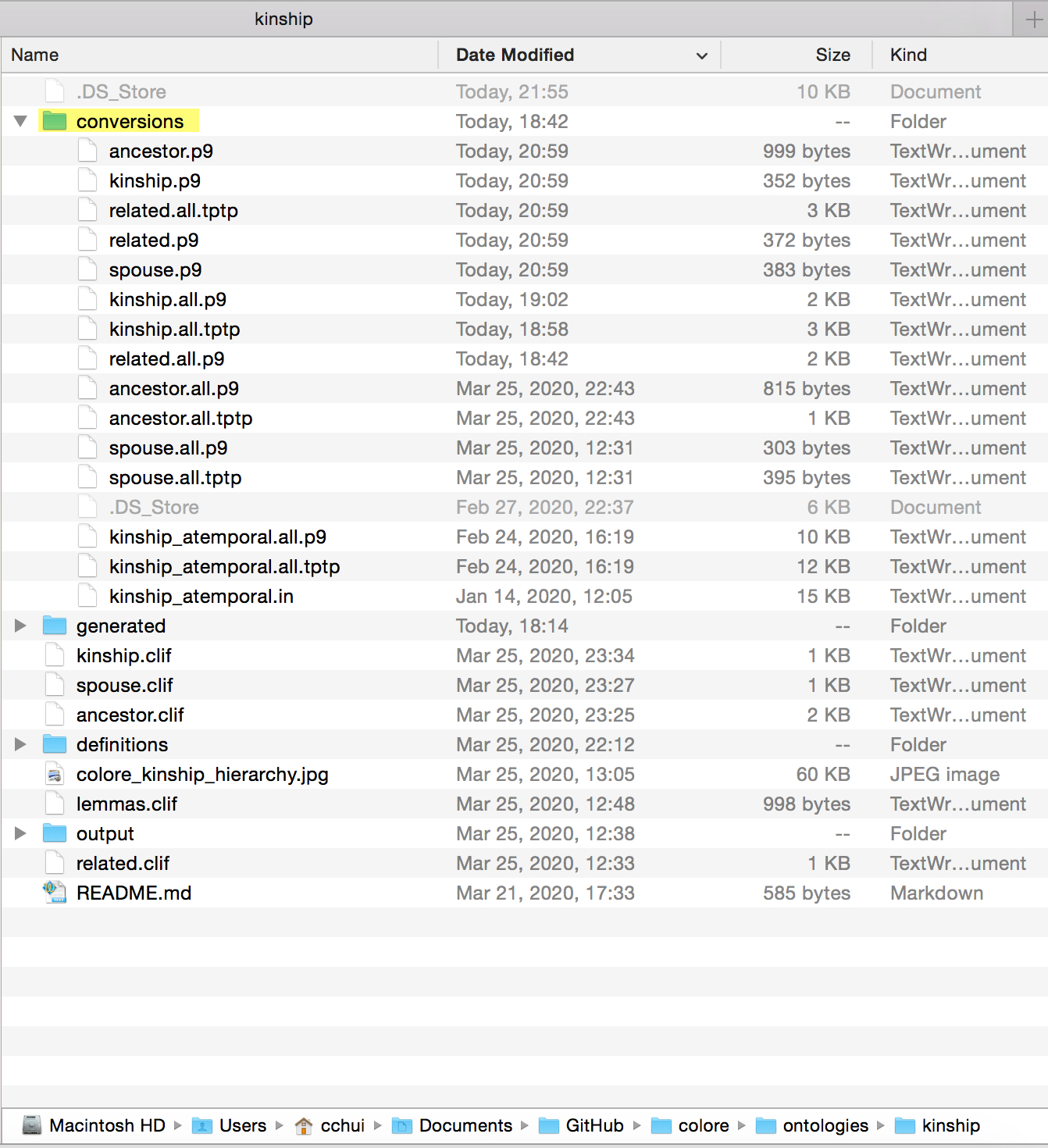
Translations will go into the /conversions folder of the corresponding hierarchy.
-
.p9is the translation of CLIF axioms into Prover9 syntax -
.tptpis the translation of CLIF axioms into TPTP syntax (used for Paradox, Vampire) -
.all.p9and.all.tptpcontain all of the CLIF axioms that were translated
These output files will be found in the /output folder of the corresponding hierarchy.
-
.m4.outis a Mace4 output file -
.par.outis a Paradox output file -
.p9.outis a Prover9 output file -
.vam.outis a Vampire output file
Newer versions of the Common Logic Interchange Format (CLIF) grammar/standard will break all functionality! e.g., the cl:text and cl:outdiscourse tags will cause errors in all the scripts. The macleod parser will need to be fixed to handle these CLIF changes.