Features
Many of the features detailed here have options in the settings, and many can also be disabled there. Remember to check them out.
This page is current to version 0.10.4, but some screenshots may be from older versions and differ in some details from the latest version.
Items are the activatable things on an actor's character sheet. Items in the inventory, but also special abilities ("features") and spells fall into this category. Activating an item by clicking the d20 icon is referred to as rolling the item.
Performing any item roll will be done through WIRE. WIRE represents one roll as one chat card, the card progressing through various stages depending on the properties of the item (whether it is an attack, requires a save, has damage, has associated effects etc.).
After the process is complete and any targeting, attack rolls, saves and damage rolls are done, separate damage cards are presented to apply any resulting damage (see below) and any effects defined for the item (on the effects tab, rarely used in the dnd5e system out of the box) are applied according to how they are set up (see below).
The caused damage and applied effects are collectively referred to as applications for the purpose of this documentation. They can be defined to be immediate, delayed or over time. Immediate applications are applied as part of the roll by default, delayed and over time are really only labels that define what to do when a condition (see below) requires something to happen later on after the initial roll is already completed.
Right clicking on an item will fast-forward roll it, i.e. skip the attack configuration dialog (spells and such still present the spell level selector, though). This is much more useful with WIRE, as one of its primary goals is to remove the need to manually type in modifiers and bonuses.
It is good to be aware of the following available modifiers you can use when triggering the roll:
- Alt pressed: Make the roll with advantage (applicable to attacks)
- Cmd/Ctrl pressed: Make the roll with disadvantage (applicable to attacks)
- Shift pressed: Fast-forward the roll, skipping the attack configuration dialog.
Whenever a concentration spell or an item with an area of effect is used, a master effect is created on the item user/caster. Concentration is generally preferred, but when it is not specified, a separate master effect is used. Examples of spells that need the master effect are Spiritual Weapon and Magic Circle.
If the master effect is deleted, all the relevant things created as part of the spell are removed as well. This includes
- The area template attached to the item
- Any effects created on the targets
- Any statuses/conditions applied as a result of an effect
Note that it is possible to make effects have a duration of their own independent of the master effect and statuses can be made persistent (until switched off manually), but these are the exception.
Many spells and abilities affect things after the initial casting depending on various conditions. Some examples of these are:
- Things that are triggered as an action (attacking with a Spiritual Weapon, activating Heat Metal, escaping from a Web)
- Things that should happen every round (making a save to get released from a Hold Person)
- Things that are saved against only after a successful attack (poison from a spider's bite)
- Area triggered things (entering a Moonbeam, walking into Darkness)
- Making an attack (a paladin's Smites)
These are implemented using conditions. Conditions that are fulfilled result in an updater being triggered (see below).
There is a separate page detailing all the conditions available.
Conditions can be applied to the item itself, as the following example from Spirit Guardians illustrates:
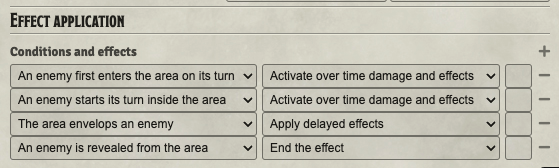
Conditions on the item are generally triggered on the caster's turn or are tied to an area effect.
The most common location for conditions is on an applied effect. These are copied on to the effect applied on a target actor and mostly trigger on the effect recipient. Here is an example from Divine Smite:

Here a Goblin has been targeted by a Hold Person spell. When the turn passes on, the GM automatically gets a save card.
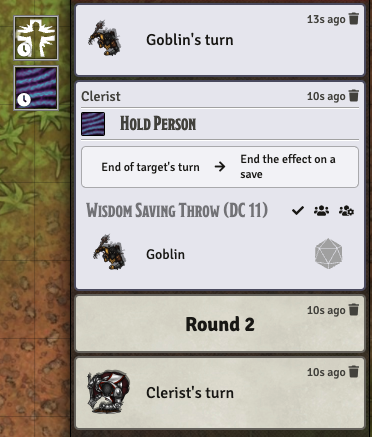
Here the Hold Person spell's effect has been given the condition and updater: End of target's turn → End the effect on a save.
In this example, Heat Metal has been cast on a target. It requires the caster to take a bonus action to apply the damage on any given turn, so the player is presented with an option to apply it:
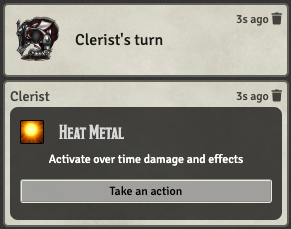
If the player chooses to take the action and presses the button, a new chat card is given with the options to cause more damage (and apply the accompanying disadvantages to the target):
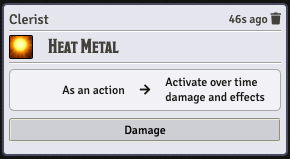
This was accomplished by a condition updater pair of: As an action → Activate over time damage and effects. Note that no saving throw was presented because the damage was marked as "Always full".
Updaters are what happen as a result of a condition being triggered. These generally fall into three categories:
- Create a new chat card to activate the item again at a later time. Each condition can be set to use immediate, delayed or over time damage and/or effects.
- Apply only active effects to the recipient. The condition can be set to use immediate, delayed or over time effects.
- End the effect, optionally requiring a save or a skill check
There is a separate page available listing all the updaters available.
Items have damage defined as any number of damage rows technically referred to as damage parts. Out of the box, dnd5e has a column for damage dice and the damage type (which WIRE brings meaning to). WIRE adds two columns.
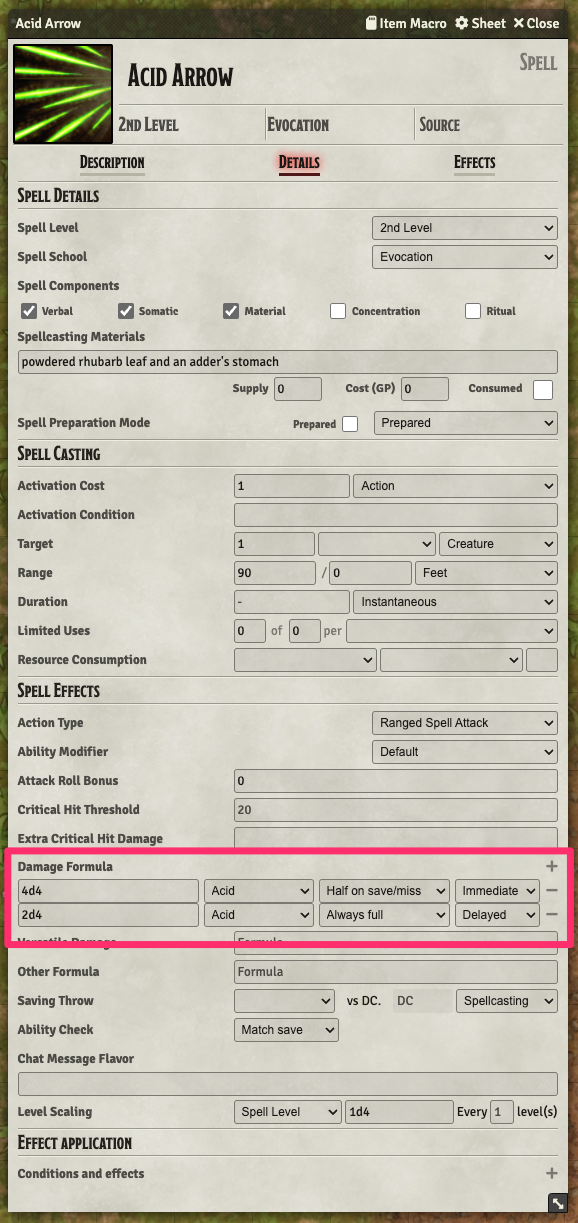
Each row can be given a halving option from the set None on save/miss, Half on save/miss and Always full. This is pretty self explanatory, but one thing is worth a note. If all damage for a spell for a certain application type (immediate, delayed, over time) is set to always full, a save is not made at all. Similarly, if an attack has damage at half or full, a damage roll is made despite the attack missing.
Each activation of an item (see the page on how WIRE works) only activates damage and effects of a certain application type, the options being immediate, delayed and over time. All other entries are considered to not exist for the purposes of a particular roll or activation. So things like Moonbeam that only have damage applied on the target's turn should not have any damage rows of the immediate type and no damage roll will be made as part of the initial casting.
Changes can be added to effects that give the target advantage or disadvantage on various kinds of attacks, saves or checks. Others cause all healing or damage of a certain type to always be maximised or minimised.
See the effect flags page for full information on this.
- Conditions such as an attack roll ending an effect can be applied to Convenient Effects as well.
- It can be quite handy to make single shot conditions. For example, make a condition called "Advantaged" that gives an advantage to all attacks, but ends on the next attack.
- Remember that you can make these conditions available to the players as well by flagging them as status effects. They will be available where all the other statuses are.
When a damage roll is prompted for a weapon, the actors equipped item payload is inspected.
- If the character has two light melee weapons equipped, they are considered capable of making an off-hand attack
- If the character has the
flags.wire.dualWielderflag and two melee weapons equipped, they are considered capable of making an off-hand attack - If the character has no shield, a single melee weapon equipped and the weapon has versatile damage, they are considered capable of making an attack using versatile damage.
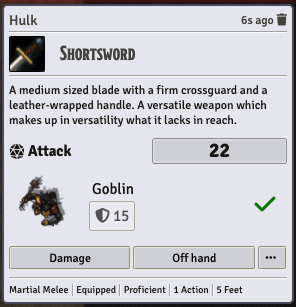
In these cases, an "Off hand" or "Versatile" button alternative is provided.
Off hand attacks usually add a -@mod modifier to the damage roll, i.e. the ability bonus is removed. This negative modifier is not included if the actor has the flags.wire.twoWeaponFighting flag.
When making a versatile attack, versatile damage will be used in place of the first immediate damage row for the item.
A versatile attack is also triggered if a weapon has versatile damage and the actor has the flags.wire.damage.versatile flag.
Tip: Make a condition called something like "Two-Handed", add this flag it and make it a status condition, available to the players.
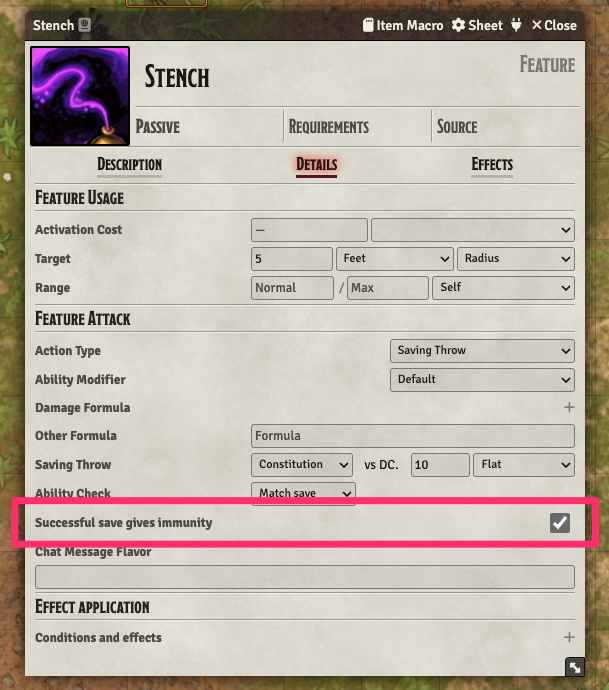
Some monster abilities give characters making a successful save immunity to consecutive applications. This can be enabled by selecting the checkbox. The immunity will apply to each character individually, both inflicting and receiving.
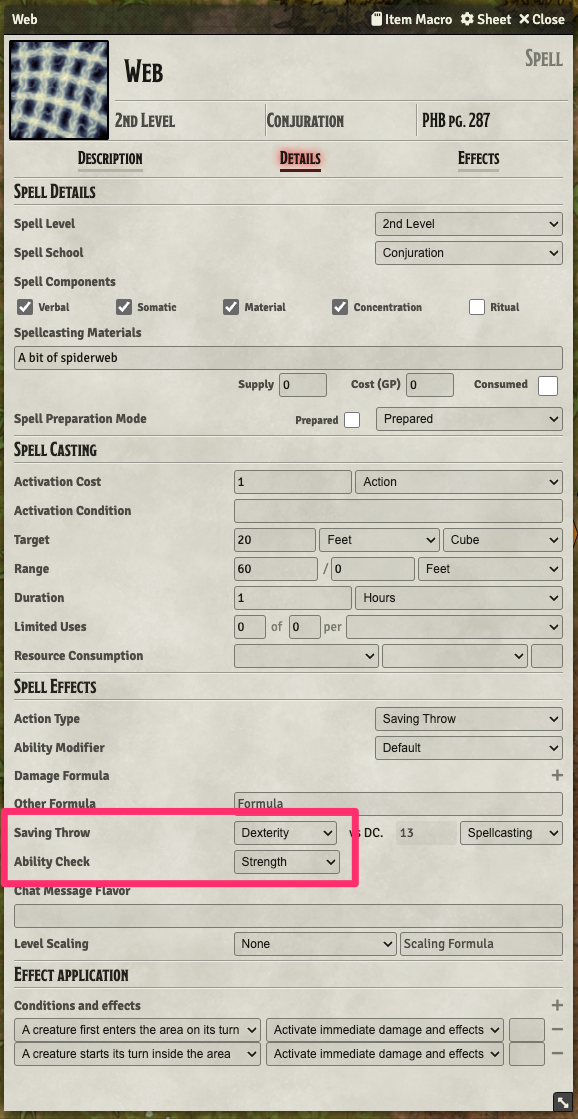
Some spells or abilities require the target to make a skill check rather than a saving throw to be released from its effects. The above example is from the Web spell, where initial contact with the web requires a dex save, but failing that, getting released requires a strength check. The roll used depends on which updater is selected for the condition on the effect.
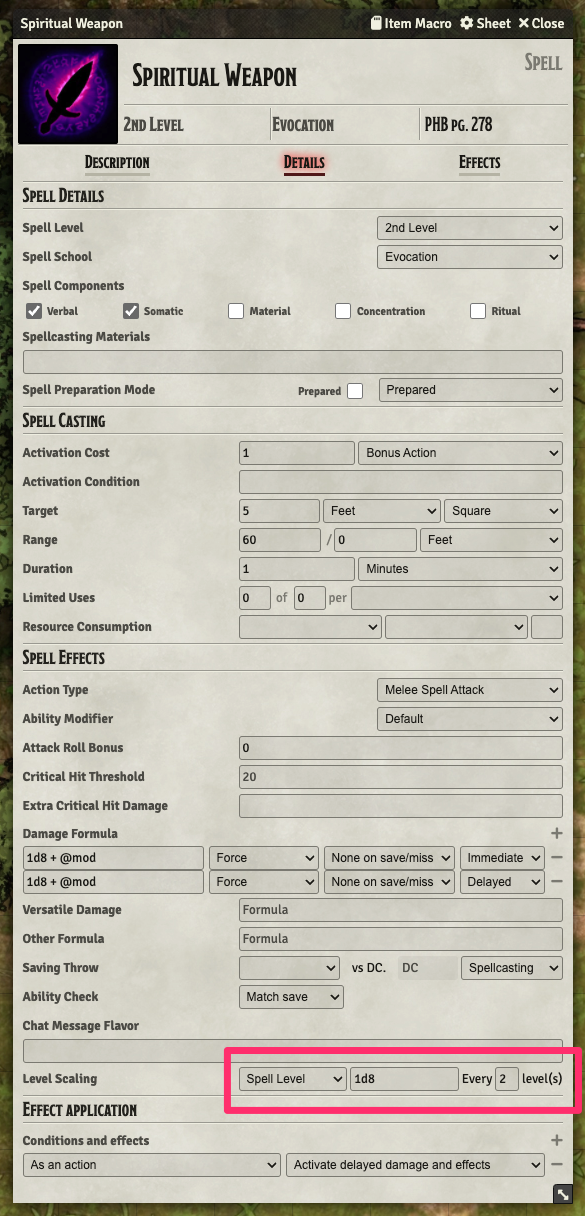
Some spells do not scale every level, but e.g. every other level. WIRE adds a field for this and uses it in damage calculations.
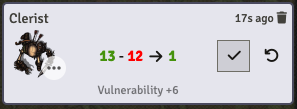
When an item causes damage, a damage card is created. If a spell causes damage to multiple targets, the card will include them all as a list. Damage affecting PCs is presented to the players, while damage to NPCs is only presented to the GM. In case a spell damages both, two damage cards are created.
The damage can be applied or undone using the buttons on the card. The card also shows how much damage was done to hit points and/or temporary hit points and the amount of healing/gained temporary hit points.
Damage resistance, immunity and vulnerability and damage reduction are taken into account when calculating damage (see below) and the results of the calculation are displayed on the card.
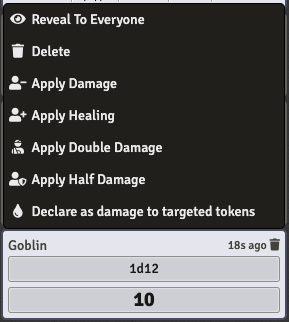
Any chat roll can be converted into a damage card using the right click context menu. If any tokens are targeted, the damage will be applied to them. If there are no targets, selected tokens will be used.
WIRE takes into account damage types when calculating damage and applies damage resistance, immunity, vulnerability and reduction.
Try to keep this in mind and apply a damage type as flavor text for any bonus dice. For example, if a spell gives an actor a melee weapon damage boost (the data.bonuses.mwak.damage change key, see the page on available effect flags). Specify the value as e.g. +1d6[fire] to make sure the type is accounted for properly.
WIRE automatically adds the "Wounded" condition (that comes with Convenient Effects) when an NPC's hit points fall below a threshold, typically 50%.
If you create a custom condition called "Damaged", it will be applied if the NPC has taken any damage.
These can create flavour and give player's some sense of progress, and the damaged condition is useful for some spells like Toll the Dead.
WIRE makes two special cases when handling area templates.
- Instant cast spells like Burning Hands get their template automatically removed after the targets have been confirmed.
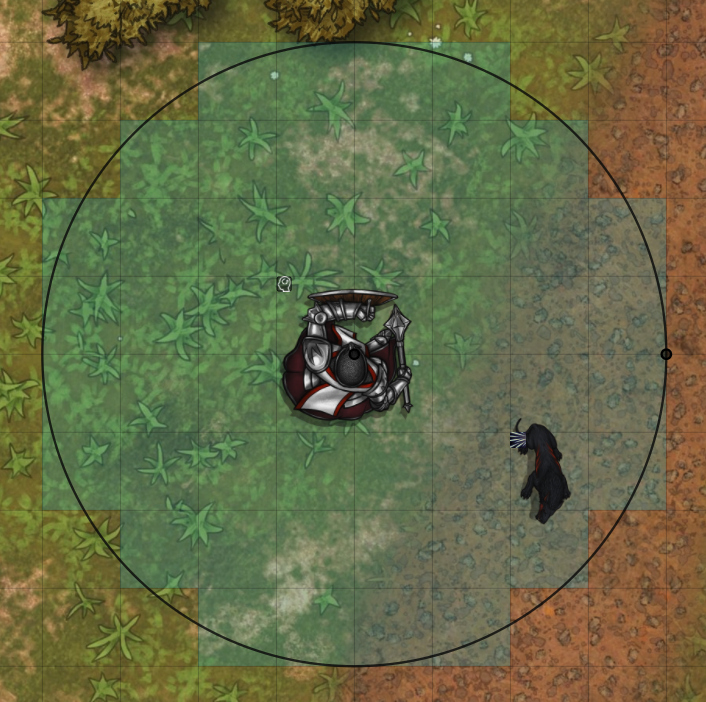
- Effects with a range of self and an area with a sphere or a radius unit get automatically stuck to the caster and move around with them.
In the latter case, the template is also enlarged to expand to the specified range from the edge of the token. For example, the image below illustrates how a Spirit Guardians (15' radius) would work on a large character.
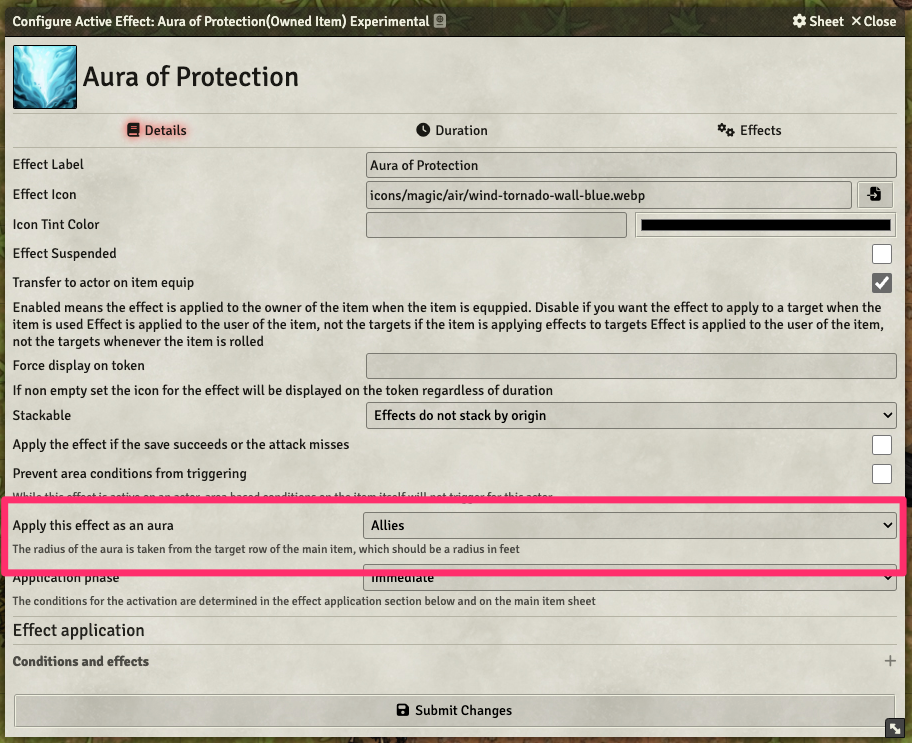
Some area effects centered on the effect originator can be quite distracting when moved around as a template and others are passive effects that have no opportunity for template placement. WIRE supports auras that automatically apply to tokens around the originator. Their radius is taken from the item properties. The range must be "Self" and the target a radius.
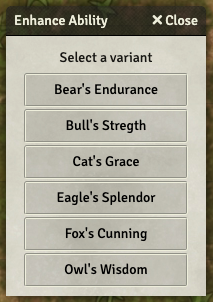
Items can be given variants that are selected first whenever activated.
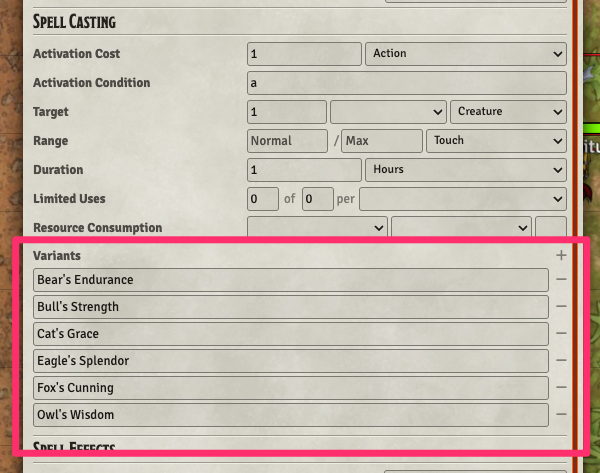
To enable variants, make sure the item has an activation condition and add the variants to the list.
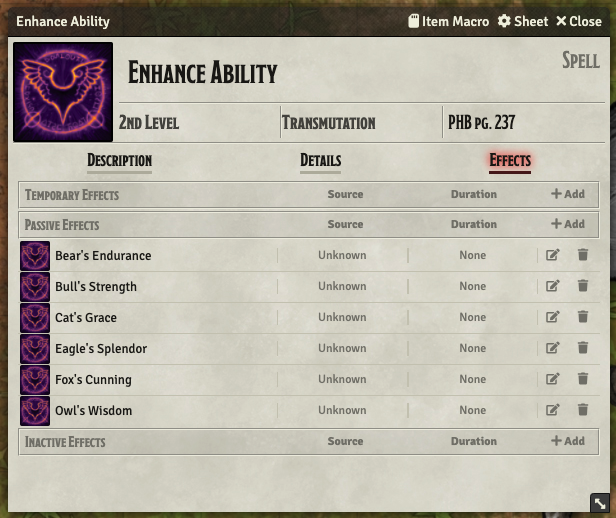
When a variant is selected, only the effects whose name contain the given variant are activated.
Similarly, only damage rows that have a flavor text containing the name of the variant will be included in the roll.
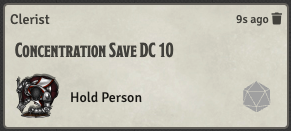
Whenever an actor with concentration is damaged, they will be prompted for a concentration saving throw. If the save is not successful, concentration will be dropped along with any applied effects.
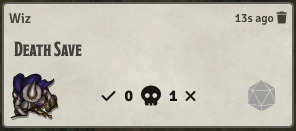
If a PC starts its turn at 0 hp and needs to do a death save, WIRE will prompt that from the player.
The escape key has been reworked, and it now does the following, one at a time starting from the top:
- Close any open context menu
- Return to the chat tab
- Return to token controls
- Release any targets currently active
These actions have been removed and will not be performed:
- Close open UI windows
- Release controlled objects (i.e. remove selection)
- Toggle the main menu
WIRE allows you to bind a hot key to move to the next turn (N by default) or the last turn (shift-N by default).
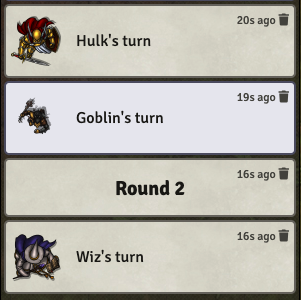
Notifications can be shown for round and turn changes. NPC turn notifications are only shown to the GM. These can help when scrolling back through the chat log and for awakening sleeping players.
When the current turn shifts to an NPC, the GM will be focused at that token's location and the token will be selected.