A Twitch chatbot running in Python.
- Generate text from a text prompt using Google Gemini.
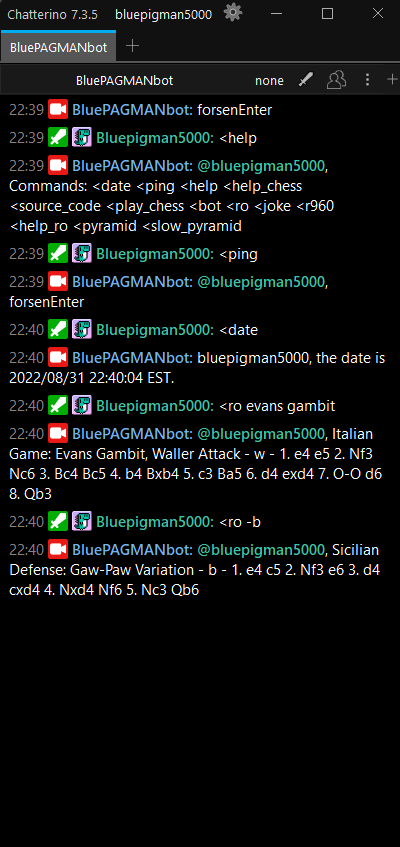
- Get a random chess opening name, can add specific keywords, and/or indicate the side.
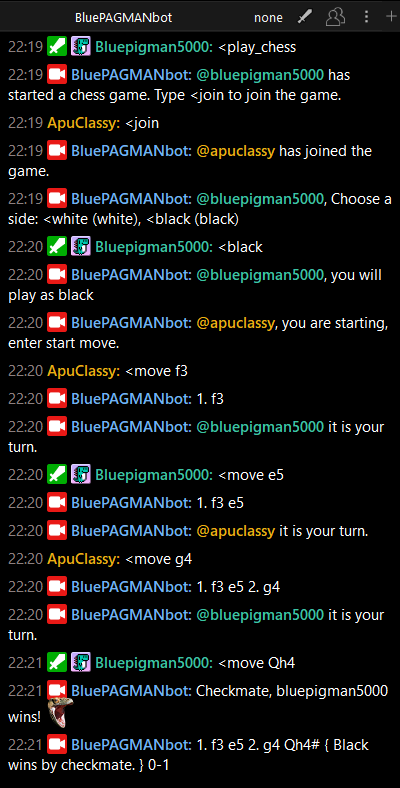
- Play a chess game through sending messages, with a dynamically updated PGN of the ongoing game.
- Get a random news headline from Google News.
- Gambling with points.
- Generates Braille/ASCII art from emotes/image links.
- Play Texas Hold'em poker with multiple people.
- Summarize Youtube videos (sends transcript to Gemini).
- Describe image and video links (uploads to Gemini and asks for description).
For versions 1.3 and higher: pymongo
pip install --upgrade google-cloud-aiplatform
gcloud auth application-default login
pip install pillow
pip install texasholdem
pip install beautifulsoup4
pip install youtube_transcript_api
pip install -U google-generativeai
pip install selectolax
IMPORTANT: If you don't want to set up a MongoDB, then use v1.2 in releases.
- Download the latest release and extract.
- Make a Twitch account if you do not already have one.
- Get the OAuth token of the Twitch account to be used as the bot here.
- Rename
config_example.pytoconfig.py, and fill in the details. - Set up a Mongo database, add a database named "test" and a collection named "Users". Then add the connection string into
config.pyin db_uri. - Run
bot.py. The bot will now join the channels you put inconfig.py.
Screen.Recording.2024-06-30.170209.mp4
This bot takes a lot of functionality from https://github.com/VJ-Duardo/VJBotardo
https://github.com/VJ-Duardo/PyBrailleArt for Braille Art https://github.com/kevle1/paris-2024-olympic-api for getting 2024 Olympics medal counts https://github.com/SSujitX/google-news-url-decoder to decode Google News URLs
And everyone else that helped me with testing by using the bot, thank you!