Python library and GUI for efficient processing and visualization of time series.

The python library provides tools for:
- Import and export from/to various pre-defined time series file formats
- Signal processing
- Inferring statistical distributions
- Cycle counting using the Rainflow algorithm
It was originally created to handle time series files exported from SIMO and RIFLEX. Now it also handles SIMA hdf5 (.h5) files, Matlab (version < 7.3) .mat files, CSV files and more.
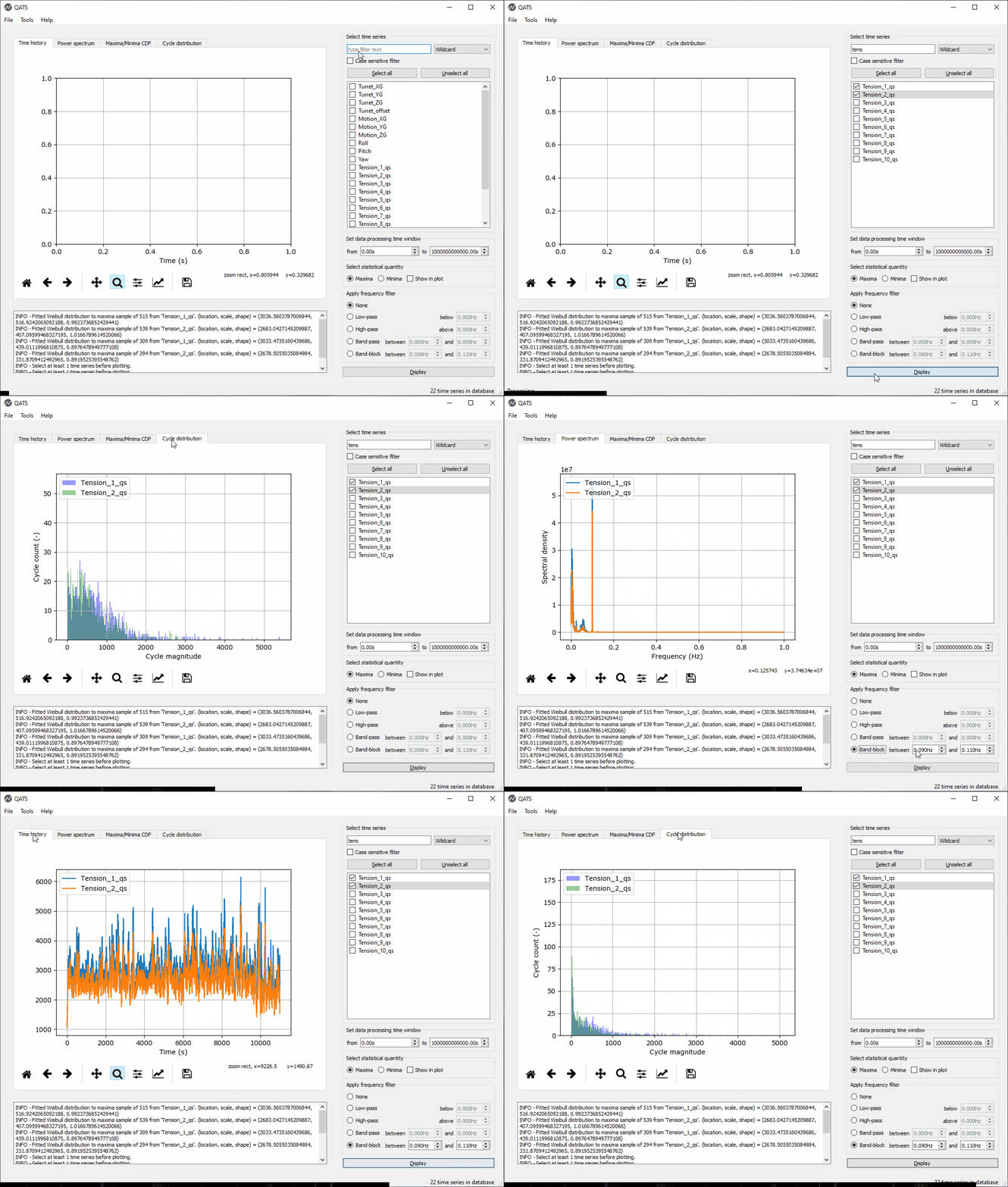
QATS also features a GUI which offers efficient and low threshold processing and visualization of time series. It is perfect for inspecting, comparing and reporting:
- time series
- power spectral density distributions
- peak and extreme distributions
- cycle distributions
Run the below command in a Python environment to install the latest QATS release:
pip install qatsTo upgrade from a previous version, the command is:
pip install --upgrade qatsYou may now import qats in your own scripts:
from qats import TsDB, TimeSeries... or use the GUI to inspect time series. Note that as of version 4.2.0 you are quite free to choose which Qt binding you would like to use for the GUI: PyQt5 or Pyside2, or even PyQt4 / Pyside.
Install the chosen binding (here PyQt5 as an example):
pip install pyqt5... and launch the GUI:
qats appTo create a start menu link, which you can even pin to the taskbar to ease access to the QATS GUI, run the following command:
qats config --link-appTake a look at the resources listed below to learn more.
These instructions will get you a copy of the project up and running on your local machine for development and testing purposes. See deployment for notes on how to deploy the project on a live system.
Install Python version 3.6 or later from either https://www.python.org or https://www.anaconda.com.
At the desired location, run:
git clone https://github.com/dnvgl/qats.git
To get the development environment running:
... create an isolated Python environment and activate it,
python -m venv /path/to/new/virtual/environment

/path/to/new/virtual/environment/Scripts/activate
... install the dev dependencies in requirements.txt,
pip install -r requirements.txt.. and install the package in development mode.
python setup.py developYou should now be able to import the package in the Python console,
import qats
help(qats)
... and use the command line interface (CLI).
qats -hThe automated tests are run using Tox.
toxThe test automation is configured in the file tox.ini.
Build tarball and wheel distributions by:
python setup.py sdist bdist_wheelThe distribution file names adhere to the PEP 0427
convention {distribution}-{version}(-{build tag})?-{python tag}-{abi tag}-{platform tag}.whl.
The html documentation is build using Sphinx
sphinx-build -b html docs\source docs\_buildPackaging, unit testing and deployment to PyPi is automated using Travis-CI.
We apply the "major.minor.micro" versioning scheme defined in PEP 440.
We cut a new version by applying a Git tag like 3.0.1 at the desired commit and then
setuptools_scm takes care of the rest. For the versions
available, see the tags on this repository.
This project is licensed under the MIT License - see the LICENSE file for details.