ArsenTech's ClamAV GUI is a free, minimal, open-source interface for file scanning and threat detection that makes the Antivirus itself look professional and work exactly like ClamAV (A FOSS CLI Antivirus).
Yes. The ClamAV GUI is licensed under the [GNU General Public License v3.0 or later][license-url]. It is completely free with no ads or limitations.
ClamAV is a trademark of Cisco Systems, Inc. This project is an independent, open-source GUI and is not affiliated with or endorsed by Cisco.
ArsenTech's ClamAV GUI is built with Tauri + React + Typescript and runs on:
- Windows 10 and later
- Linux
- macOS (Apple Silicon / arm64)
The ClamAV GUI stores settings and data in a platform-specific data folder (%appdata%/com.arsentech.clamav-gui on Windows for example).
You can open the issue in following ways:
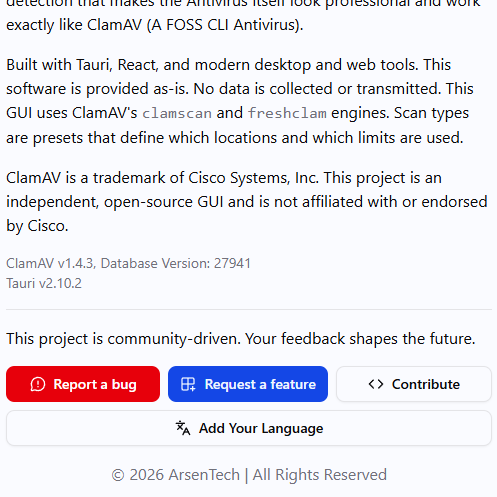
- Open The app
- Click on About ClamAV GUI
- Make sure to click on one of these buttons
- Report a bug - Opens the Github Issue Template for writing a bug report
- Request a feature - Opens the Github Issue Template for writing a feature request
- Write some details about the bug you've encountered (or a new feature proposal)
- Once finished, click on the Create button on GitHub
- Click on one of these links
- Write some details about the bug you've encountered (or a new feature proposal)
- Once finished, click on Create
GitHub @ArsenTech · YouTube @ArsenTech · Patreon ArsenTech · ArsenTech's Website