A TypeScript library for rendering osu!mania beatmaps to SVG format with vertical strip layout.
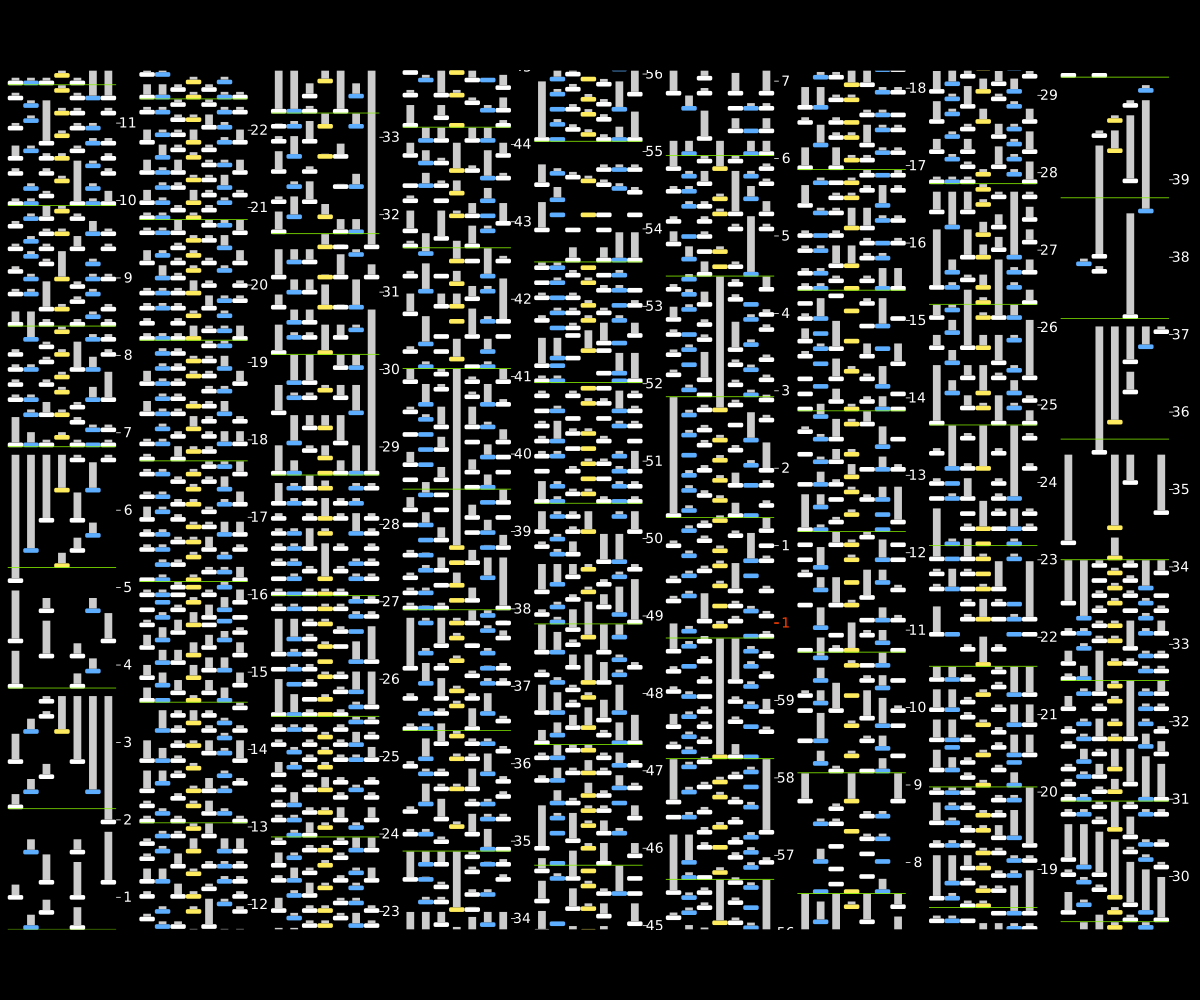
pnpm add mania-svgNote: This package does not include .osu file parsing. You need to choose your own parser library.
The following example uses osu-parsers and osu-mania-stable:
import { BeatmapDecoder } from 'osu-parsers'
import { ManiaRuleset, Hold } from 'osu-mania-stable';
import { render, type Beatmap } from 'mania-svg';

const decoder = new BeatmapDecoder()
const parsed = await decoder.decodeFromPath('test.osu', false);
const ruleset = new ManiaRuleset();
const mania = ruleset.applyToBeatmap(parsed);

const data: Beatmap = {
  keys: mania.difficulty.circleSize,
  notes: mania.hitObjects.map(obj => ({
    start: obj.startTime,
    end: obj instanceof Hold ? obj.endTime : undefined,
    column: obj.column,
  })),
  timingPoints: mania.controlPoints.timingPoints.map(tp => ({
    time: tp.startTime,
    bpm: tp.bpm,
    meter: tp.timeSignature,
  })),
};

const svg = render(data);const defaultOptions = {
background: {
/** Whether to render background */
enabled: true,
/** Background color of the SVG */
color: '#000000',
/** Function to create SVG elements for the background */
createElement: createBackground,
},
note: {
/** Width of each column in px */
width: 20,
/** Height of regular notes in px */
height: 6,
/** Corner radius in px */
rx: 2,
/** Width of long note body in px */
bodyWidth: 10,
/** Color of the long note body */
bodyColor: '#CCCCCC' as string | undefined,
/** Function to select color for each object */
colorSelector: createNoteColorSelector(),
/** Function to create SVG elements for each object */
createElement: createNote,
},
time: {
/** Start time in ms */
start: 'auto' as 'auto' | number,
/** End time in ms */
end: 'auto' as 'auto' | number,
/** Vertical scale: px per ms */
scale: 0.1,
/** Time direction: 'up' (bottom to top) or 'down' (top to bottom) */
direction: 'up' as 'up' | 'down',
},
barline: {
/** Stroke width of bar lines in px */
strokeWidth: 1,
color: '#85F000', // green
/** Function to create SVG elements for each bar line */
createElement: createBarLine,
},
axis: {
/** Width of the axis area in px */
width: 30,
/** Style for labels at whole minutes */
minute: {
color: '#FF3F00',
strokeWidth: 2,
fontSize: 18,
},
/** Style for second labels */
second: {
color: '#FFFFFF',
strokeWidth: 1,
fontSize: 18,
},
/** Function to create SVG elements for each axis label */
createElement: createAxisLabel,
},
strip: {
/**
* Layout mode for strips
* - 'num': specify number of strips
* - 'time': specify time duration per strip
* - 'ratio': specify target aspect ratio (width / height) to auto-calculate strip count (approximate)
*/
mode: 'num' as 'num' | 'time' | 'ratio',
/** Number of vertical strips to divide the timeline */
num: 8 as number | undefined,
/** Time duration per strip in ms */
time: 30000 as number | undefined,
/** Target aspect ratio (width / height), actual ratio may vary slightly */
ratio: 1.5 as number | undefined,
},
layout: {
/**
* Margin around the entire SVG in px [horizontal, vertical]
* When targetSize is set, this value serves as the minimum margin
* and will be automatically adjusted to meet the target size requirements
*/
margin: [10, 10] as [number, number],
/**
* Maximum scale factor applied to the entire SVG
* When targetSize is set:
* - Will be automatically reduced (if needed) to prevent content from exceeding targetSize
* - After scaling, margin will be adjusted to exactly meet targetSize requirements
*/
finalScale: 1.0 as number,
/**
* Target size [width, height] for the final SVG
* When set, the SVG will be adjusted to fit this size by:
* 1. Reducing finalScale (if needed) to prevent content from exceeding targetSize
* 2. Adjusting margin (using the margin value as minimum) to exactly meet targetSize
*/
targetSize: undefined as [number, number] | undefined,
},
};MIT