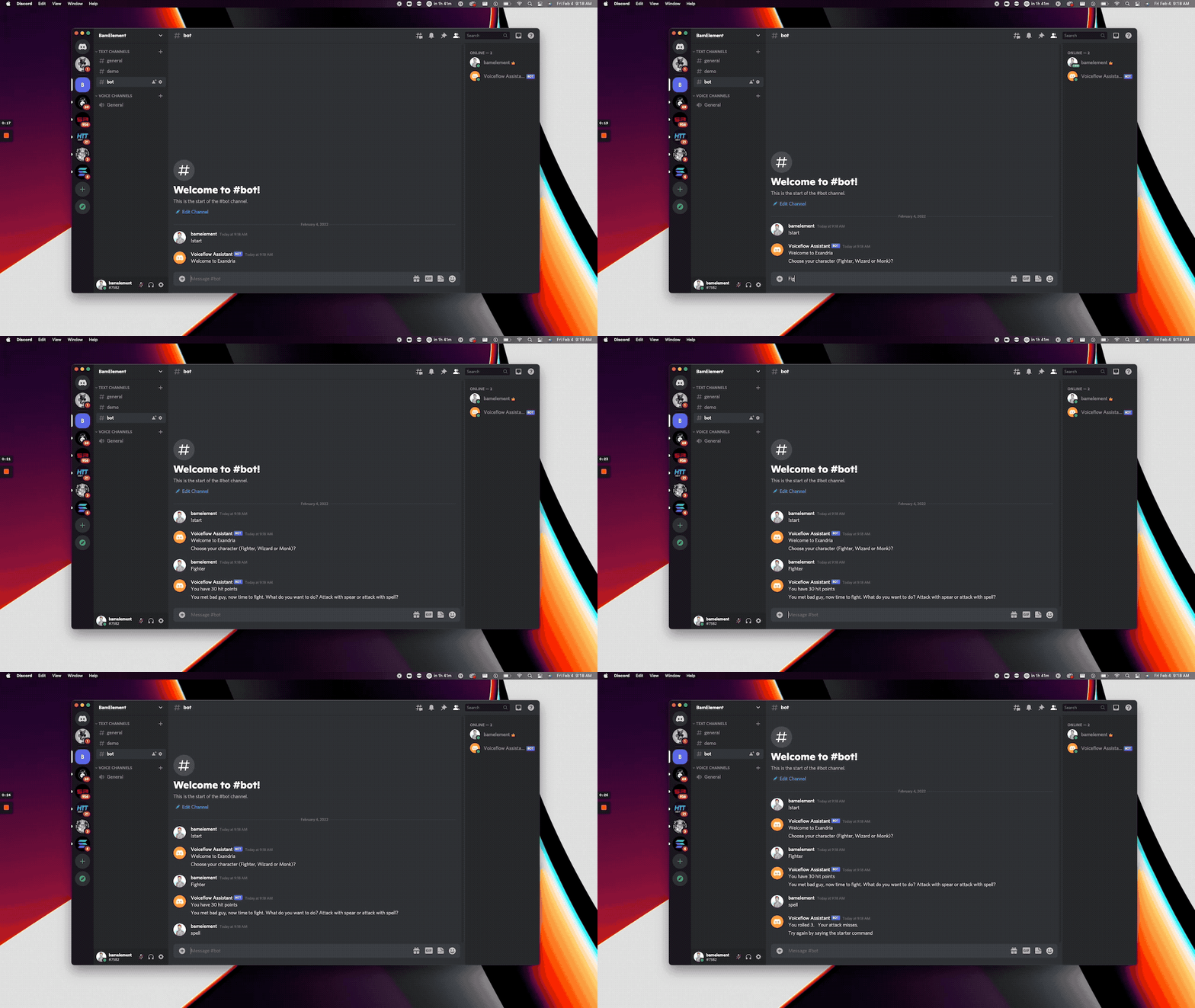
- Setup a Discord bot on your Discord server
- Create a Voiceflow project.
For authentication, we will need:
- Our VF project
versionID - Workspace API key
To obtain your versionID you have to go to your Voiceflow Project:
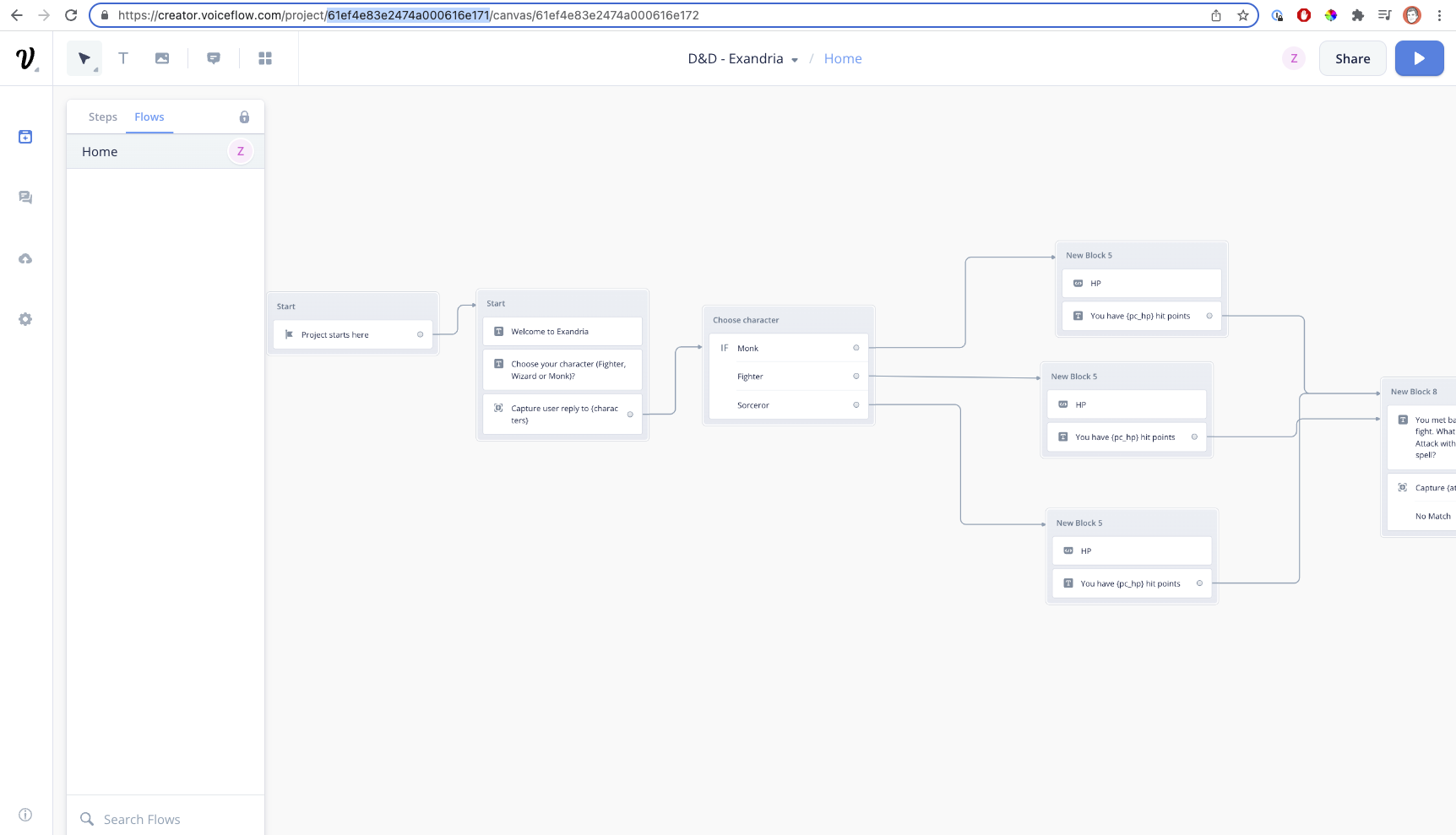
Then copy the VERSION_ID from the URL in your address bar. When you are inside a Voiceflow project, your address bar should have a URL of the form: https://creator.voiceflow.com/project/{VERSION_ID}/...
apiKey
To obtain the Workspace API Key we have to go to our workspace where we have created our General Project. After this, we have to append to the URL /api-keys:

Add the credentials into your .env file
VERSION_ID= "versionID"
VF_API_KEY= "VF.xxxxx"
First, follow the instructions here to retrieve your BOT_TOKEN from Discord.
We will be using the discord.js library in this project. To start, create a new instance of the Discord.Client function. Then pass in your BOT_TOKEN like below.
const discordClient = new Discord.Client();
discordClient.login(process.env.BOT_TOKEN)For every new message sent in the channel, we will make sure that the author of the message is not the bot itself, and that the conversation is running or that the message is the START_COMMAND.
    if (message.author.bot)
        return;
    if (message.content !== START_COMMAND && ! isRunning)
return;Next, we will use a ternary operator to send a launch request if the text input is the START_COMMAND, otherwise we will pass the entire string into a text request.
isRunning = message.content === START_COMMAND ? await interact(userID, {type: "launch"}) : await interact(userID, {
        type: "text",
payload: message.contentFinally we will pass the request into the below function which sends a post request to Voiceflow to retrieve the next step in the conversation. The expected response will be an array of n trace types which we will iterate through and map each trace type to the desired output in Discord.
    async function interact(userID, request) {
        console.log(request);
        const response = await axios({
            method: "POST",
            url: `https://general-runtime.voiceflow.com/state/${versionID}/user/${userID}/interact`,
            headers: {
                Authorization: apiKey
            },
            data: {
                request
            }
        });
        console.log();
        for (const trace of response.data) {
            switch (trace.type) {
                case "text":
                case "speak":
                    {
                        message.channel.send(trace.payload.message);
                        break;
                    }
                case "end":
                    {
                        return false;
                    }
            }
        }
        return true;
    }
We will return true for each request until we receive an end trace which is the end of the conversation, in which case we will return false and turn off the bot until the user inputs the START_COMMAND again.