easy way to play fighting games with 2 keyboards by remapping one of the keyboard's keys ft. luamacros
https://www.youtube.com/watch?v=RP1k0CWPE74&t=2s
-- assign logical name to macro keyboard
lmc_assign_keyboard('MACROS');
clear();
-- clear the console
-- lmc.minimizeToTray = true
-- lmc_minimize()

-- define callback for whole device
lmc_set_handler('MACROS', function(button, direction)
-- To make the code output the keyinput as soon as you press the key instead of releasing it, you need to change the condition from if (direction == 1) then return end to if (direction == 0) then return end. This will make the code ignore the up direction and only execute the macro on the down direction, which is when the key is pressed.
  if (direction == 0) then return end  -- ignore down
-- unused ASCII character set: }~}')
  if     (button == string.byte('Q')) then lmc_send_keys('{!}')
  elseif (button == string.byte('W')) then lmc_send_keys('{"}')
  elseif (button == string.byte('E')) then lmc_send_keys('{#}')
  elseif (button == string.byte('R')) then lmc_send_keys('{$}')
  elseif (button == string.byte('T')) then lmc_send_keys('{%}')
  elseif (button == string.byte('Y')) then lmc_send_keys('{&}')
  elseif (button == string.byte('U')) then lmc_send_keys('{(}')
  elseif (button == string.byte('I')) then lmc_send_keys('{)}')
  elseif (button == string.byte('O')) then lmc_send_keys('{*}')
  elseif (button == string.byte('P')) then lmc_send_keys('{+}')
  elseif (button == string.byte('A')) then lmc_send_keys('{,}')
  elseif (button == string.byte('S')) then lmc_send_keys('{-}')
  elseif (button == string.byte('D')) then lmc_send_keys('{.}')
  elseif (button == string.byte('F')) then lmc_send_keys('{/}')
  elseif (button == string.byte('G')) then lmc_send_keys('{{}')
  elseif (button == string.byte('H')) then lmc_send_keys('{`}')
  elseif (button == string.byte('J')) then lmc_send_keys('{_}')
  elseif (button == string.byte('K')) then lmc_send_keys('{^}')
  elseif (button == string.byte('L')) then lmc_send_keys('{]}')
  elseif (button == string.byte(';')) then lmc_send_keys('{|}')
  elseif (button == string.byte('Z')) then lmc_send_keys('{[}')
  elseif (button == string.byte('X')) then lmc_send_keys('{@}')
  elseif (button == string.byte('C')) then lmc_send_keys('{?}')
  elseif (button == string.byte('V')) then lmc_send_keys('{>}')
  elseif (button == string.byte('B')) then lmc_send_keys('{:}')
  elseif (button == string.byte('N')) then lmc_send_keys('{;}')
  elseif (button == string.byte('M')) then lmc_send_keys('{<}')
  elseif (button == string.byte(' ')) then lmc_send_keys('{=}')
  else print('Not yet assigned: ' .. button)
  end
end)
You're good to go! Feel free to rebind but do remember lots of OSs only accept ASCII character sets, e.g. foreign characters with umlauts and japanese kanji etc will not be accepted as a rebind.
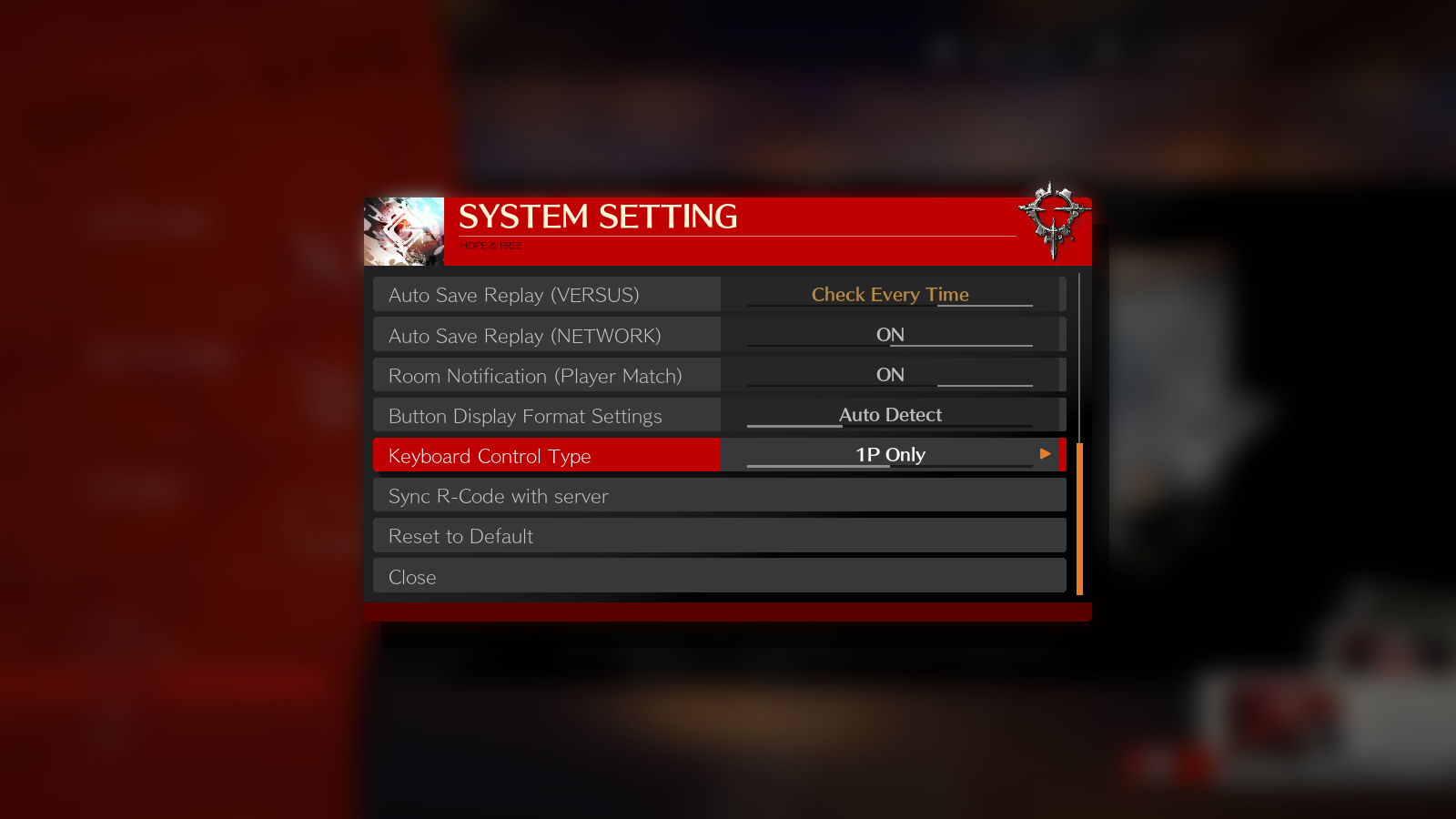
Note when playing GGST, ironically, pick the 1P ONLY control type...