npm install
npm test
The major steps to write a sCrypt test are exemplified by tests/demo.scrypttest.js.
- import / require
scrypttestlibary.
import { buildContractClass } from 'scrypttest';
- Use the imported function
buildContractClassto get a reflected contract, which has same properties and methods as defined in the specified sCrypt contract.
const Demo = buildContractClass(path.join(__dirname, '../contracts/demo.scrypt'));
- Initialize the contract.
demo = new Demo(4, 7);
- Write tests for the instantiated contract as you would do in Javascript.
expect(demo.unlock(4 + 7)).to.equal(true);
Run unit tests file within the editor/explorer context menu.
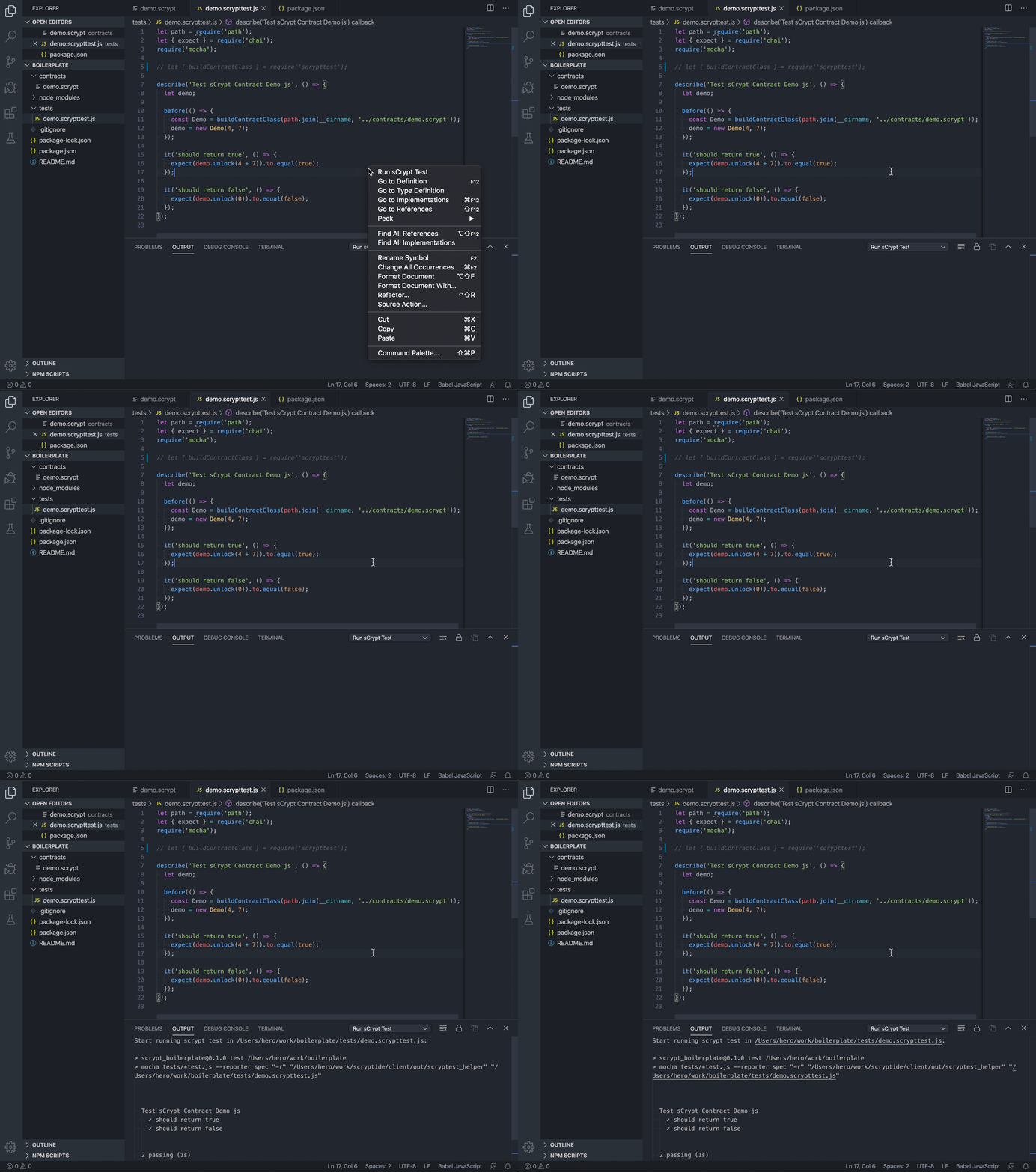
Note: The test files must be suffixed by .scrypttest.js or .scrypttest.ts, otherwise the "Run sCrypt Test" option would not appear in the menu.
Tests could also be run from the console by executing npm test, just like regular Javascript/TypeScript tests.
When your tests succeed locally, you can run them on testnet.
- Provide a private key with funds in
tests/runontestnet.js
const key = ''
npm run testnet
> scrypt_boilerplate@0.1.0 testnet ~/scrypt_boilerplate
> node tests/runontestnet.js

locking txid:      8d58ff9067f5fa893b5c695179559e108ebf850d0ce4fd1e42bc872417ffd424
unlocking txid:    c60b57e93551a6c52282801130649c6a97edcca5d2b28b8b4ae2afe0ee59bf79
Succeeded on testnet