An executable file for modifying Arena of Valor game files, allowing users to create in-game skins for your favorite heroes.
Caution
skins-diffusion.exe is archived and no longer actively maintained. While the repository remains accessible, no further updates or bug fixes will be provided. Bugs may be addressed, but this is not guaranteed. Please use this tool "as-is." If you encounter any issues, you can attempt to troubleshoot on your own.
- Windows
- macOS
- Linux
- Skill Effects
- Recall Effects
- Haste Effects
Important
New skins introduced after version 1.52.1 will not support Recall Effects and Haste Effects.
- Skin Icon and Background
- Dimension Breaker Skin Assets
- Skin Label
- Sound Effects
- Model
- Go to the Releases page and download the latest
skins-diffusion.exe. - Make sure to place the necessary game resources in the
Resourcesfolder. - Pick your desired skin(s) from the
skinsfolder. - Copy the selected skin(s) into the
Tasksfolder. - Then run the
skins-diffusion.exe.
skins-diffusion.exe/
├── ...
├── Resources/ # Necessary game resources should be stored here.
│   ├── Ages
│   │   └── Prefab_Characters
│   │       └── Prefab_Hero
│   │           │── Actor_*_Actions.pkg.bytes
│   │           │── ...
│   │           └── CommonActions.pkg.bytes
│   ├── Databin
│   │   └── Client
│   │       ├── Actor
│   │       │   └── heroSkin.bytes
│   │       ├── Skill
│   │       │   │── liteBulletCfg.bytes
│   │       │   └── skillmark.bytes
│   │       └── Sound
│   │           │── BattleBank.bytes
│   │           │── ChatSound.bytes
│   │           │── HeroSound.bytes
│   │           │── LobbyBank.bytes
│   │           └── LobbySound.bytes
│   └── Prefab_Characters
│       ├── Actor_*_Infos.pkg.bytes
│       └── ...
├── skins/  # List of skins you can modify will be store here,
│       │   # you can pick one or more skins and paste into the Tasks folder.
│       └── ...
├── Tasks/
│       └── # Whatever skins you want to modify, should be here.
├── skins-diffusion.exe # The executable file should be here.
...
-
-
Extract the .zip file and copy all subfolders:
AgesAssetRefsDatabinPrefab_Characters -
Navigate to:
Android/Data/com.garena.game.kgth/files/Resources/(GAME PATCH)/ -
Paste the copied subfolders into the directory above.
-
When prompted, select "Apply to all files" to overwrite the necessary files.
-
Tap "REPLACE" to complete the installation.
-
-
On iOS, you cannot access the game directory unless you install the game using a .ipa file (which you can find on sites like decrypt.day) by using some sideloader tool. In this way you can access the game directory.
[!WARNING]
Make sure you .ipa file is Anti-Ban (Don’t worry, this is not directly related to the mod skin.).
Open the Files app → On My iPhone → AoV (or the app name you set during installation). Follow the same steps as Android to apply the mod skins—the process is identical.
If you encounter the warning message:
Network failure, Please reconnect while using the mod skin:
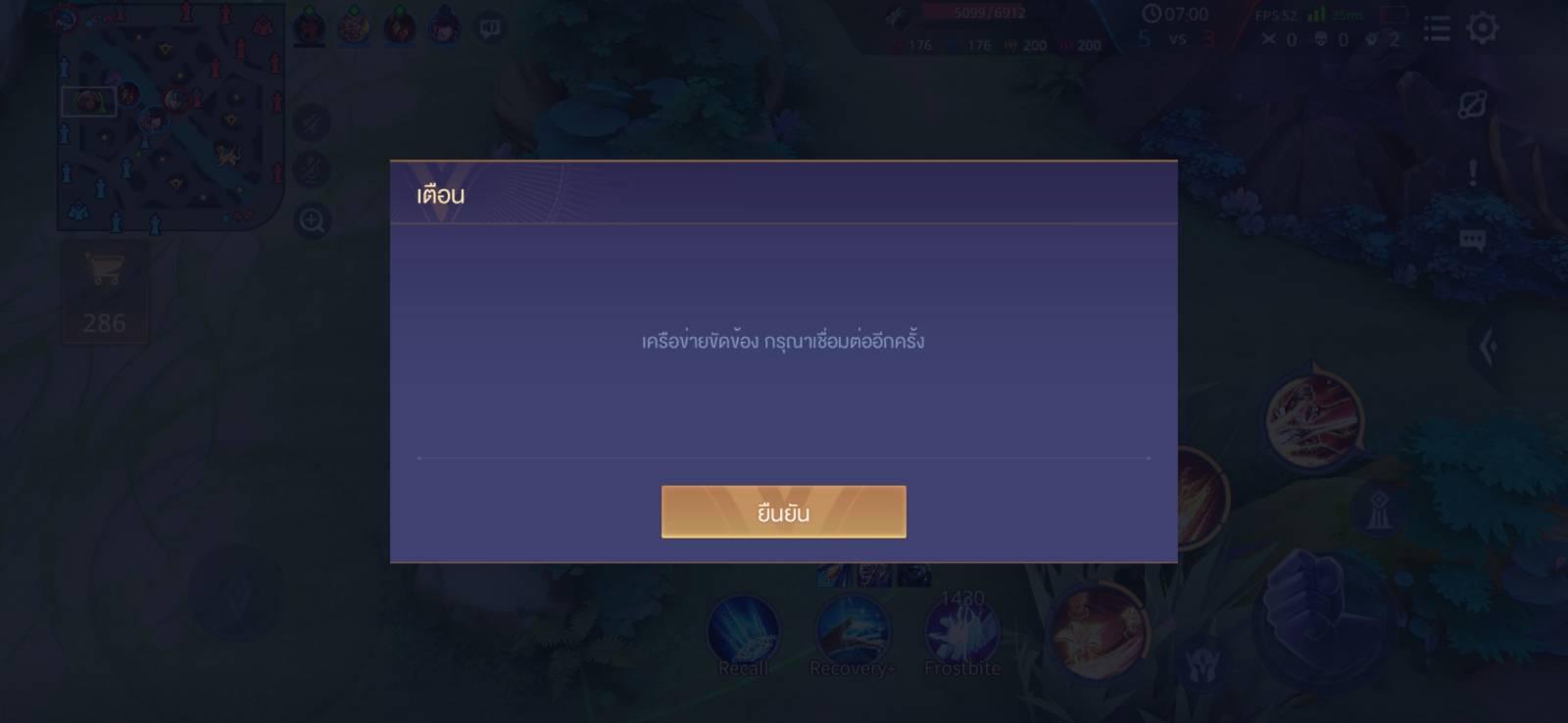
- Outdated Resources – Your Resources folder may not be up to date. Try manually updating it to the latest version.
- Skin Compatibility Issues – Some skins require additional modifications. Unfortunately, all you can do is wait. If this is a known issue, it may be addressed in future versions (if applicable).
- Modifying game files is against the terms of service of Arena of Valor and may lead to account suspension or a ban.
- By using this tool, you accept full responsibility for any consequences that may arise.
- Use at your own risk.
This tool is not open source. I am not ready to release the source code at this time.
This software is distributed under an End-User License Agreement (EULA).