


A personal cloud storage service for users to manage their files in the cloud.
You can -
- Upload files to the cloud
- Update, download, delete uploaded files
- Restore any version of files within 30 days
- Restore deleted files within 30 days
- Share files to other EON Drive users through link
Website URL - https://www.eondrive.net
This project is developed and maintained by me as a personal initiative. Due to budget constraints, access to the site may not always be available.
Test Account
Account 1
Email - test@gmail.com
Password - 123oooOOO!
Account 2
Email - test@outlook.com
Password - 123oooOOO!
*You can try the share files feature between these two accounts. 🙂
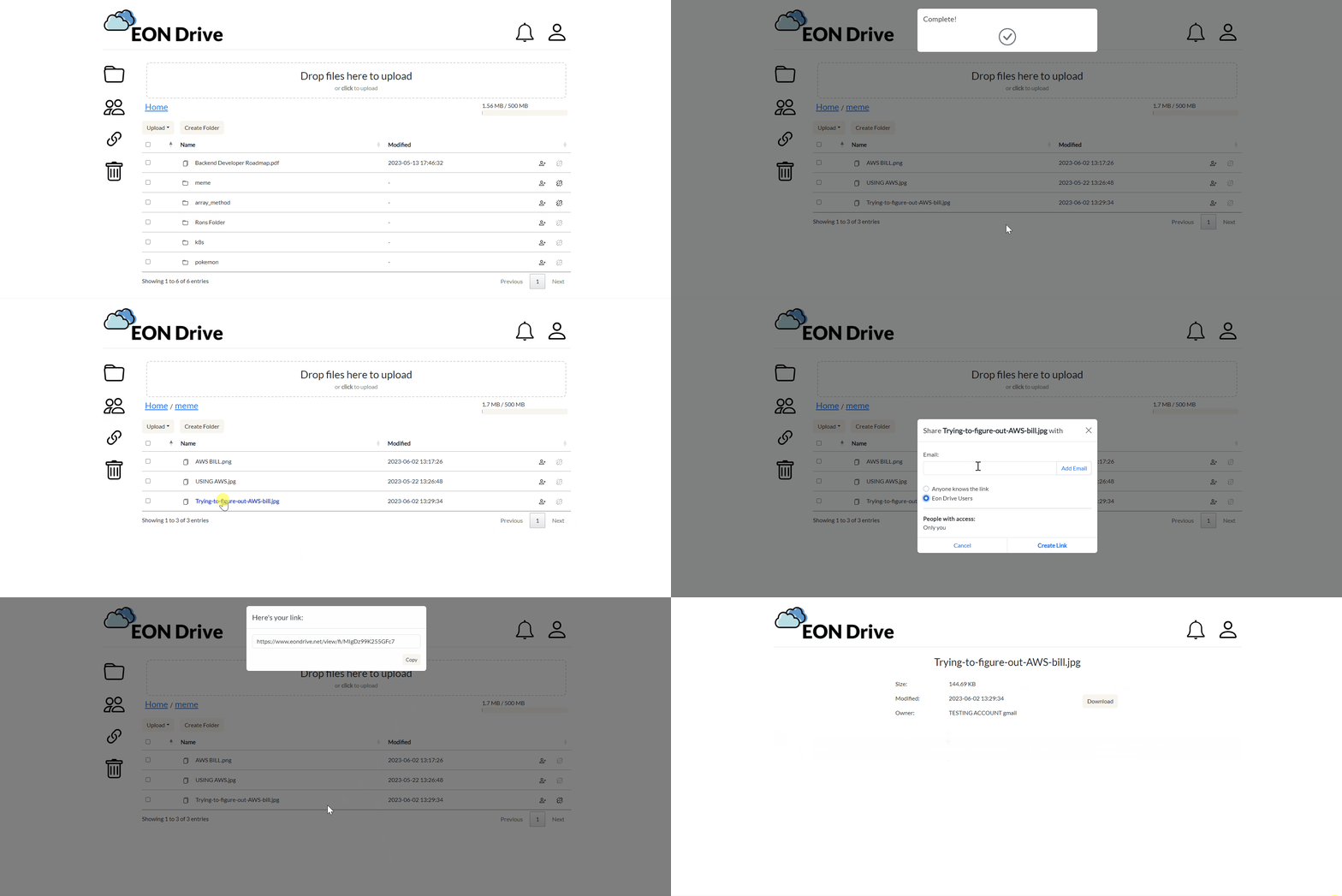
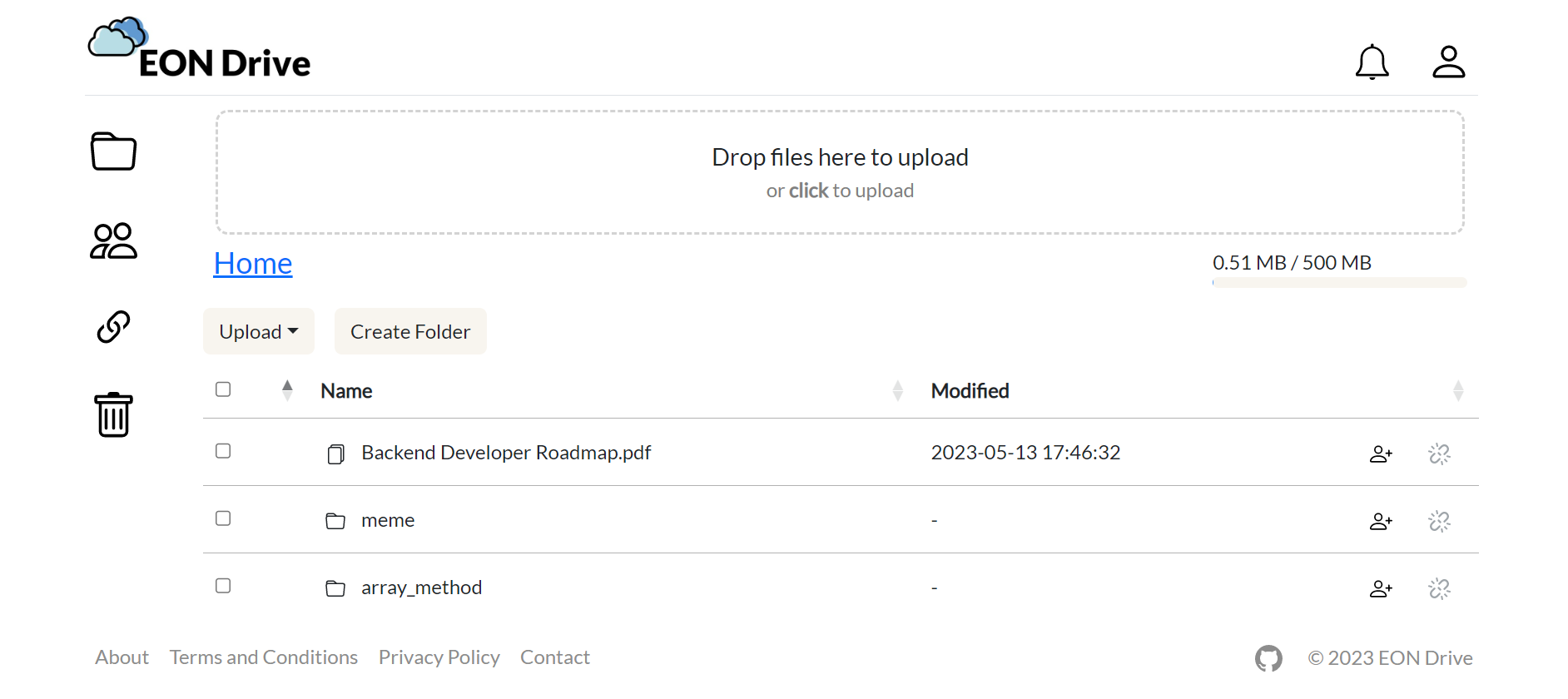
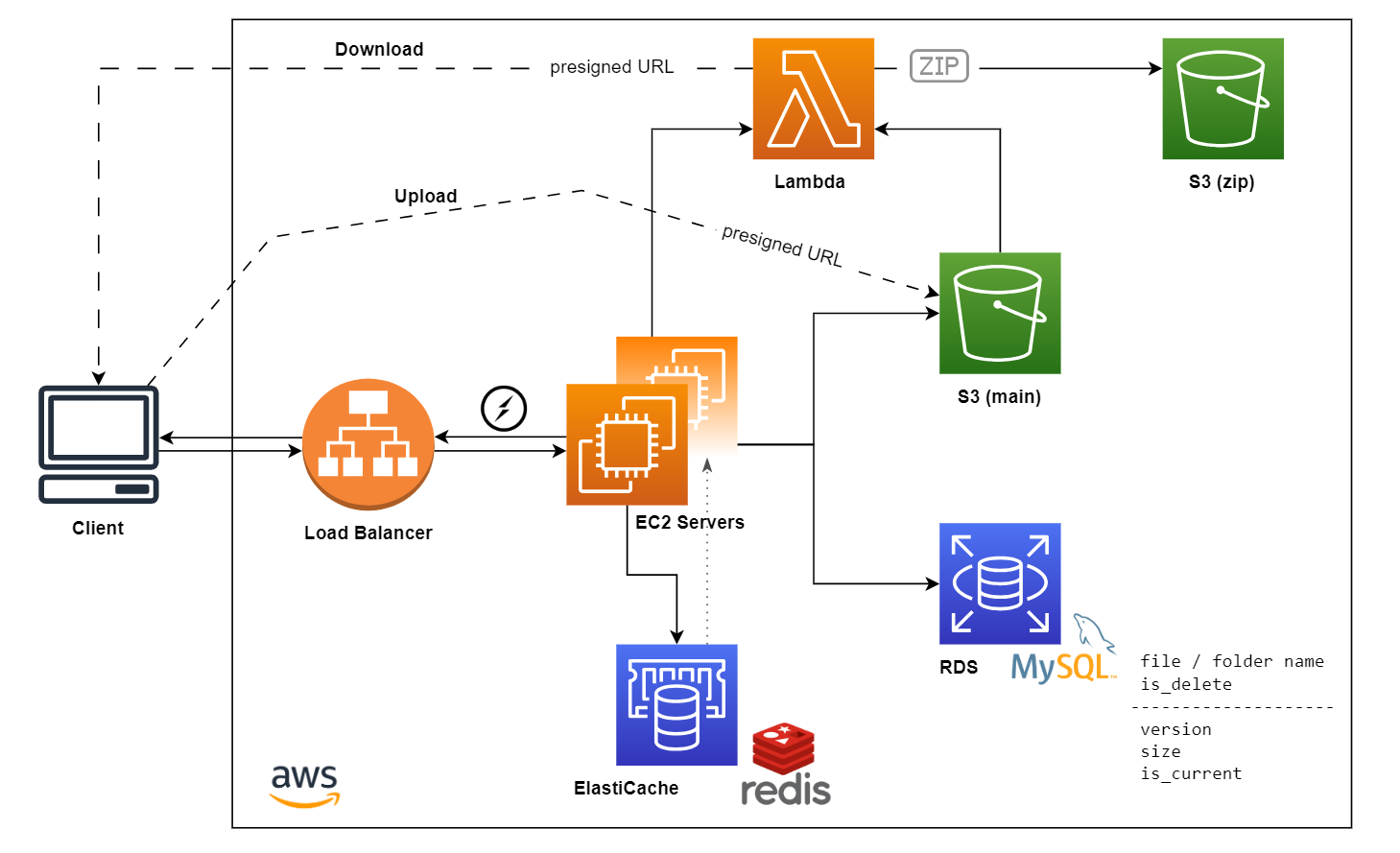
- File operations - Extensively utilized AWS S3 storage functionality through AWS SDK to develop a user interface to manage files
- Compressed files - Employed AWS Lambda to generate the .zip files for multiple file downloads
- Versioning - Managed metadata and version information with MySQL, enabling file rollback and restoration of deleted files
- File shared link - Generated short URLs by base62 encoding scheme, allowing users to easily share files with others
- Real-time update - Displayed real-time updates with Socket.IO when new files are uploaded, files deleted, or file shared links created
- Storage limits - Checked the storage limits by each user during file upload and restoration processes
- Scaling -
- Web Server - Hosted the Express server on AWS EC2 with Application Load Balancer to ensure scalability. PM2 logs are output to AWS CloudWatch for monitoring
- Socket.IO Server - Utilized Redis as an adapter for Socket.IO server scaling
- Email verification - Used the third-party email delivery service for registration email verification
- Rate limiting - Implemented with Redis to control the coming requests in sign-up routes by IP address
- Authentication - Implemented session-based authentication
- Remove expired versions - Scheduled a cron job to remove expired versions of files & expired deleted files in trash and output the logs to AWS CloudWatch for monitoring
- Machine monitoring - Utilized Prometheus to monitor the performance and health of the EC2 machine hosting the application
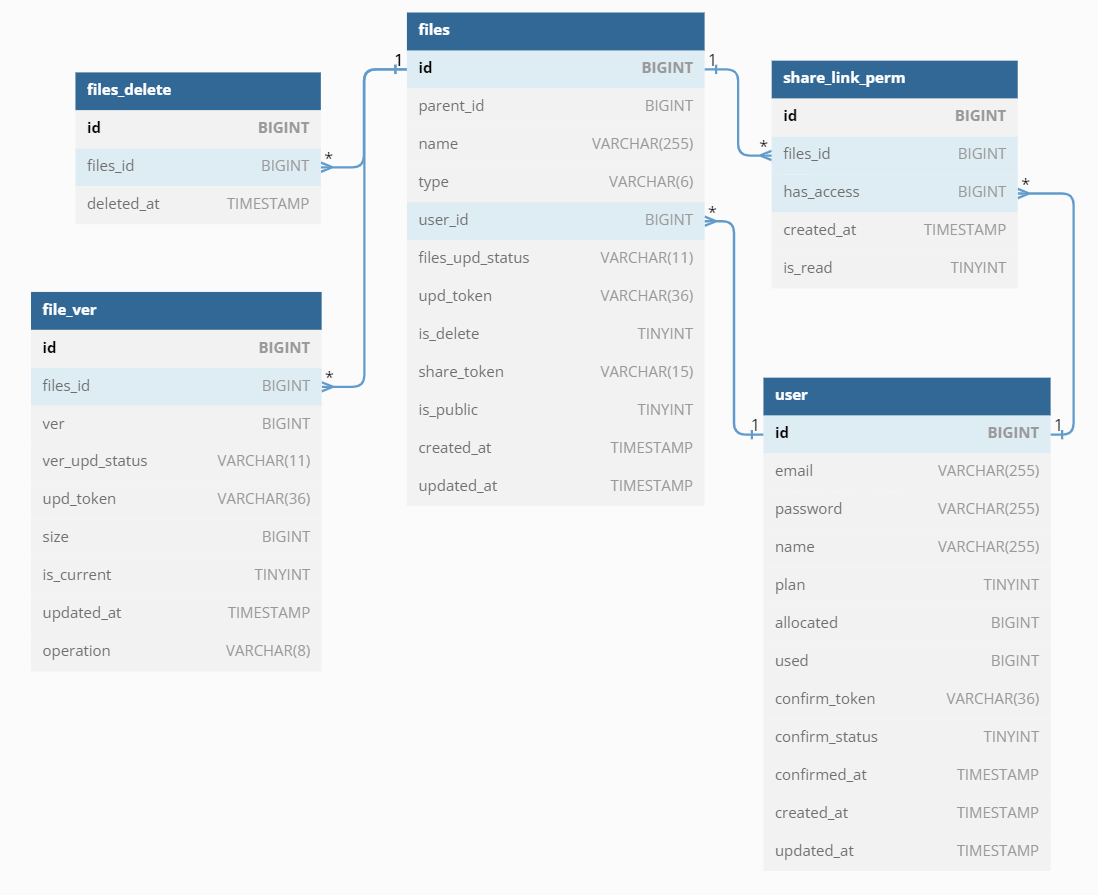
Adjacency List is used here to manage hierarchical data in MySQL.
https://wwwxxch-personal.s3.amazonaws.com/eondrive_db_release_1_0_0.png
https://wwwxxch-personal.s3.amazonaws.com/eondrive_arch_release_1_0_0.png
git clone https://github.com/wwwxxch/eon-drive.git
cd eon-drive
npm i
- Create two buckets
- MAIN - storing files
- DOWNLOAD - storing compressed files
- IAM setup
- EC2 server to S3
- Create IAM policy for MAIN bucket, allowing below actions - GetObject, DeleteObject, PutObject, ListBucket
- Create IAM user and attach above policy to the user
- Lambda function to S3
- Create IAM policy for MAIN bucket, allowing GetObject action
- Create IAM policy for DOWNLOAD bucket, allowing PutObject, GetObject actions
- Attach the above policies to the lambda function role
- EC2 server to S3
- Setup Bucket policy
- MAIN bucket
- Allow IAM user to access the bucket with Actions - GetObject, DeleteObject, PutObject, ListBucket
- Allow lambda service to access the bucket with Actions - GetObject
- DOWNLOAD bucket
- Allow lambda service to access the bucket with Actions - PutObject, GetObject
- MAIN bucket
- Setup CORS
  [
      {
          "AllowedHeaders": [
              "*"
          ],
          "AllowedMethods": [
              "GET",
              "POST",
              "PUT",
              "DELETE",
              "HEAD"
          ],
          "AllowedOrigins": [
              "https://yourdomain.com"
          ],
          "ExposeHeaders": [
              "ETag",
              "x-amz-id-2",
              "x-amz-request-id",
              "x-amz-server-side-encryption"
          ]
      }
  ]
- Create layer with npm packge
archiverinstalled. Setup compatible runtimes asNode.js 18.x - Create lambda function and update the code with programs inside
/eon-drive/lambdafolder - Setup runtime as
Node.js 18.xand layers with the layer created in step 1 - In configuration tab
- General configuration - setup memory to be allocated (better to be 256 MB or more) and ephemeral storage
- Environment variables - setup variables used in lambda function
- 1.1.0
- Adding Prometheus configuration and enabling monitoring through Grafana
- 1.0.0
- Initial release
Here are planned features or optimization for future release -
- Rename files / folders
- Move files / folders
- Search files / folders
- Preview content of files
- Show file size of deleted file & childrens in deleted folder
- Show hierarchy folder structure for better user experience
- Suggest related users from past interactions when a user is entering emails to share files
- Caching for better performance
- Implement another model to manage hierarchical data in MySQL
- Logrotate for crontab jobs
Linkedin - https://www.linkedin.com/in/chihhui-wang
Email - chihhui.x@gmail.com
EON Drive is licensed under the MIT.