This is a note for a workshop at University of Pennsylvania intended to introduce basic workflow using Git and GitHub that a typical physics graduate student might encounter. The intended outcome of the workshop is for the participants to go away knowing how to apply git to version-control their own codes at a basic operational level.
What is Git?
Git is a distributed version control system that allows you to manage versions of source code or data. It's file-type agnostic—you can use it to store codes, mathematica notebooks, latex documents, small data sets, etc. Git lets you create checkpoints (“commits”), compare versions, and recover history. It's useful to researchers—here are a few examples that hopefully won't sound too familiar to you, referenced from this page.
Scenario A: You have 5 people collaborating on a single script. That script now results in an error after someone changed a few lines over the weekend. They have no recollection what was changed. ¯_(..)/¯
Scenario B: You joined a new lab, and were given a pipeline/script to modify that dated years back. The script is named cool_script_version25000.sh, with few comments. Whoever made it has quit academia and is traveling the world, soul searching, and won’t answer emails. ¯_(..)/¯
Scenario C: Collaborator BigName wants to know what preprocessing parameters were used in your manuscript from 5 years ago. You have since changed multiple parameters in your default processing pipeline. ¯_(..)/¯
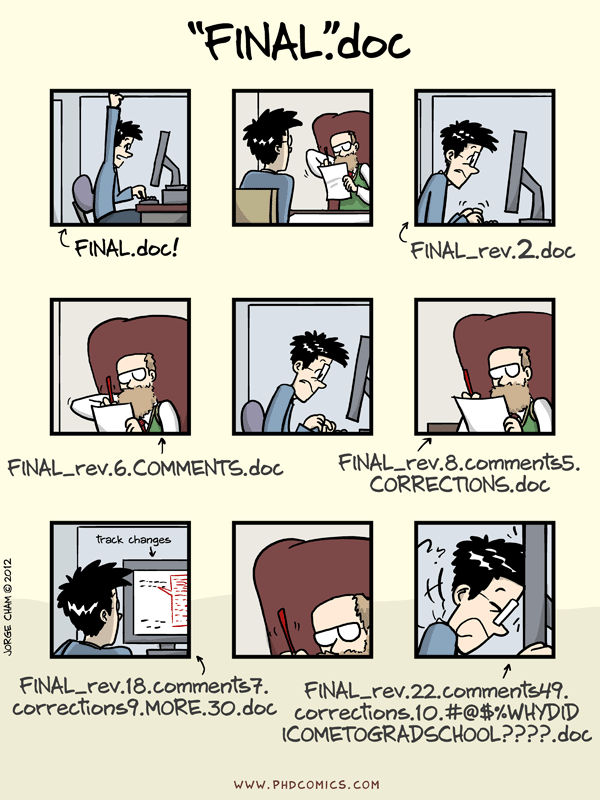
Scenario D: You finsish up a project and make a backup of the codebase as FINAL, hoping to be over with this. But your work goes into review and revision purgatory, and you make a bunch of backup folders to reference its states. Before you know it, you have 12 folders all named variations of FINAL_V2_REVISED_REALFINAL_FIXED_MINUS_SIGN that looks like this comic ¯_(..)/¯
What is GitHub?
GitHub is a hosting system for developers to store, manage, distribute and share codes. Despite the similar names, Git and GitHub are two different things: you can use Git locally without GitHub, and you can use GitHub to share files even if you rarely use the CLI. It supports both open and private work—use it to collaborate, back up small projects, and sync with remote machines. In essence, Git is to GitHub what movies are to Netflix.
In the workshop, I'll be demonstrating the workings on my laptop. You can also follow along with this on your own device if you have installed git and github.
- Basic solo workflow on your machine
git status,add,commit,log,diff....gitignorebasics- Syncing with GitHub:
clone,pull,push,fetch - Basic branching:
branch,switch,mergeandrebase
- VS Code integration (recommended to avoid memorizing many commands)
- Internal Git theory
- Team workflows (pull request, etc.)
- Large file management (git-lfs, DVC, etc.)
- Because Git stores all snapshots of previous files that has changes, if you have large data files that routinely get changed, you can easily have exploding storage requirement.
- GitHub itself blocks files larger than 100MiB
If you want to follow along the workshop, you should perform the following:
- Install Git on your device: https://git-scm.com/downloads
- Setup a GitHub account
- Install Visual Studio Code with the Git extension
Students can also apply for the GitHub Student Developer Pack (includes tools like GitHub Copilot): https://github.com/education
This workshop assumes basic familiarity with command line interface. The commands are written on UNIX-like systems, but they should work on Windows with minor modifications.
When you first install Git, you'll need to provide name and email. This is used to document who is creating a given commit:
git config --global user.name "Firstname Lastname"
git config --global user.email "your_email@example.com"
This workshop borrows ideas and examples from the resources below:
- Git & GitHub Tutorial for Scientists — Dallas Data Science. link
- Explain Git with D3 — Wei Wang (“onlywei”), interactive visualizations of branching/merging. link
- Learn Git — Atlassian. link
There are many, many other references on Git and GitHub online from people more experienced than me. Feel free to explore more of them if interested. To highlight some others: