A simple, powerful, and offline-first system for tracking, logging, and proving every ISP connectivity drop. Use it as a mobile-friendly web tool or a dedicated cross-platform desktop app.
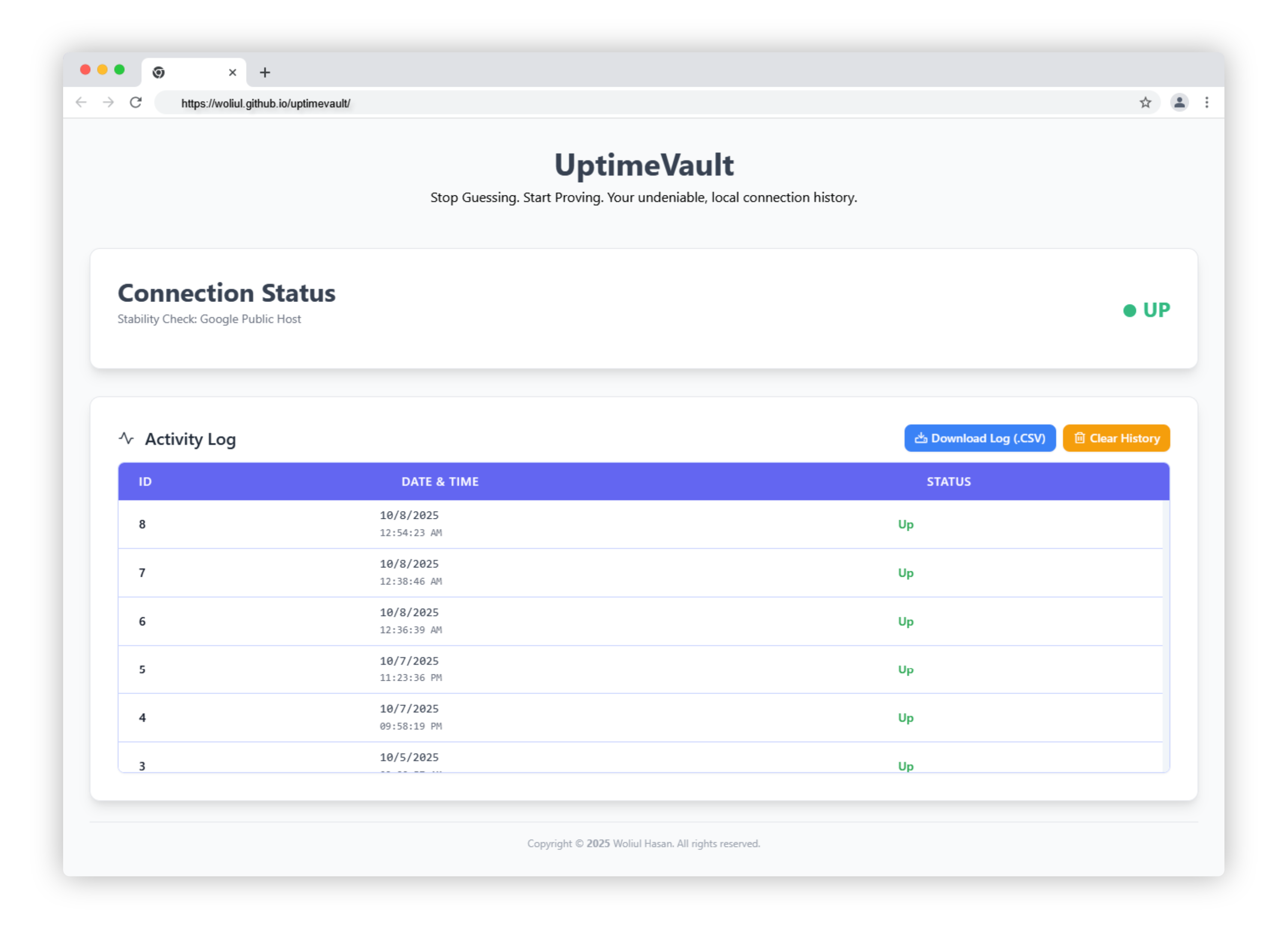
- Dual-Access Platform: Use it immediately as a mobile-friendly web application in your browser, or rely on the persistent power of the dedicated Electron desktop app.
- Offline-First Resilience: Monitoring runs entirely locally. Logging data to an embedded database ensures tracking continues even during a total network failure.
- Real-time, Unbiased Checks: Continuously validates connectivity against reliable external hosts (e.g., Google) at fast, consistent intervals. Your proof is always based on an impartial, external source.
- Local, Persistent Proof: All connection drops and restorations are logged to a local SQLite database. Securely persisted via IndexedDB, this serves as your undeniable evidence for any ISP dispute.
- Mobile-Ready UI: The fully responsive dashboard, built with Tailwind CSS, provides a clean and usable experience on any device, from phone to large desktop.
- Node.js (LTS version recommended)
- npm (comes with Node.js)
-
Clone this repository to your local machine:
git clone https://github.com/woliul/uptimevault.git cd uptimevault -
Install the project dependencies:
npm install
To start the application in development mode (as an Electron desktop app):
npm startTo create a distributable installer for Windows, macOS, or Linux, the project uses Electron Builder. The correct script command is npm run build, which automatically runs the builder and places the final installers and archives into the dedicated dist/ folder.
npm run buildNote: This single command is configured to generate the appropriate installer for your current operating system (e.g.,
.exefor Windows,.dmgfor macOS, or.AppImagefor Linux).
uptimevault/
├── node_modules/           # Project dependencies
├── index.html              # The application's core UI, functioning for both Web and Desktop modes.
├── main.js                 # The Electron main process script
├── preload.js              # Electron secure bridge for IPC
├── package.json            # Project manifest and Electron Builder configuration
└── README.md
- Electron: For building the cross-platform desktop application wrapper.
- Tailwind CSS: For a utility-first, responsive, and mobile-friendly user interface.
- sql.js: A pure JavaScript implementation of SQLite, compiled to WebAssembly.
- IndexedDB: A web browser API used for secure, client-side persistence of the SQLite database file.