Mainteny Uni is an application created by Praise Obende for the administrators of a University to manage courses offered by students.
With the application, only administrators can make changes to the student data at any particular time. The administrators can view all students data, add new students to the database , get edit courses offered by students and remove students from the school's database.

- Clone this repo
git clone https://github.com/winpeed/mainteny-uni.git
- Install all NPM packages
npm install
- For the application to work in your local environment, the following environment variables have to be created in your .env.local file.
Create a
.env.localfile in the root of your project and insert your key/value pairs in the following format ofKEY=VALUE:
MONGODB_URL="YOUR MONGO DATABASE URL"
MONGODB_DB="YOUR MONGODB DATABASE NAME"
NEXTAUTH_URL=http://localhost:3000
If you experience any issues with the MONGODB_URL and MONGODB_BY, you can shoot me an email.
- In the project directory, you can run:
"npm run dev";to start the development server on http://localhost:3000. Open http://localhost:3000 to view it in the browser. The page will reload if you make edits. You will also see any lint errors in the console.
- Run
"npm run build";"docker-compose up --build";This will build and run your container locally 🚀
Now that your container is built, you can test it locally:
"docker run -p 3000:3000 mainteny-app_mainteny";- Enter the Live/Production URL http://mainteny-uni.vercel.app/ or development URL http://localhost:3000/ into your browser.
- Click the button to sign in as an administrator to access the student's database.
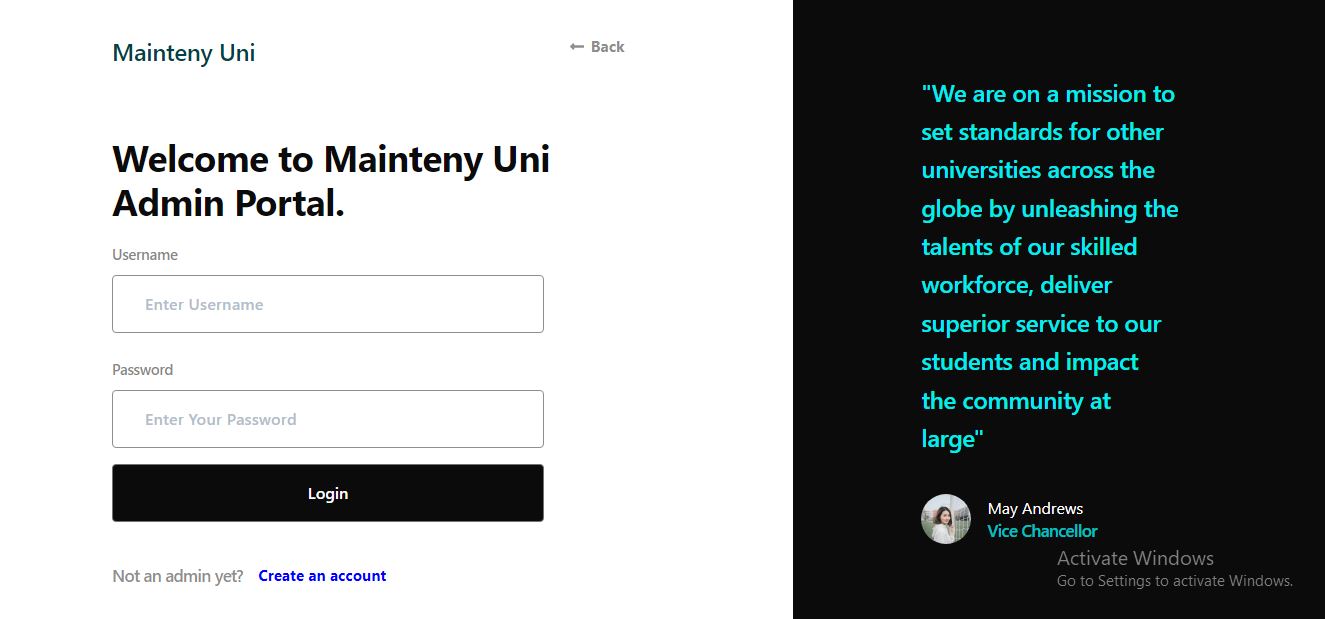
- Use the following details to sign in.
Username: admin
Password: testing1234- Upon signing in successfully, you are redirected to the students dashboard with pre-populated data from the database.

- To create a new student, click the" Add Student" button. Fill in the form and click submit. The new student's data is successfully created.

- To view a student's complete biodata, click on any of the rows. This takes you to another page with the student's data.

- To edit a student's course, click the "Edit Course" button. The courses are updated upon selecting and submitting the courses offered from the modal.

- To delete a student's data from the database, click the "Delete Student Data" button.

Praise Obende