

A Flask-powered web application that implements a multi-agent tutoring assistant using Google’s Gemini LLM and specialized tools. Users can ask questions in math, physics, chemistry, or biology; upload images for OCR; or paste YouTube URLs for AI-generated summaries.
- Features
- Architecture & Flow
- Setup & Installation
- Environment Variables
- Running Locally
- Deployment
- Folder Structure
- Screenshots
- Agent–Tool Interaction
- Challenges & Solutions
- Text Chat: Ask any question in math, physics, chemistry, or biology.
- OCR: Upload an image of a question; gets converted to text.
- YouTube Summarizer: Paste a
youtube.comoryoutu.belink and receive concise bullet points. - Calculator: Automatic math expression evaluation via
CalculatorTool. - Email Transcript: Receive a PDF copy of your full chat via email.
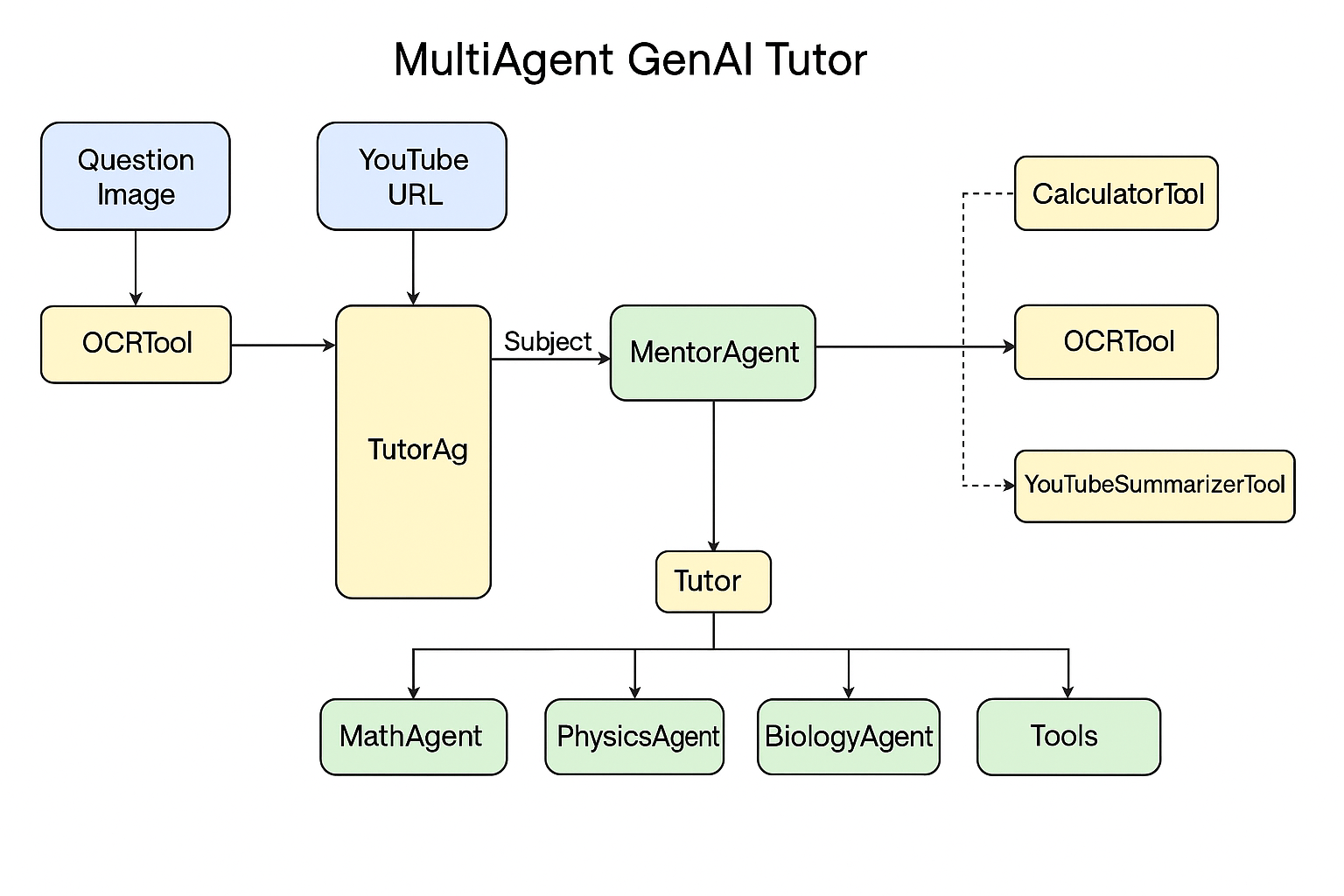
-
User Input
- Text question → MentorAgent
- Image upload → OCRTool → text → MentorAgent
- YouTube URL → YouTubeSummarizerTool
-
MentorAgent
- Detects YouTube URLs (regex).
- Otherwise, classifies the subject (math/physics/chemistry/biology) via a Gemini prompt.
-
TutorAgent
- Routes by subject to the appropriate agent (MathAgent, PhysicsAgent, BiologyAgent).
- If subject is unknown or unsupported, returns a friendly fallback.
-
Subject Agents
- MathAgent: Checks for numeric expressions, uses CalculatorTool if found; else asks Gemini.
- PhysicsAgent/BiologyAgent/ChemistryAgent: Delegate directly to Gemini with subject-specific prompts.
-
Tools
- CalculatorTool: Safe
evalof math expressions. - OCRTool: PIL + Tesseract OCR.
- YouTubeSummarizerTool: Fetches transcript, uses Gemini to summarize.
- EmailTool: Converts chat to PDF and emails it.
- CalculatorTool: Safe
-
Clone
git clone https://github.com/yourusername/MultiAgent-Tutor-GenAI.git cd MultiAgent-Tutor-GenAI -
Environment
python3 -m venv venv
source venv/bin/activate   # Windows: venv\Scripts\activate
pip install --upgrade pip
pip install -r requirements.txt

Tesseract OCR
Ubuntu: sudo apt-get install tesseract-ocr
Windows: Download MSI from https://github.com/tesseract-ocr/tesseract
sudo apt-get install tesseract-ocrDownload and install from: https://github.com/tesseract-ocr/tesseract
Create a .env file in the project root:
# Gemini LLM API
GEMINI_API_KEY=your_google_gemini_api_key

# Flask session
FLASK_SECRET_KEY=a_random_secret_key

# (Optional) EmailTool SMTP
SMTP_SERVER=smtp.gmail.com
SMTP_PORT=587
SENDER_EMAIL=your_email@example.com
SENDER_PASSWORD=your_email_passwordexport FLASK_APP=app.py
export FLASK_ENV=development
flask runVisit http://localhost:5000 in your browser.
Deployed on Render. Live App: https://multiagent-tutor-genai-1.onrender.com/
MultiAgent-Tutor-GenAI/
├── agents/
│   ├── mentor_agent.py      # Orchestrator
│   ├── subject_classifier.py
│   ├── tutor_agent.py
│   ├── math_agent.py
│   ├── physics_agent.py
│   ├── biology_agent.py
│   └── chemistry_agent.py
├── tools/
│   ├── calculator_tool.py
│   ├── ocr_tool.py
│   ├── youtube_summarizer.py
│   └── email_tool.py
├── templates/
│   └── index.html
├── static/
│   └── ss1.png
│   └── ss2.png
├── .env
├── requirements.txt
└── app.py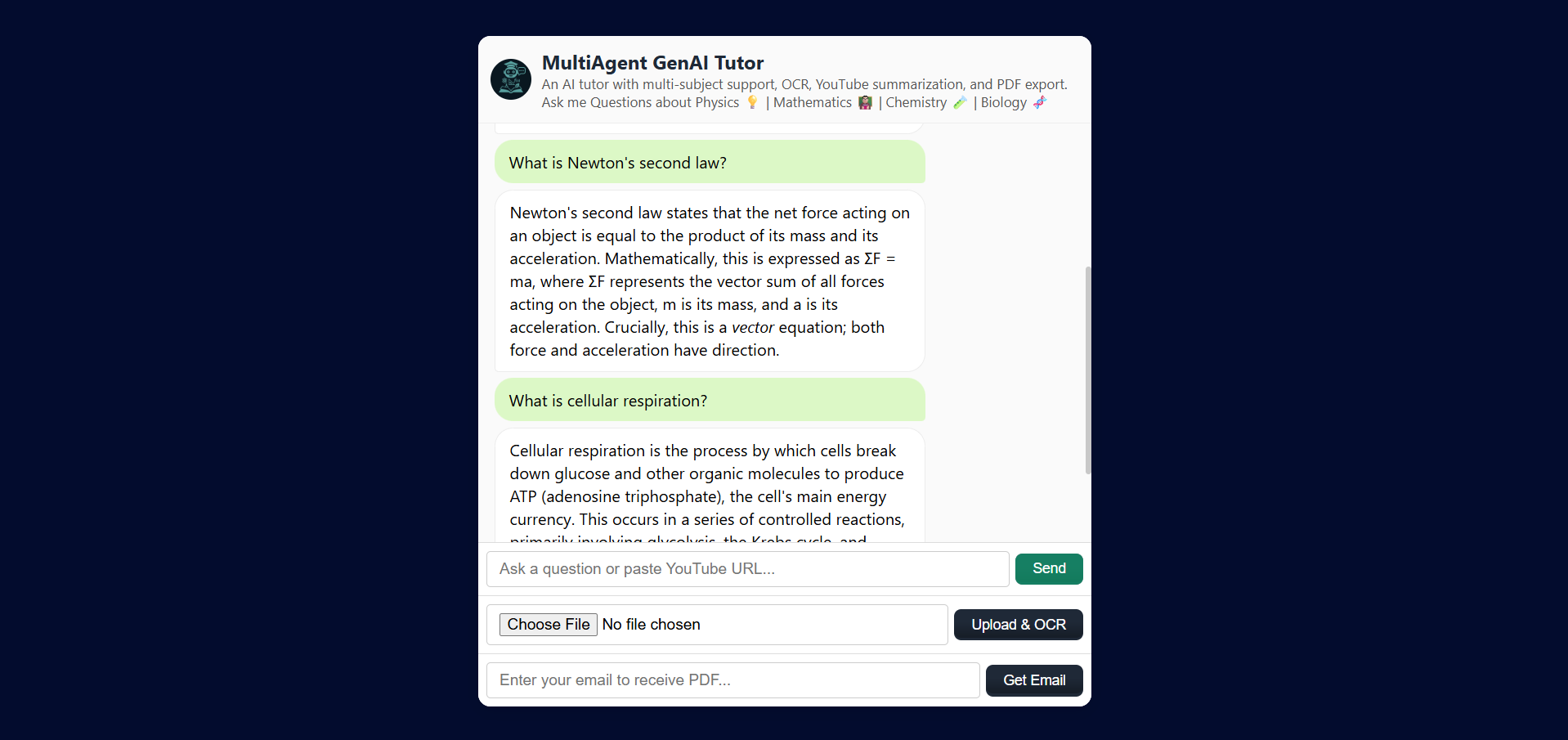
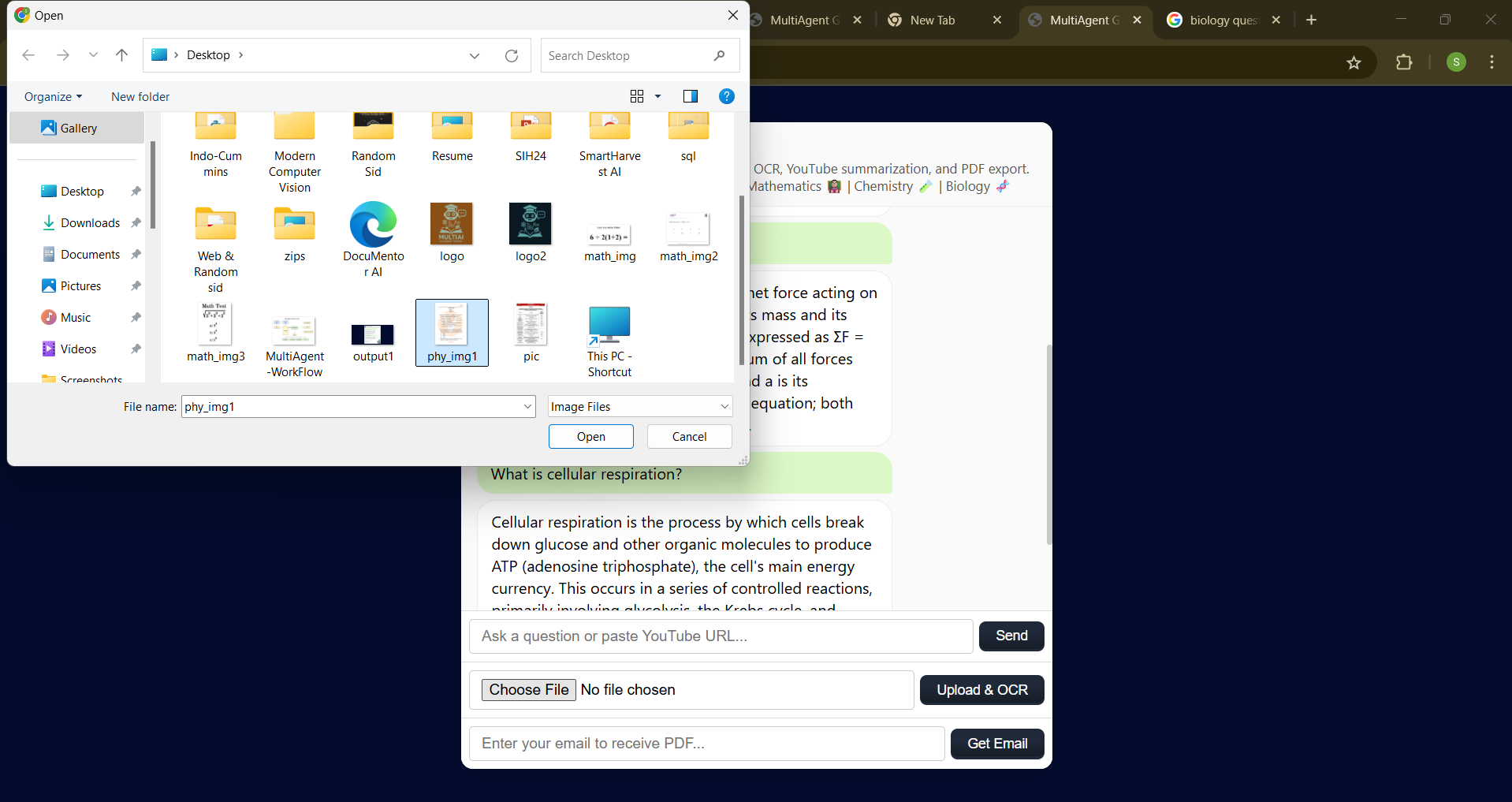
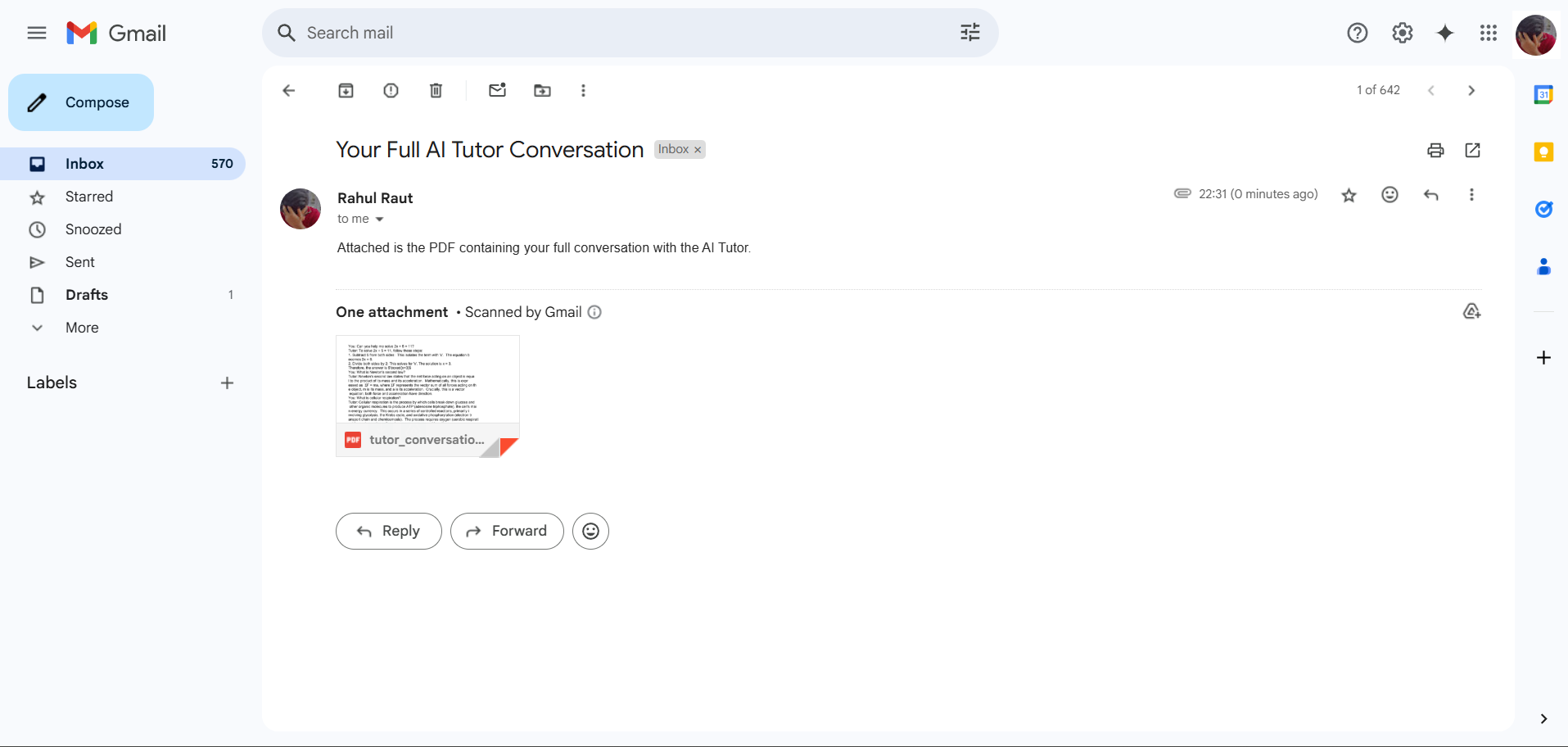
Flow:
User → MentorAgent → [OCRTool | Subject Classifier] → TutorAgent → [CalculatorTool or Gemini LLM] → Response
Extensibility:
Add new agents (e.g. HistoryAgent) by implementing answer() and registering it in tutor_agent.py.
Prompt Control:
Carefully engineered prompts ensure consistent outputs:
- Single-word classification
- 250-word bullet summaries
Fix: Prompt refinement to enforce exact category keywords and handle “unknown” fallback.
Fix: Pre-processing images (contrast adjustments) and error handling for blank extractions.
Fix: Offload pure computations to the CalculatorTool whenever possible.
Fix: Consider truncating very long transcripts or migrating to a database for persistence.