NOTE: This README is currently under construction and may not fully reflect the most recent changes in the codebase.
A Ruby gem that provides a Matrix Digital Rain RSpec formatter for use with parallel_split_tests. This formatter displays real-time, orchestrated "Matrix digital rain" progress per process in the terminal using configurable visual output inspired by the Matrix movie.
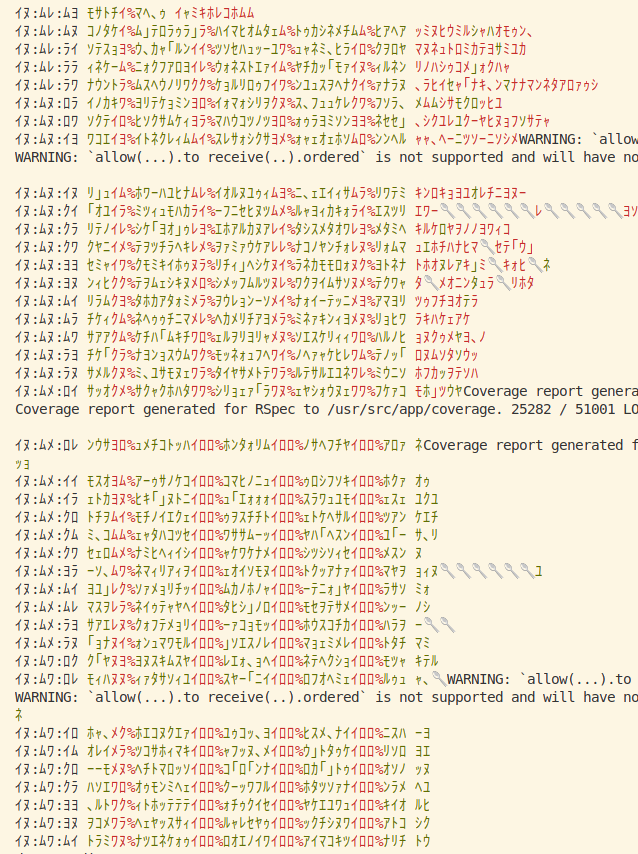
After simple reconfiguration:
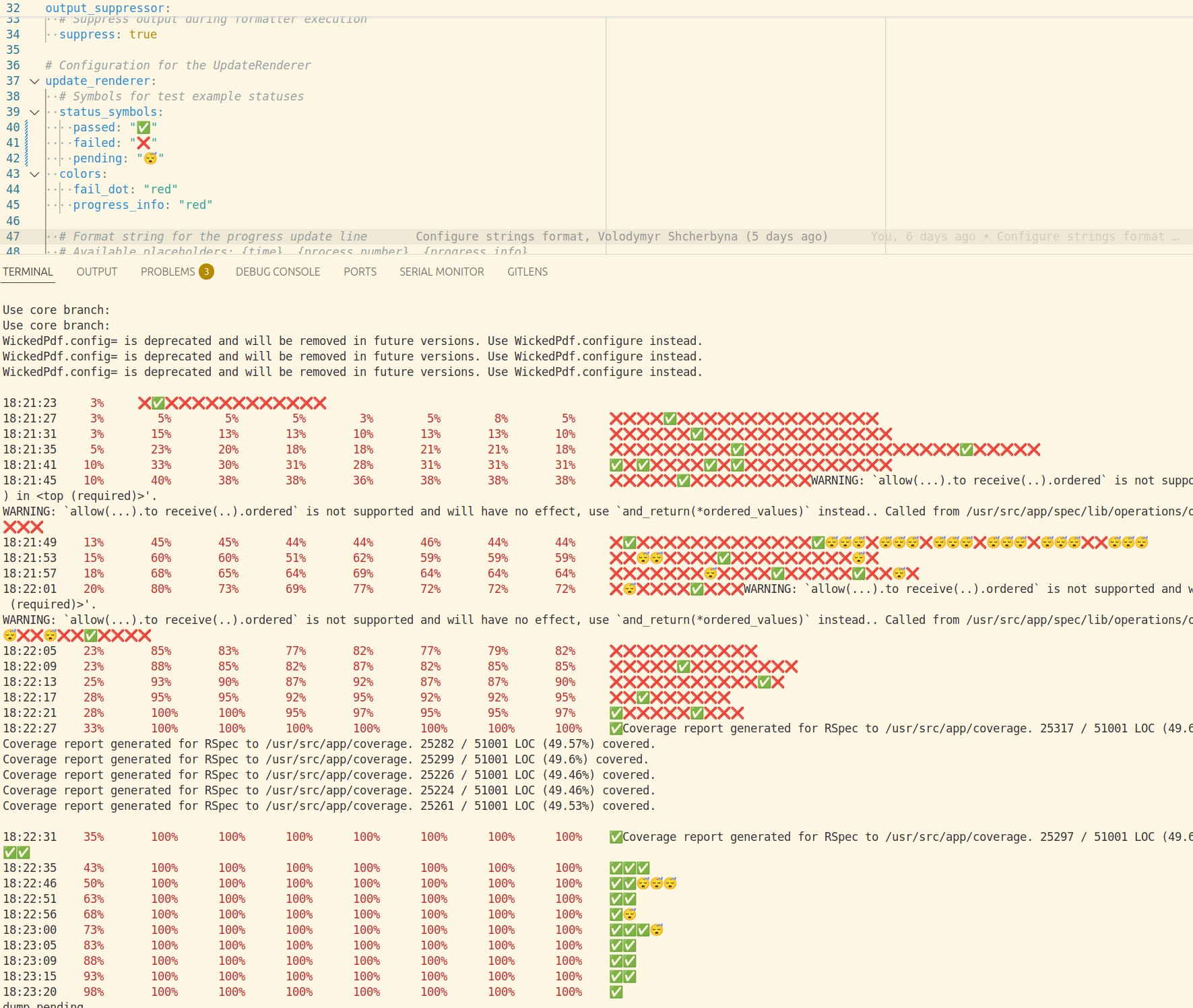
- Matrix Digital Rain Display: Real-time progress visualization with falling katakana characters
- Orchestrated Parallel Output: Single orchestrator coordinates display from multiple test processes
- Fully Configurable: All symbols, colors, and update strategies loaded from YAML
- IPC Communication: Robust Unix socket communication with file-based fallback for CI
- Output Suppression: Strict suppression of non-formatter output (via
Output::Suppressor) - GitHub Actions Compatible: Designed to work in CI environments
Add this line to your application's Gemfile:
gem 'parallel_matrix_formatter'And then execute:
$ bundle install
Or install it yourself as:
$ gem install parallel_matrix_formatter
Create a parallel_matrix_formatter.yml configuration file in your project root or config/ directory:
# Digits configuration for time display
digits:
  use_custom: true
  symbols: "0123456789"  # Full-width Japanese digits

# Katakana alphabet for digital rain effect
katakana_alphabet: "アイウエオカキクケコサシスセソタチツテトナニヌネノハヒフヘホマミムメモヤユヨラリルレロワヲンガギグゲゴザジズゼゾダヂヅデドバビブベボパピプペポァィゥェォャュョッ"

# Symbols for test results
pass_symbols: "アイウエオカキクケコサシスセソタチツテトナニヌネノハヒフヘホマミムメモヤユヨラリルレロワヲン"
fail_symbols: "ガギグゲゴザジズゼゾダヂヅデドバビブベボパピプペポ"
pending_symbol: "🥄"

# Color configuration
colors:
  time: "green"
  percent: "red"
  rain: "green"
  pass_dot: "green"
  fail_dot: "red"
  pending_dot: "white"

# Update strategies
update:
  interval_seconds: 1
  percent_thresholds: [5]  # Update when any process percentage increases by 5%

# Display configuration
display:
  column_width: 15
  show_time_digits: true
rain_density: 0.7 # Probability of showing rain character vs spaceUse with RSpec and parallel_split_tests:
# Set the formatter
bundle exec rspec --format ParallelMatrixFormatter::Formatter

# Or configure in .rspec
--format ParallelMatrixFormatter::FormatterPARALLEL_MATRIX_FORMATTER_CONFIG: Path to custom config filePARALLEL_MATRIX_FORMATTER_SUPPRESS: Control output suppression level (none, ruby_warnings, app_warnings, app_output, gem_output, all)PARALLEL_MATRIX_FORMATTER_NO_SUPPRESS: Disable output suppression entirelyNO_COLOR: Disable color outputFORCE_COLOR: Force color output even if not detected
The formatter supports color output in terminals and CI environments including GitHub Actions. Color configuration options in colors.method:
auto(default): Automatically detects best color method (rainbow gem → ANSI fallback)rainbow: Uses rainbow gem for colors (may not work in all CI environments)ansi: Uses direct ANSI escape codes (works in most CI environments)none: Disables color output
The formatter automatically detects CI environments and enables colors when appropriate.
The formatter displays a single line per update:
イロ:クラ:ロメ ウーヤヨフ34%エヘソアニ「ルツナク39%ナヤホキソ ワ」ワリフッヘャラ、テスキチエロナカゥフーユセメオァ🥄ッモエネ「ナリャアゥコケカッスャリラエツケテキァヌゥッェナセィホユユフェコミアヨウミセュォミウモニキゥワェネネナ
- Time (left): Current time with configurable digits (green)
- Process columns: Digital rain with overlaid progress percentage (rain: green, percent: red)
- Test dots (right): Individual test results (green: pass, red: fail, 🥄: pending)
- Formatter: Main RSpec formatter entry point
- Orchestrator: Coordinates output from multiple processes
- IPC: Inter-process communication via Unix sockets (
IPC::Client,IPC::Server) - Output: Handles output suppression (
Output::Suppressor,Output::NullIO) - Rendering: Handles Matrix-style output rendering (
Rendering::SymbolRenderer,Rendering::UpdateRenderer)
- Orchestrator starts and creates IPC server
- Each RSpec process connects via IPC client
- Processes send progress updates to orchestrator
- Orchestrator renders and displays unified output
- Final summary aggregates results from all processes
After checking out the repo, run bundle install to install dependencies. Then, run ./bin/rspec-docker to run the tests.
Bug reports and pull requests are welcome on GitHub.
The gem is available as open source under the MIT License.