As seen there havent been much activity in this repo lately which is because the motivation from my side has been low as I dont use this application that much anymore.
I have no problem to continue to keep this repo alive, with viewing/closing issues/pull requests and creating releases, but I have seen some forks created with some continued work that maybe will get more active by time.
So, if any of the forks mature more and seems like the more go-to version, create an issue and I can edit the readme to refer to that repo instead.
Fork of Switch Library Manager created by giwty with continued improvements and changes
Easily manage your switch game backups
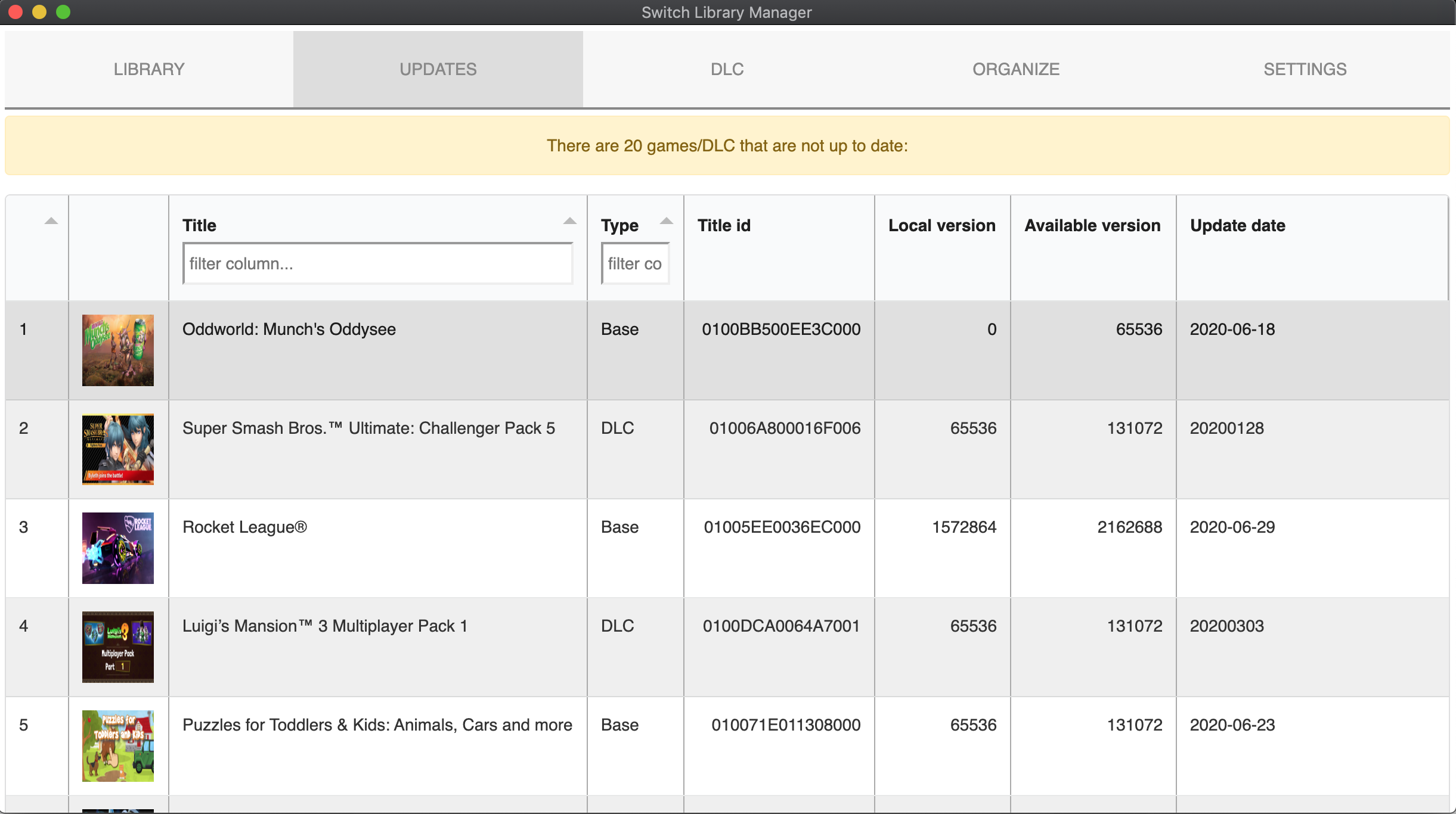
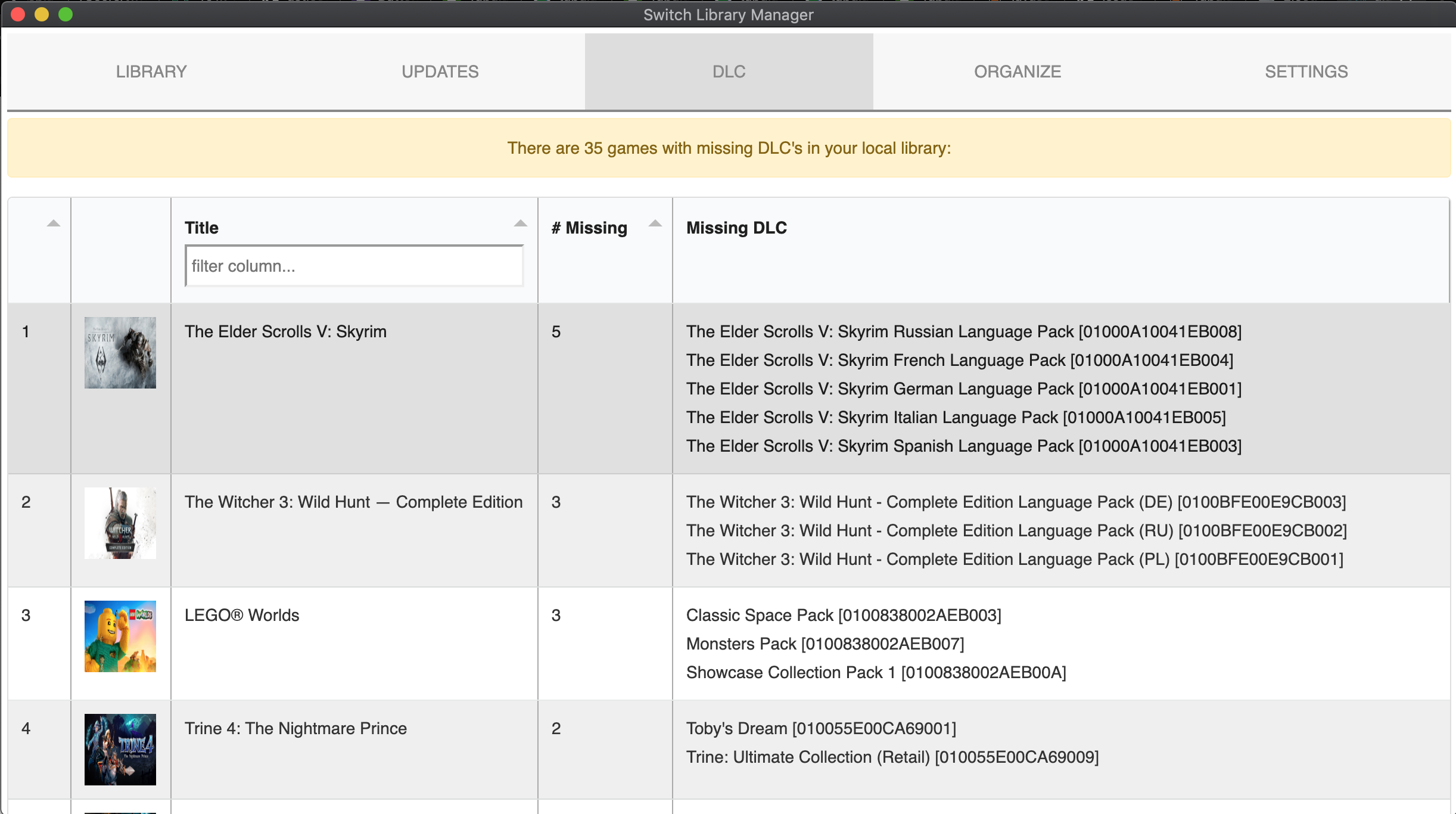

- Cross platform, works on Windows / Mac / Linux
- GUI and command line interfaces
- Scan your local switch backup library (NSP/NSZ/XCI)
- Read titleId/version by decrypting NSP/XCI/NSZ (requires prod.keys)
- If no prod.keys present, fallback to read titleId/version by parsing file name (example:
Super Mario Odyssey [0100000000010000][v0].nsp). - Lists missing update files (for games and DLC)
- Lists missing DLCs
- Automatically organize games per folder
- Rename files based on metadata read from NSP
- Delete old update files (in case you have multiple update files for the same game, only the latest will remain)
- Delete empty folders
- Zero dependencies, all crypto operations implemented in Go
Having a prod.keys file will allow you to ensure the files you have a correctly classified. The app will look for the "prod.keys" file in the app folder or under ${HOME}/.switch/ You can also specify a custom location in the settings.json (see below)
Note: Only the header_key, and the key_area_key_application_XX keys are required.
During the App first launch a "settings.json" file will be created, that allows for granular control over the Apps execution.
You can customize the folder/file re-naming, as well as turn on/off features, and set specific title ids of DLC or updates to ignore.
{
 "versions_json_url": "https://raw.githubusercontent.com/blawar/titledb/master/versions.json",
 "versions_etag": "W/\"c3f5ecb3392d61:0\"",
 "titles_json_url": "https://tinfoil.io/repo/db/titles.json",
 "titles_etag": "W/\"4a4fcc163a92d61:0\"",
 "prod_keys": "",
 "folder": "",
 "scan_folders": [],
 "gui": false,
 "debug": false, # Deprecated, no longer works
 "check_for_missing_updates": true,
 "check_for_missing_dlc": true,
 "hide_missing_games": false, # hides the missing games tab
 "hide_demo_games": false, # hide demo games from the list on the missing games tab
 "organize_options": {
  "create_folder_per_game": false,
  "dlc_folder": "", # ex change to DLC to place DLC files in a separate folder
  "updates_folder": "", # ex change to Updates to place update folder in a separate folder
  "rename_files": false,
  "delete_empty_folders": false,
  "delete_old_update_files": false,
  "folder_name_template": "{TITLE_NAME}",
  "switch_safe_file_names": true,
  "file_name_template": "{TITLE_NAME} ({DLC_NAME})[{TITLE_ID}][v{VERSION}]",
  "process_when_missing_base_game": false # if you want to organize updates and dlcs without having the base game present
 },
 "scan_recursively": true,
 "gui_page_size": 100,
 "ignore_dlc_updates": false,
 "ignore_dlc_title_ids": [], # Enter as a list of string, e.g. ["1234567890ABCDEF", "1234567890ABCDEE", "1234567890ABCDFF"]
 "ignore_update_title_ids": [] # Enter as a list of string, e.g. ["1234567890ABCDEF", "1234567890ABCDEE", "1234567890ABCDFF"]
 "ignore_file_types": [] # List of file types that should ignore the 'file type is not supported message', e.g. ["txt"]
}The following template elements are supported:
- {TITLE_NAME} - game name
- {TITLE_ID} - title id
- {VERSION} - version id (only applicable to files)
- {VERSION_TXT} - version number (like 1.0.0) (only applicable to files)
- {REGION} - region
- {TYPE} - impacts DLCs/updates, will appear as ["UPD","DLC"]
- {DLC_NAME} - DLC name (only applicable to DLCs)
- Extract the zip file
- Double click the Exe file
- If you want to use command line mode, update the settings.json with
'GUI':false- Open
cmd - Run
switch-library-manager.exe
- Open
- Extract the zip file
- Double click the App file
- If you want to use command line mode, update the settings.json with
'GUI':false- Open your Terminal
cdto the folder containingswitch-library-managerchmod +x switch-library-managerto make it executable- Run `./switch-library-manager'
NOTE: parameters are only usable in command line mode, except the parameter -m (mode) which will override the gui setting.
| Name | Flag | Value | Description |
|---|---|---|---|
| Mode | -m | console/gui | Which mode to start the application in, overrides gui in settings.json |
| NSP Folder | - | path | Path to the NSP folder, overrides folder in settings.json |
| Recursive scan | -r | true/false | If recursive scan should be used for the NSP folder, overrides scan_recursively in settings.json |
| Export CSV | -e | path | Which folder to output missing_updates, missing_dlcs and issues in CSV format |
- Install and setup Go
- Clone the repo:
git clone https://github.com/trembon/switch-library-manager.git - Move into the src folder
cd src - Get the bundler
go get -u github.com/asticode/go-astilectron-bundler/... - Install bundler
go install github.com/asticode/go-astilectron-bundler/astilectron-bundler - Copy bundler binary to the source folder
cd switch-library-managerand thenmv $HOME/go/bin/astilectron-bundler . - Execute
./astilectron-bundler - Binaries will be available under output
This program relies on blawar's titledb, to get the latest titles and versions.