This project is now under inactive development.
Want to take over? Email me.



An advanced syntax extension system implemented in pure python.
pip install -U moshmosh-base --no-compile
Note that --no-compile is required.
You should copy moshmosh_ipy.py
to $USER/.ipython/profile_default/startup/.
If this directory does not exist, use command ipython profile create to instantiate.
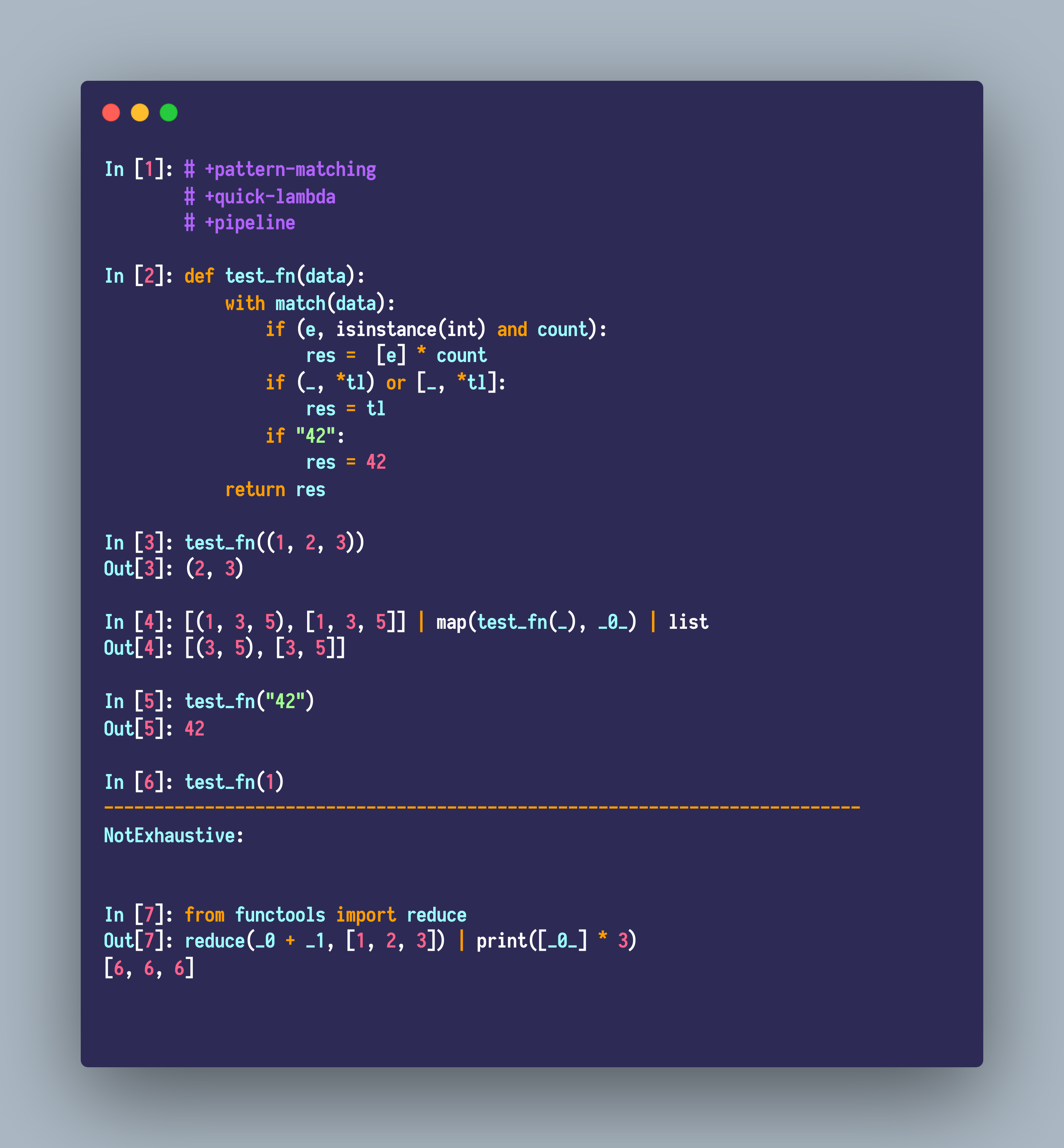
Some examples about pattern matching, pipelines and quick lambdas:
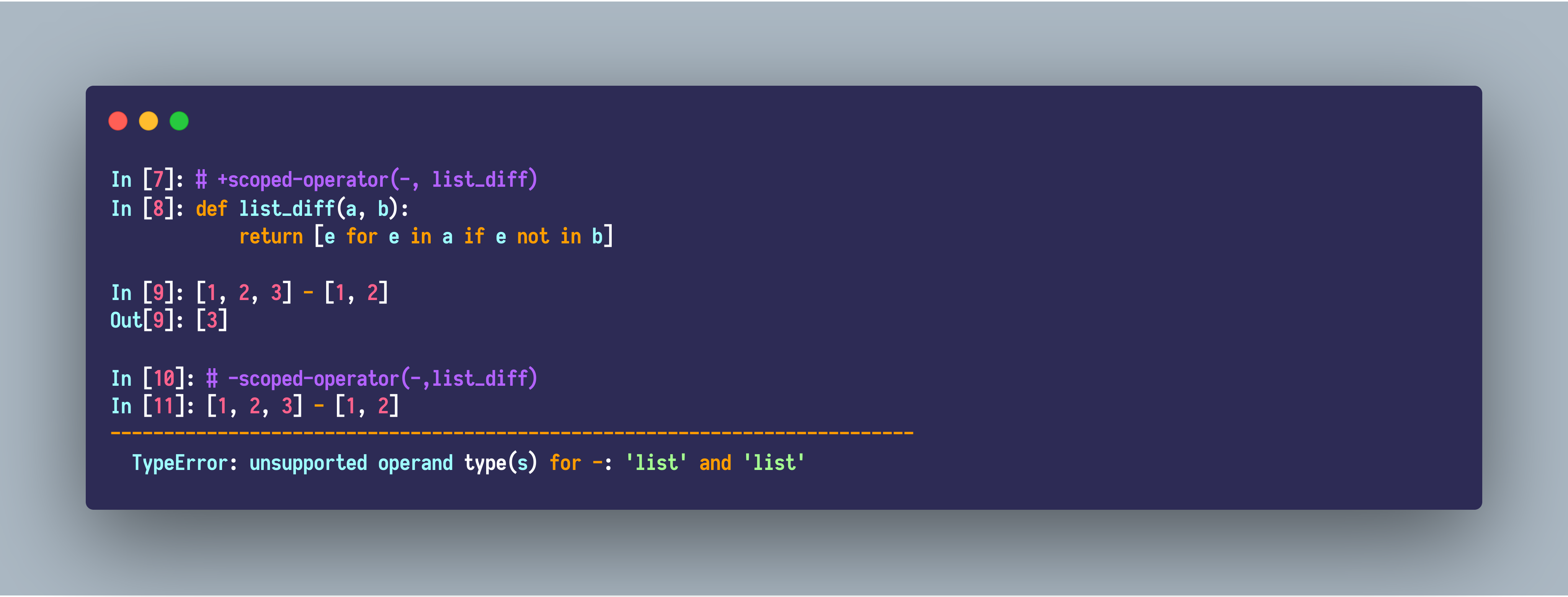
Some examples about the scoped operators:
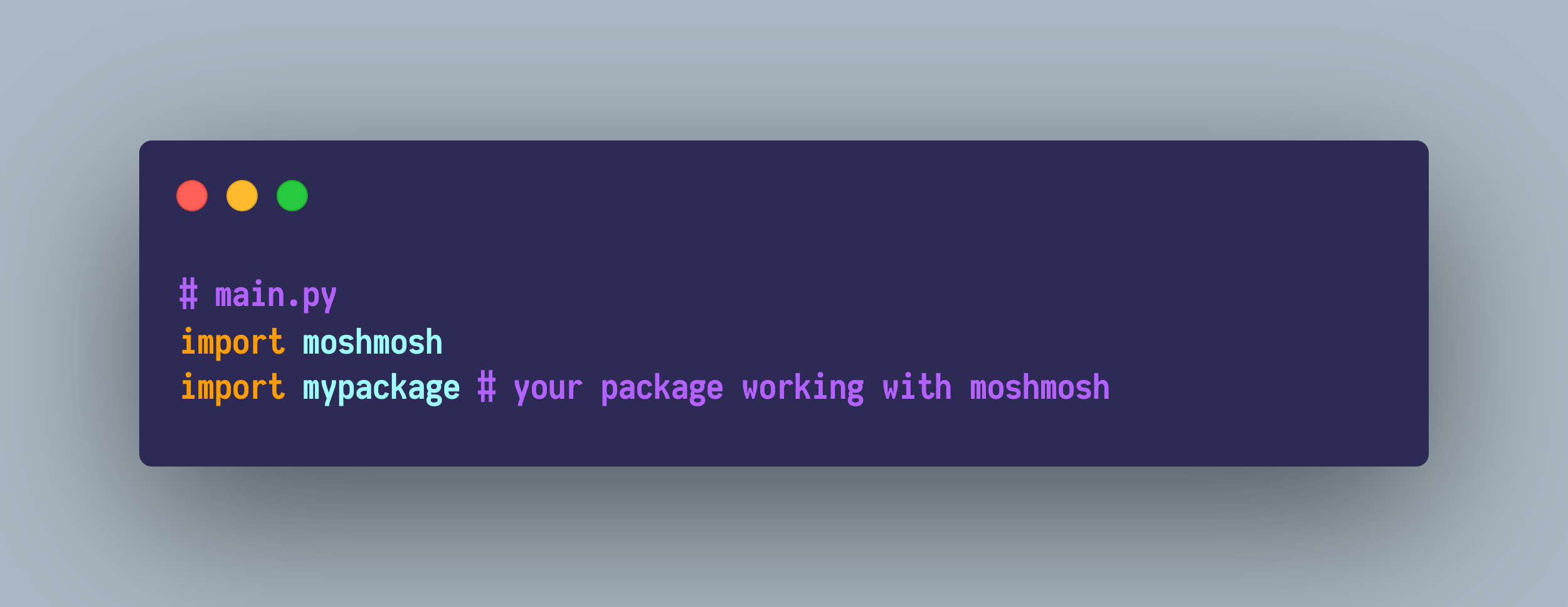
Import moshmosh in your main module:
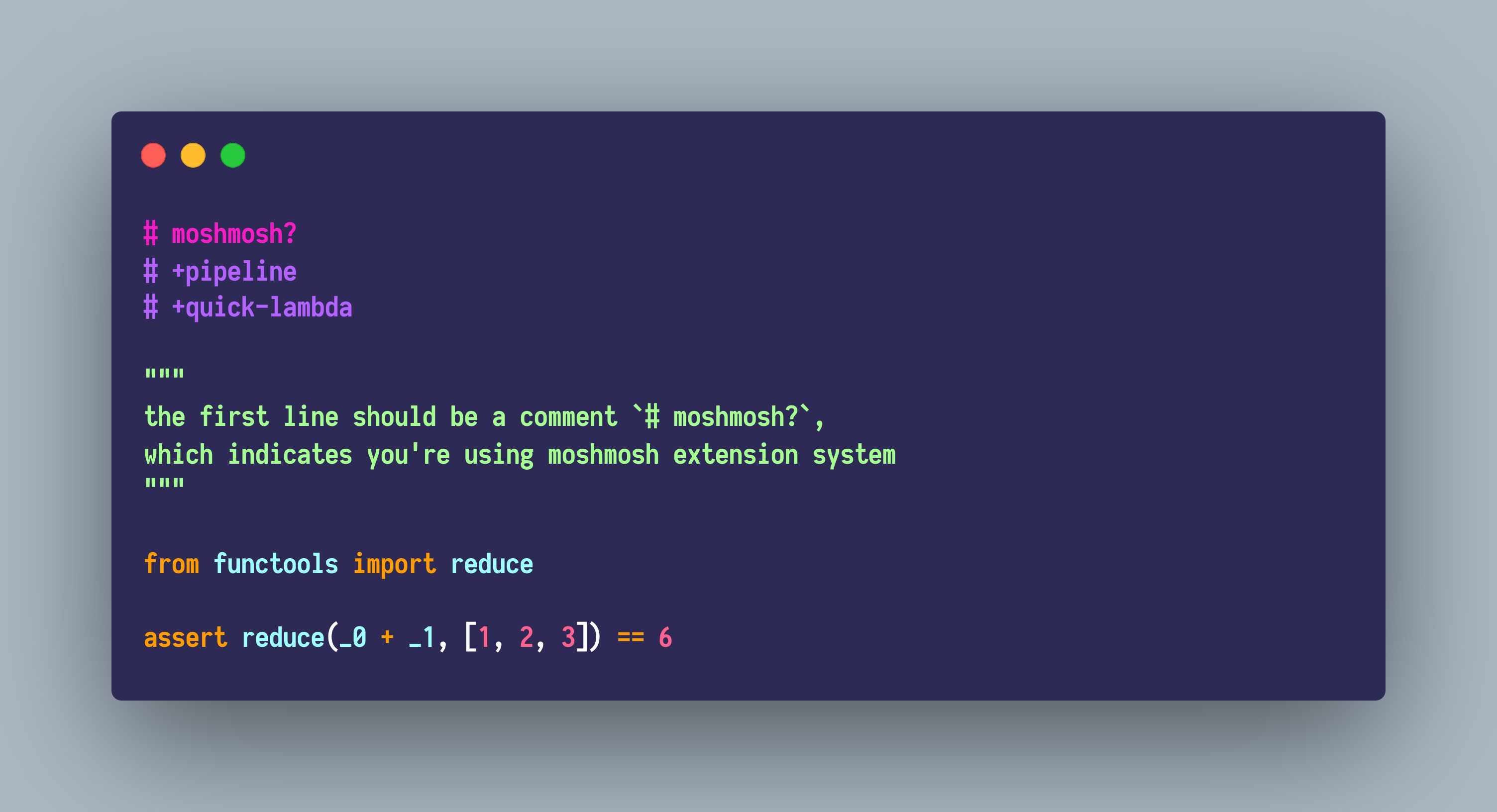
Then, in mypackage.py, start coding with a pragma comment # moshmosh?, then you can use moshmosh extension system.
The matching protocol which stems from Python-ideas mailing list is introduced in, which means you can define your own patterns conveniently. The link is here.
# moshmosh?
# +pattern-matching

class GreaterThan:
    def __init__(self, v):
        self.v = v

    def __match__(self, cnt: int, to_match):
        if isinstance(to_match, int) and cnt is 0 and to_match > self.v:
            return () # matched
        # 'return None' indicates 'unmatched'

with match(114, 514):
    if (GreaterThan(42)() and a, b):
        print(b, a)
# 514 114
Note that the matching clauses should be exhaustive,
otherwise, a moshmosh.extensions.pattern_matching.runtime.NotExhaustive
might get raised.
The supported Patterns are listed here, which is of course much more powerful than most programming languages.
- And pattern:
pat1 and pat2 and pat3 ... - Or pattern:
pat1 or pat2 or pat3... - Pin pattern:
pin(value), this is quite useful. See Elixir Pin Operator - Literal pattern:
1, "str", 1+2j, (1, 2) - As pattern:
a, var - Wildcard:
_ - Guard:
when(cond1, cond2, cond3) - Nested patterns:
- Tuple:
(pat1, pat2, pat3), (pat1, *pat2, pat3) - List:
[pat1, pat2, pat3], [pat1, *pat2, pat3] - Recogniser:
Cons(pat1, pat2, pat3), note that, the functionCons.__match__(<n arg>, value_to_match)is exact the protocol.
- Tuple:
The pattern matching should be more efficient than those hand-written codes without ugly optimizations.
Besides, Moshmosh's pattern matching is orders of magnitude faster than any other alternatives.
This is relatively a simple quasiquote implementation, inspired by MetaOCaml. It does not support manual splices or nested quotations, but the function arguments are automatically spliced.
# moshmosh?
# +template-python

@quote
def f(x):
    x + 1
    x = y + 1

from moshmosh.ast_compat import ast
from astpretty import pprint

stmts = f(ast.Name("a"))
pprint(ast.fix_missing_locations(stmts[0]))
pprint(ast.fix_missing_locations(stmts[1]))

# =>
Expr(
    lineno=7,
    col_offset=4,
    value=BinOp(
        lineno=7,
        col_offset=4,
        left=Name(lineno=7, col_offset=4, id='a', ctx=Load()),
        op=Add(),
        right=Num(lineno=7, col_offset=8, n=1),
    ),
)
Assign(
    lineno=8,
    col_offset=4,
    targets=[Name(lineno=8, col_offset=4, id='a', ctx=Store())],
    value=BinOp(
        lineno=8,
        col_offset=8,
        left=Name(lineno=8, col_offset=8, id='y', ctx=Load()),
        op=Add(),
        right=Num(lineno=8, col_offset=12, n=1),
    ),
)# moshmosh?
# +lazy-import
import numpy as np
# -lazy-import
# in fact numpy is not imported here,
# and once you use it, it gets imported.
def arr10():
# The first time call
# arr10 will enforce the import of numpy.
return np.zeros(10)After the lazy modules are actually imported, there's no overhead to access their members.
However, please only import modules when using lazy-import.
The use case is about the necessary cross-import when you want to organise your codebase in a more fine-grained way.
- future-fstrings
- Pattern matching in Python
- older implementations
- search "pattern matching" at Python-ideas.