

A Flutter plugin for Plaid Link.
This plugin integrates the native SDKs:
Feel free to leave any feedback here.
In order to initialize Plaid Link, you will need to create a link_token at /link/token/create. After generating a link_token, you'll need to pass it into your app and use it to launch Link:
...

LinkConfiguration configuration = LinkConfiguration(
    linkToken: "<GENERATED_LINK_TOKEN>",
);

_plaidLink = PlaidLink(
    configuration: configuration,
);

_plaidLink.open();

...
A link_token can be configured for different Link flows depending on the fields provided during token creation. It is the preferred way of initializing Link going forward. You will need to pass in most of your Link configurations server-side in the /link/token/create endpoint rather than client-side where they previously existed.
If your integration is still using a public_key to initialize Plaid Link, the LinkConfiguration class has support for it. Check the migration guide to upgrade your app to the link_token flow.
Add plaid_flutter as a dependency in your pubspec.yaml file.
- iOS version >= 11.0
- Xcode 11.5 or greater
Registering a redirect URI is required when working with OAuth, which is used for European integrations as well as integrations with some US financial institutions. To register your redirect app URI:
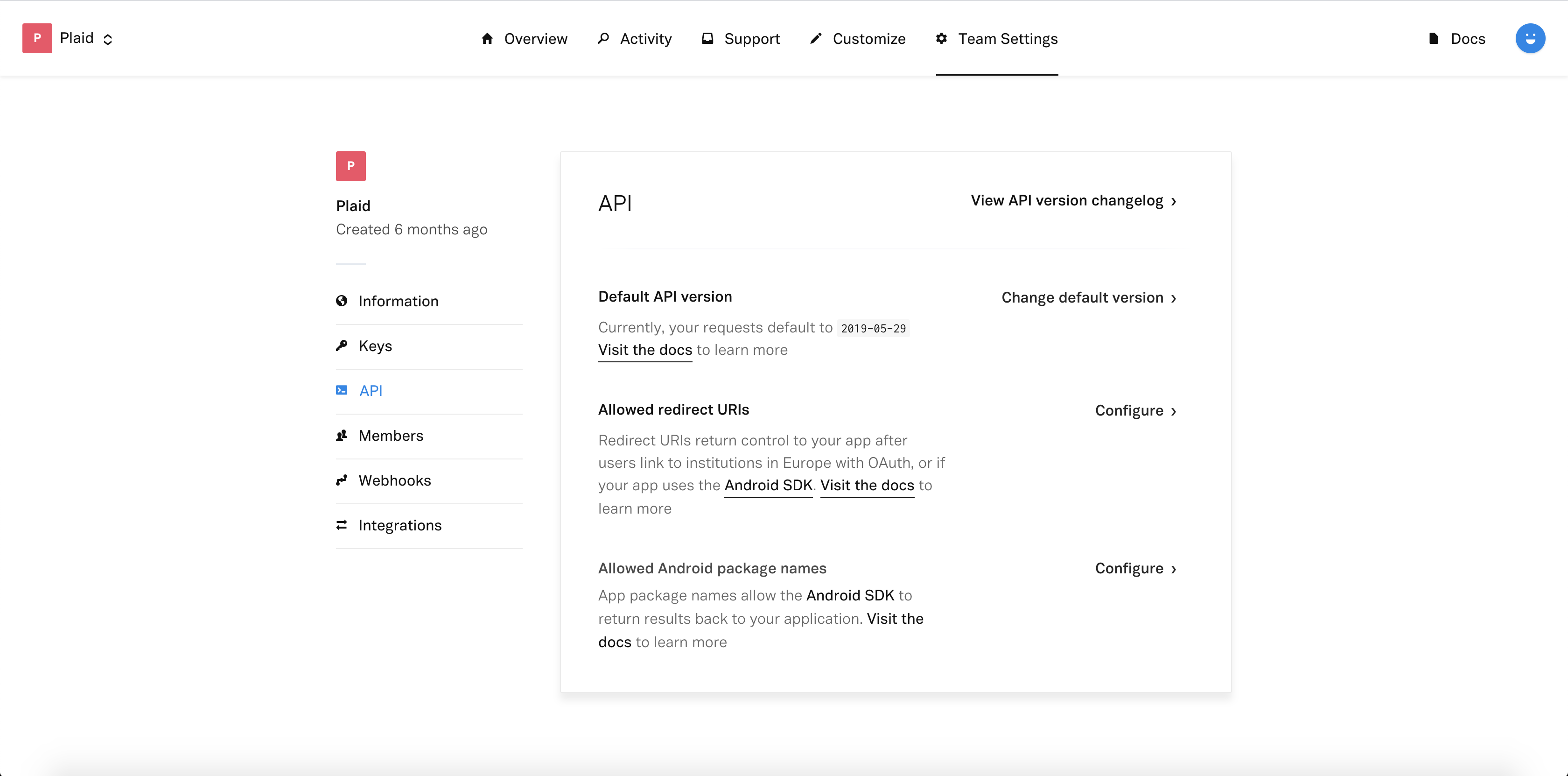
- Log into your Plaid Dashboard at the API page
- Next to Allowed redirect URIs click Configure then Add New URI
- Enter your redirect URI, for example www.plaid.com/redirect
- Click Save Changes. You may be prompted to re-enter your password.
NOTE: More info at https://plaid.com/docs/link/ios.
Log into your Plaid Dashboard at the API page and add a new Allowed Android package name (for example com.plaid.example)
Go to the project level android/app/build.gradle and make sure you are using a minSdk >= 21
NOTE: More info at https://plaid.com/docs/link/android.
- Web support
- Implement tests