✧ Freya's sisters fantasy guide to Practical AI ✧ , followed by the 🛠️ Practical AI introduction 🛠️
All the documents are written by CoPilot to present my experience in fluid english, editted and proofread form: altough some are very similar to my original input.
Welcome to the main entry point of LaegnaPracticalAI — a structured, human‑friendly ecosystem that teaches you how to build, use, and evolve Document Collections as the foundation for all practical AI work.
This repository is organized into themed folders.
Each folder contains its own README.md, acting as a self‑contained guide.
This page is your map, your hub, your starting point.
A Document Collection is your personal or organizational knowledge base:
your ideas, notes, products, theories, plans, and background — all gathered into one place.
You don’t need to be an engineer or information architect.
You simply:
- Write down your ideas
- Add files, notes, PDFs, links
- Organize them sensibly
- Illustrate them with images
- Let AI help you refine and expand
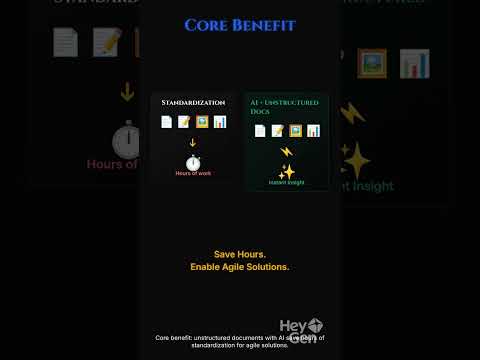
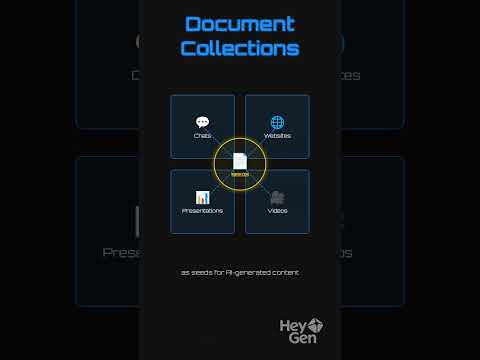
This becomes your seed resource — the single source of truth from which all AI‑generated tools, websites, presentations, videos, and apps can be created.
AI systems like Copilot and ChatGPT can:
- Turn your ideas into coherent documents
- Enrich your writing with context and clarity
- Generate images for chapters and concepts
- Help you structure your folders
- Produce Markdown code blocks (escaping nested blocks when needed)
- Build new resources from your existing materials
Your Document Collection is unstructured by design — flexible, evolving, and easy to extend.
You never need a rigid schema.
You simply grow it as you grow.
Below is the structured map of this repository.
Each folder is a chapter in your journey.
Folder: Doc
Your introduction to Document Collections:
how to create them, how to write with AI assistance, how to illustrate your documents, and how to organize your ideas without needing advanced architecture.
This is the foundation of everything else.
Folder: CommonChat
Use general AI chat tools (Copilot, ChatGPT) to:
- Verify your documents
- Ask questions about your content
- Discuss your ideas
- Provide simple access for your readers
This is the simplest way to interact with your Document Collection.
Folder: ChatProvider
Premade bots that can read your documents or webpages and give short, helpful answers to your users, clients, or collaborators.
These are “plug‑and‑play” AI assistants.
Folder: ChatWithDocs
Advanced, integrated document chat:
- Cascade in VSCode
- Copilot inside GitHub
- GPT4All on your computer
- Other local or editor‑based tools
These systems index your documents permanently and allow deep, structured conversations with your knowledge base.
Folder: DocsOwnWebpages
Turn your Document Collection into websites using ICD (Instruct → Chat → Deploy) systems like:
- Lovable.dev
- Bolt.new
- v0.app
Different subsets of your documents become different websites — each with its own viewpoint, purpose, and audience.
Folder: DocsOwnPresentations
Create presentations from your documents using:
- Gamma.app
- Prezi.com
- Other AI slide builders
These tools extract structure and turn your ideas into visual narratives.
Folder: DocsOwnVideoPresentations
Generate video presentations from your Document Collection:
- HeyGen (avatar‑based intros)
- Lumen5 (presentation‑style videos)
- VEED.io (advanced visuals)
- Short‑clip generators (Deevid, Nim.video, HailuoAI)
Your documents become cinematic.
Your Document Collection is the seed.
From it, you can generate countless formats without changing the base:
- 📊 Graphs and diagrams
- 🧩 Concept maps
- 📝 Summaries and abstracts
- 📘 Mini‑guides and intros
- 🧠 Knowledge graphs
- 🗺️ Mind‑maps
- 🧾 Cheat sheets
- 🧱 Structured datasets
- 🎨 Illustrations and symbolic images
- 🧪 Experimental tools and applets
Each generated resource has its own structure —
but you never need to redesign your Document Collection.
You simply update your seed materials, and AI regenerates the rest.
This repository is your practical gateway into modern AI.
It teaches you how to:
- Build a Document Collection
- Use AI to write, illustrate, and organize
- Chat with your documents
- Create websites, presentations, and videos
- Generate countless derivative resources
- Keep everything simple, flexible, and evolving
Your Document Collection becomes your living knowledge engine —
and AI becomes your partner in turning it into anything you need.
Explore the folders.
Follow the links.
Build your world.