


Copy Mate simplifies sharing code with AI chatbots, team members, or for debugging by letting you copy multiple files with their paths in just a few clicks.
- 🗂️ Easy File Selection: Browse and select files through a familiar tree view
- 📋 Smart Copying: Copies both file paths and content in a chat-friendly format
- 🌳 File Tree Structure: Copy your file structure as a tree visualization
- 🎨 Modern UI: Clean, intuitive interface with loading animations
- Open VS Code
- Press
Ctrl+P(Windows/Linux) orCmd+P(Mac) - Type
ext install copy-mate - Press Enter
- Open your project in VS Code
- Press
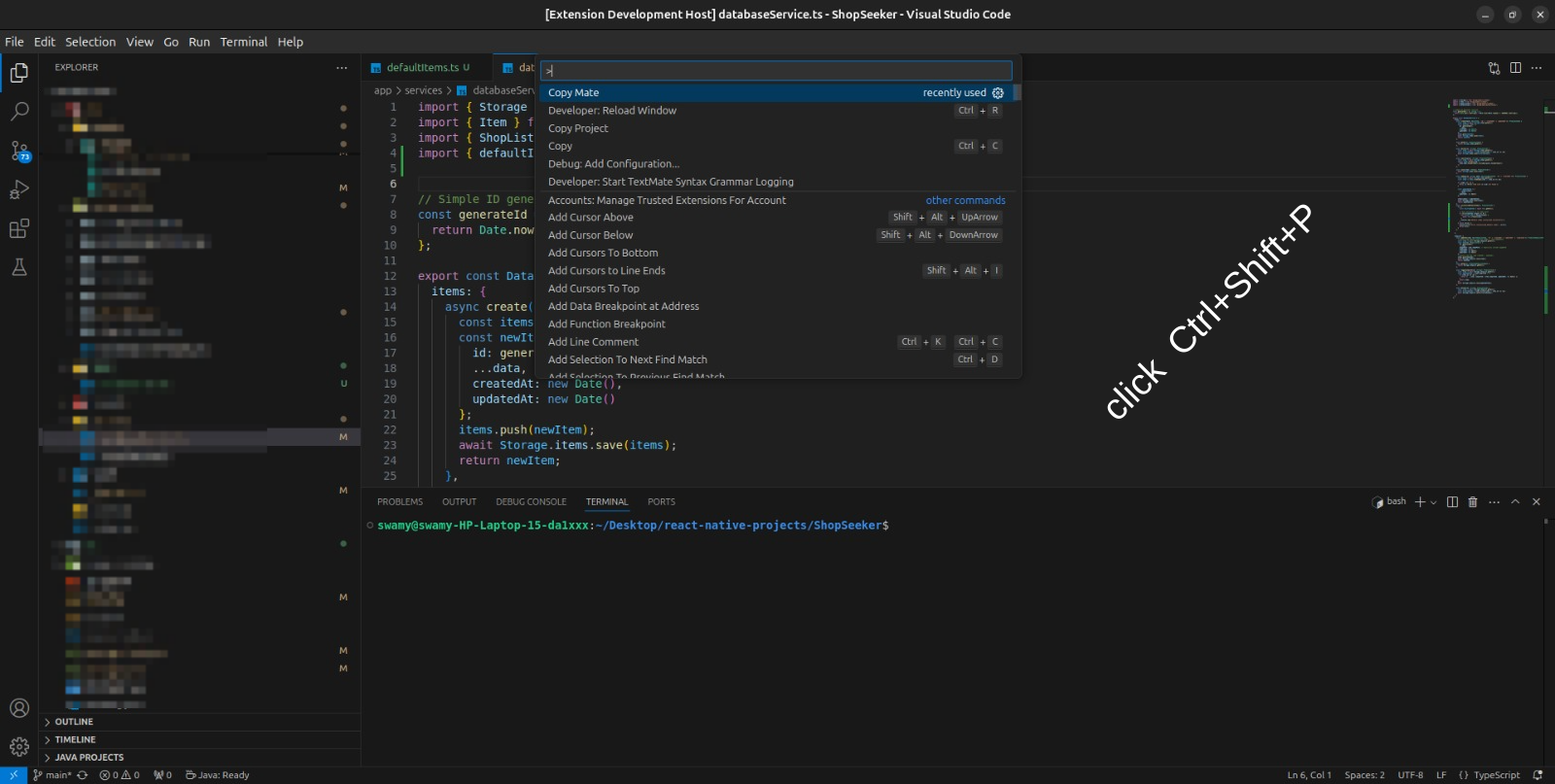
Ctrl+Shift+P(Windows/Linux) orCmd+Shift+P(Mac) - Type "Copy Mate" and press Enter
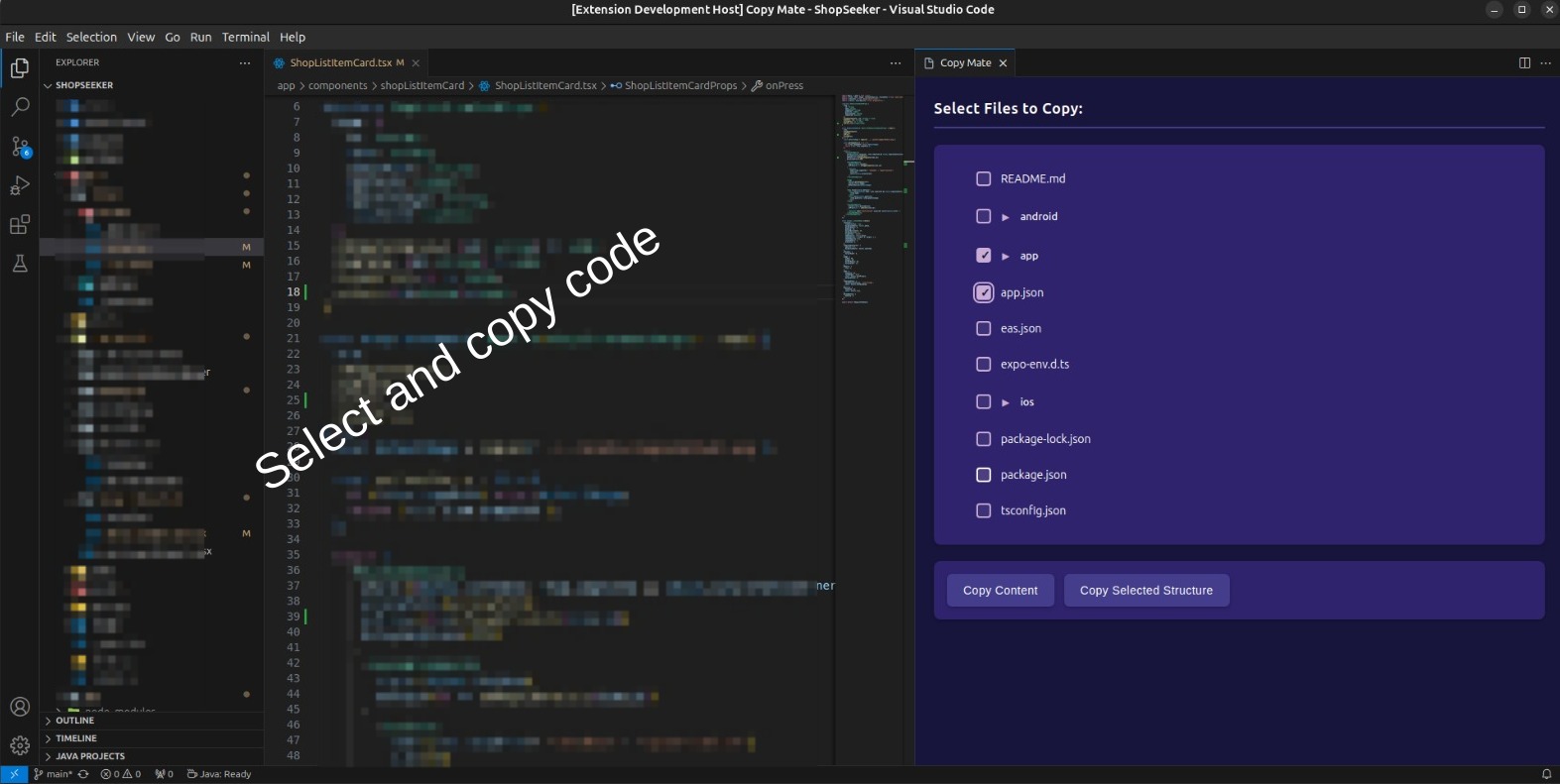
- Select files or folders in the interface:
- Click checkboxes next to files to select them
- Use folder checkboxes to select all files within
- Choose your copying option:
- Click "Copy Content" for file content with paths
- Click "Copy Structure" for a tree visualization
File Path: /src/index.js
Content:
console.log('Hello World');

File Path: /src/styles.css
Content:
body { background: #fff; }
└── src
    ├── components
    │   ├── Button.tsx
    │   └── Input.tsx
    └── utils
        └── helpers.ts
copyMate.includePaths: Enable/disable including file paths (default: true)copyMate.maxFileSize: Maximum file size to copy in KB (default: 1000)
We welcome contributions to Copy Mate! Here's how you can help:
- Fork the repository: https://github.com/swamy3697/copy-mate.git
- Create your feature branch:
git checkout -b feature/AmazingFeature
- Commit your changes:
git commit -m 'Add some AmazingFeature' - Push to the branch:
git push origin feature/AmazingFeature
- Open a Pull Request.
This project is licensed under the MIT License.
- Use the folder checkbox to quickly select all files in a directory.
- Press
ESCto close the Copy Mate interface. - Right-click in the file tree for additional options.
| Issue | Solution |
|---|---|
| Slow loading with large projects | Use folder selection instead of individual files. |
| Special characters in paths | Avoid selecting files with special characters. |
- Added file tree structure copying.
- Improved loading performance.
- Modern UI with loading animations.
- Better error handling.
Made with ❤️ by Swamy
[GitHub](https://github.com/swamy3697/copy-mate) • [Report Bug](https://github.com/swamy3697/copy-mate/issues) • [Request Feature](https://github.com/swamy3697/copy-mate/issues)