Inspired by observing tourists in Bali struggling with language barriers and unreliable information when buying souvenirs, we developed Surevenir. This app serves as a bridge between travelers and Balinese craftsmanship, ensuring informed, meaningful, and fairly priced purchases.
With Surevenir, users can scan items to uncover their details with price range and the impact on supporting local artisans. Our mission is to enhance travel experiences, promote ethical shopping, support the local economy.

- Firebase Authentication: Secure login with Google Sign-In.
- Product Favorites: Save your favorite souvenirs for quick access.
- Interactive Maps: Explore marked shops and markets with detailed information and directions.
- Notification Screen: View a history of notifications triggered by geofencing or Firebase Cloud Messaging (FCM).
- FCM Notifications: Receive updates and alerts about offers and cultural events.
- Geofencing: Get notified when within 1 km of a nearby market or shop.
- Souvenir Scanning: Discover details of a souvenir by scanning its image.
- Scan History: Keep track of all scanned items for future reference.
- Cart and Checkout: Add items to the cart and seamlessly proceed with checkout.
- Gamification: Leaderboard points system to reward users who scan the most souvenirs.


 See more screenshots here.
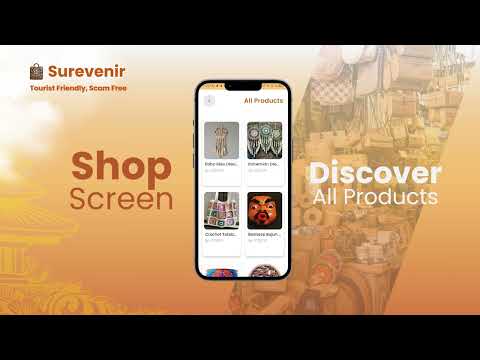
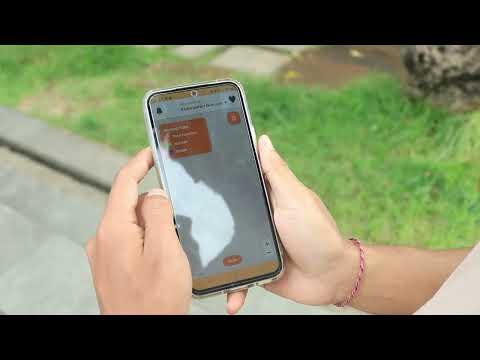
We have both on-device and live-action demo videos. Check them out below!
- Main programming language used for developing this Android application. Supports null safety, coroutines, and other modern features.
- The official IDE for Android development, used for coding, debugging, and testing the application.
- A modern UI toolkit from Google for building declarative and responsive user interfaces.
- A library for loading and managing images quickly and efficiently.
- Usage: Display souvenir images from the server or local resources.
- A dependency injection library that simplifies component management throughout the application.
- Usage: Enhances modularity and management of objects like ViewModel, Repository, and more.
- A library for RESTful API communication.
- Usage: Fetch data for souvenirs, locations, and users from the server.
- A library for efficiently loading large data sets in chunks.
- Usage: Implements a souvenir list with gradual loading features.
- A library for JSON serialization/deserialization.
- Usage: Simplifies parsing API data into Kotlin objects.
- A library for playing JSON-based animations.
- Usage: Provides interactive animations for signup success.
- Firebase Cloud Messaging (FCM): Sends notifications to users.
- Firebase Authentication: Authenticates users via email and Google,.
- Geofencing: Alerts users when entering specific zones.
- Maps SDK: Displays store or souvenir locations on an interactive map.
- A framework for camera integration on Android.
- Usage: Allows users to take photos or scan items to find related souvenirs.
- Compile SDK: 34
- Minimum SDK: 21 (Android 5.0 Lollipop)
- Target SDK: 34
- Build Tools Version: 34.0.0
- Kotlin Version: 1.8.10 or later
- Gradle Version: 8.0.0 or later
- Ensure the MAPS API KEY and API ENDPOINT (https://surevenir-backend-30505862512.us-central1.run.app/api/) in BuildConfig Gradle is Setup.
- Add the
google-services.jsonfile in theapp/directory for Firebase integration. - Use Android Studio Electric Eel or later for full compatibility.
- Internet access is required for API calls, Firebase, and Maps functionalities.
- Grant necessary permissions like location, camera, and storage to ensure smooth operation of features.