





A global server providing a game server list for Thief 2 Multiplayer.
Also a web client to check for running game servers without opening the game: https://www.sungaila.de/NewDarkGlobalServer/
Warning
A few fan missions will not work after installing the multiplayer patch. So consider to create a copy of the Thief 2 game folder for singleplayer purposes.
- Download the latest version of T2Fix: An Unofficial Comprehensive Patch for Thief 2.
- Install T2Fix and make sure to select the component
Thief 2 Multiplayer. - Enjoy! Start the game with
Thief2MP.exe. Windows might prompt you to install DirectPlay on first launch.- Select
Multiplayerin the main menu. - Host your own game with
Host a Game(uses UDP port5198). - Join a game lobby with
Join a Game. You will need to enter the IP address of the host (must be IPv4 like127.0.0.1). You cannot join game sessions that have already started.
- Select
Caution
By activating the global server, you will automatically be connected to the global server whenever you host a game. Others can see your IP address in the in-game server list (which is required to join your game).
Be aware of the consequences of revealing your IP address to the public!
When in doubt, you should skip activating the global server and share your IP privately with other players.
- Open the file
dark_net.cfgin your game folder with a text editor. - Replace the last two lines with the following:
global_server_name thief2.sungaila.de
global_server_port 5199- You can now select
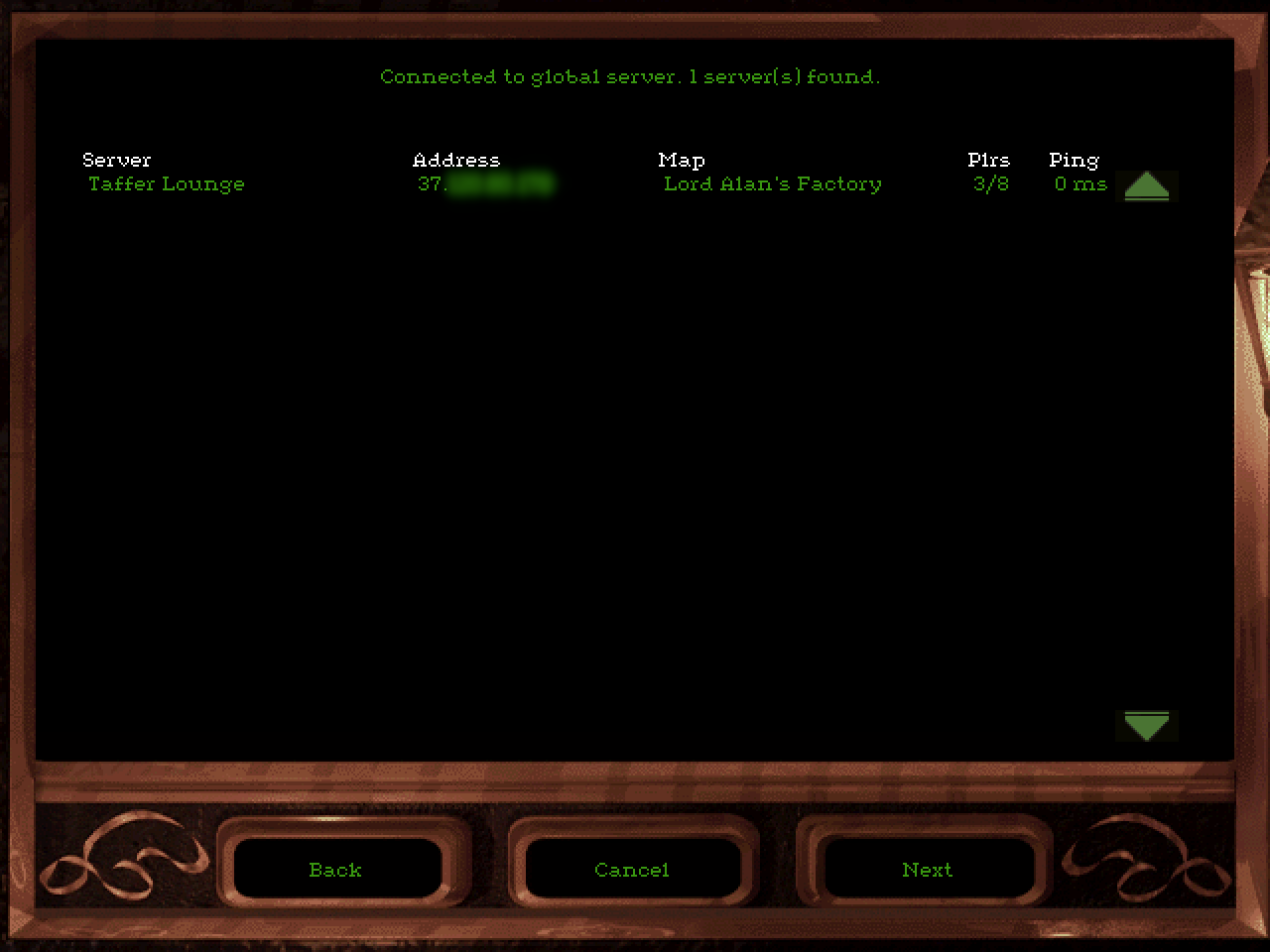
View Server Listin the Multiplayer menu. It will show all servers that are connected to the global server.
Note
If you are hosting a game and it says Connected to global server, but others do not see you in the server list, then there is a network connection issue between you and your clients.
Others join your game via the UDP port 5198 and this could be blocked by a firewall, NAT problems or something else. Also note that only IPv4 is supported (IPv6 is not).
Tip
You can use this website to see if others can join your game (check for the status Denied next to your game): https://www.sungaila.de/NewDarkGlobalServer/
- Download the latest release.
- Launch
NewDarkGlobalServer.exe.- Default TCP port is
5199 - You can change that port with the command line argument
--port YOURNUMBER
- Default TCP port is
- Make sure all your clients have updated their
dark_net.cfgfile with your name and port.
Use the --help argument to show all available options.
Description:
  Starts a server providing a game server list for Thief 2 Multiplayer.

Usage:
  NewDarkGlobalServer [options]

Options:
  -p, --port <port>                                                        Port for this global server [default: 5199]
  -s, --timeout-server, --timeoutserver <timeoutserver>                    Game server timeout in seconds [default: 180]
  -c, --timeout-client, --timeoutclient <timeoutclient>                    Game client timeout in seconds [default: 3600]
  -u, --timeout-unidentified, --timeoutunidentified <timeoutunidentified>  Timeout for connections to identify as client or server in seconds [default: 10]
  -b, --show-heartbeat-minimal, --showheartbeatminimal                     Show HeartbeatMinimal messages in the log
  -f, --hide-failed-conn, --hidefailedconn                                 Hide failed connection attempts (due to invalid or unknown messages) from the log
  -t, --print-timestamps, --printtimestamps                                Add timestamps to the log output
  -w, --websocket                                                          Activate the optional WebSocket for non-game clients
  -n, --websocket-hostname, --websockethostname <websockethostname>        Set the hostname for the WebSocket [default: localhost]
  -m, --websocket-port, --websocketport <websocketport>                    Set the port for the WebSocket [default: 5200]
  -e, --websocket-ssl, --websocketssl                                      Activate SSL for the WebSocket
  -v, --verbose                                                            Show more verbose messages in the log
  -?, -h, --help                                                           Show help and usage information
  --version                                                                Show version information