About • Technologies • Installation • Contributing • License
HumanaEthica is an open-source broker that aims to connect charities and non-profit organizations with volunteers.
- Require download
- Postgres >= 14
- Java 21
- Maven
- Node >= 22 (Node Version Manager recommended)
- Docker
- No download required
- Install
sudo apt update && sudo apt upgrade
sudo apt install openjdk-21-jdk postgresql
- Start db, change to postgres user and create DB
sudo service postgresql start
sudo su -l postgres
dropdb hedb
createdb hedb
- Create user to access db
psql hedb
CREATE USER your-username WITH SUPERUSER LOGIN PASSWORD 'yourpassword';
\q
exit
- Rename
backend/src/main/resources/application-dev.properties.exampletoapplication-dev.propertiesand fill its fields - Run server
cd backend
mvn clean spring-boot:run
-
See documentation on http://localhost:8080/swagger-ui.html
-
Copy
frontend/example.envtofrontend/.envand uncomment for bare metal run -
Run Cypress Tests
cd frontend
npx cypress run
- Interactive Run of Cypress Tests
cd frontend
npx cypress open
- Run frontend
cd frontend
npm i
npm run dev
- Access http://localhost:5173
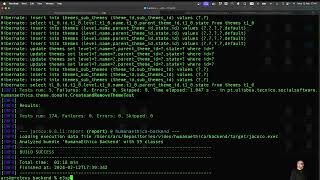
The following video shows how setup when you install the software in your machine. Requires the software mentioned above.
-
Install Docker in you machine.
-
Copy data/access.log.example to data/access.log
cp data/access.log.example data/access.log
- Copy data/access.log.example to data/access.log
cp data/error.log.example data/error.log
- Copy frontend/example.env to frontend/.env, and uncomment for docker compose up frontend
cp frontend/example.env frontend/.env
- Build HumanaEthica in project top directory, where docker-compose.yml is
docker compose build
- Run HumanaEthica
docker compose up -d frontend
- See container logs, for instance for backend
docker logs backend
- After changing backend code, for a quick recompile and restart
docker compose up --no-deps -d --build backend
- Shutdown HumanaEthica
docker compose down
- Run unit tests
-
- All unit tests
docker compose up be-unit-tests
-
- A class of unit tests
UNIT=CreateEnrollmentMethodTest docker compose up be-unit-tests
-
- A unit test method
UNIT=CreateEnrollmentMethodTest#"create enrollment" docker compose up be-unit-tests
- Run integration tests
-
- All integration tests
docker compose up integration-tests
-
- A class of integration tests
INTEGRATION=ValidateActivityWebServiceIT docker compose up integration-tests
-
- An integration test method
INTEGRATION=ValidateActivityWebServiceIT#"volunteer validate activity" docker compose up integration-tests
- Run Cypress Tests
- uncomment frontend/.env for docker compose up e2e-run
docker compose up e2e-run
- Open Cypress Tests
- uncomment frontend/.env for docker compose up e2e-open
- Install X server
-
- In OSX follow the instructions
-
- In Ubuntu
-
- In WSL
-
- In Windows
- Set environment variable DISPLAY=HOSTNAME:0, where HOSTNAME is obtained by
ifconfig en0 | grep inet | awk '$1=="inet" {print $2}'
- Run docker
docker compose up e2e-open
An easy way to obtain a working development environment is to use the development container provided (see folder .devcontainer). This requires Docker.
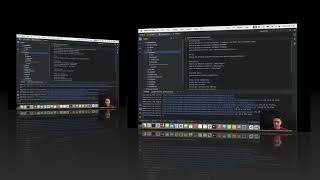
The following video shows how to setup the dev container using IDE IntelliJ IDEA (Ultimate Edition).
Your contributions are always welcome!
This project is licensed under the MIT License - see the LICENSE file for details.