Using delta_generator to repack payload.bin.
- A compatible Linux system (x86_64/aarch64)
- git
- openjdk-jre
- python
- python-protobuf
- zip
- unzip
- openssl
- openssl-tool
- xxd
sudo apt-get update
sudo apt-get install git openssl openjdk-17-jre-headless python-protobuf python unzip zippkg upgr
pkg install git openssl-tool zip unzip python openjdk-17 xxdgit clone https://github.com/snowwolf725/Payload_Repack_Tool.git
cd Payload_Repack_Tool
pip install -r requirements.txtcd Payload_Repack_Tool
#copy *.img into IMAGES folder
#cp -a *.img IMAGES
./repackPayload.shcd Payload_Repack_Tool
#copy *.img into IMAGES folder
#cp -a *.img IMAGES
#modify META/dynamic_partitions_info.txt
#vi META/dynamic_partitions_info.txt
./repackPayload_withDpart.shcd Payload_Repack_Tool
#copy *.img into IMAGES folder
#cp -a *.img IMAGES
#modify META/*.txt SYSTEM/build.prop
#vi META/*.txt SYSTEM/build.prop
./repackZip.shThe most challenging part of the packaging process is filling out the configuration files. You can use the lpdump command to query the required information, or extract it from the official EDL package (EDL.zip/META/dynamic_partitions_info.txt and ab_partitions.txt).
Additionally, I've written a setup.sh script that can quickly help you fill out the dynamic_partitions_info.txt and ab_partitions.txt configuration files.
cd Payload_Repack_Tool
./setup.sh
# Chinese version:
./setup_zh.sh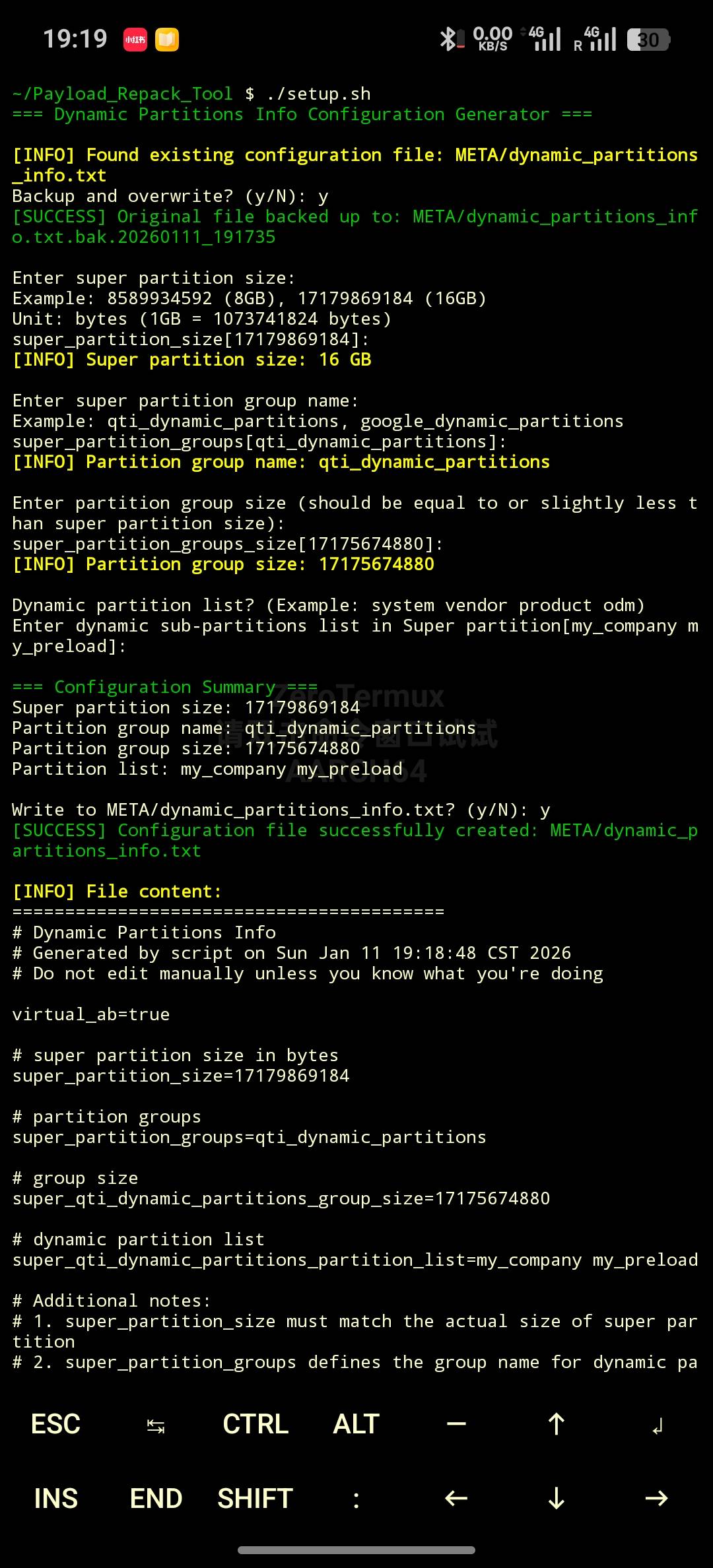
【Android payload.bin 打包-哔哩哔哩】
The payload.bin be signed by a private RSA key and the system will refuse to install it without the correct signature. If you want to install a repacked payload.bin, you can use one of thfollowing methods to install payload.bin.
Install module-CustomOTA_CA.zip through the Magisk/KernelSU/APatch Manager App