- This is a webapp which provides you feature that is to secure your account by setting up Face-Lock.
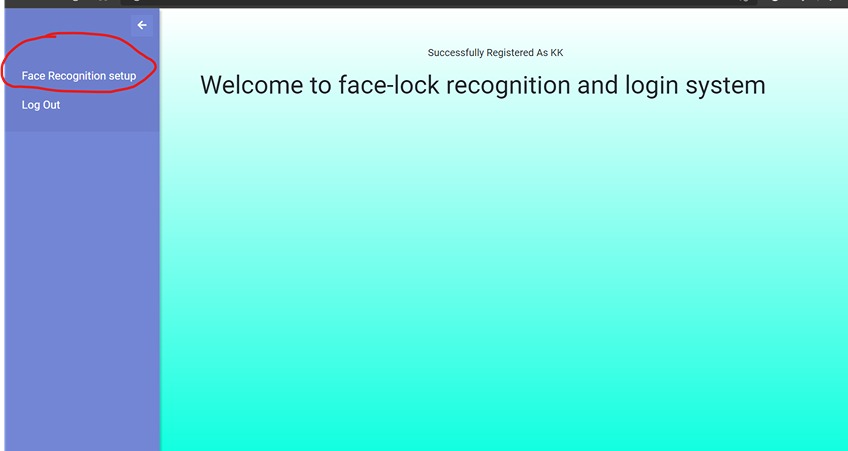
- You can create your account by registering yourself and after that from left side-bar you can do your face-setup.
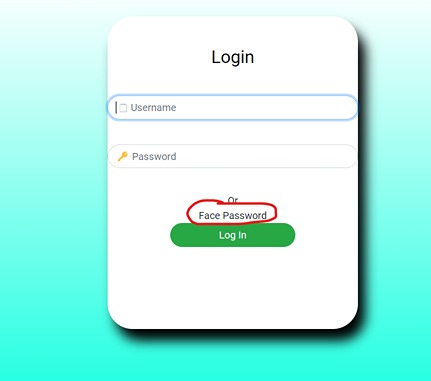
- After done with the above step you can login to your account by using face-password.
- dlib (Version: 19.19.0)
- face-recognition
- flask
- cs50
- requests
- python version 3.8.10
- So, first installed the libraries which are given above and for ease of the user I have also mentioned libraries requirements in “requirement.txt” you can simply look over that
- I have used dlib 19.19.0 version, So, if you are facing difficulty in installing dlib so I will suggest to install it on python 3.8
- After installing the required libraries firstly run helpers.py so that they get executed once and after that just run Flask application.py it will run on localhost http://127.0.0.1:5000 then open it and use it.