
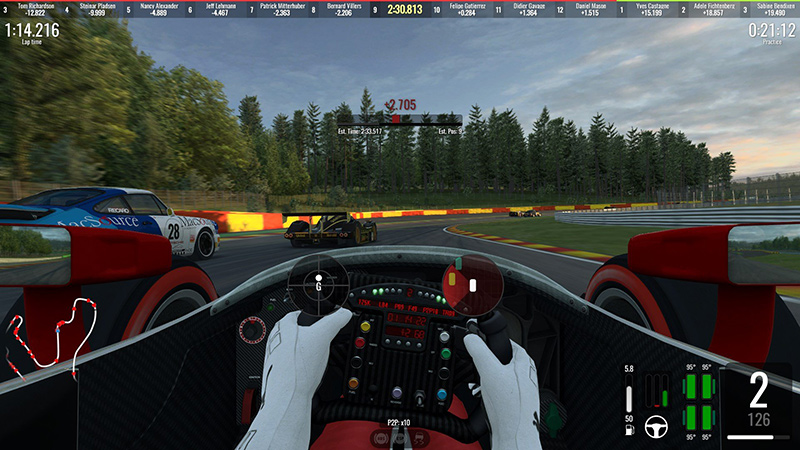
This is a sample showing how to create a web hud using the shared memory API for RaceRoom Racing Experience (R3E).
For discussions or support go here.
- Extract public/dash.zip
- Run dash.exe
- Add
-webdev -webHudUrl=https://sector3studios.github.io/webhud/dist/to the game launch arguments - Start the game
- Development requires node/npm
- For this to work you need to be running
public/dash.zip/dash.exe. It is the source of all the data being used. - Run
npm installto install all dependencies - Start development by running
npm startand opening http://localhost:4000/ - Add
-webdev -webHudUrl=http://localhost:4000/to the game launch arguments - When you are happy with your changes run
npm run buildand the final files will be put in thedist/folder.
- Look at
src/types/r3eTypes.tsto see what data is exposed - Press
Shift+ito view the current game state (search takes regex) - Press
Shift+Spaceto freeze the current game state - Press
Shift+dto dump current game state as JSON into clipboard - Press
Ctrl+vto insert dumped JSON game state into current session
See LICENSE.

