
Up To Me Companion App
This repo is open source code to an Android-based companion app for a mental health intervention "Up To Me".
Up To Me is a peer-group based intervention for college students who have feelings of shame regarding a mental health challenge they may have. The purpose of the intervention is to provide participants with the tools and skills that they may need to disclose their mental illness to others (e.g., professors, classmates, friends, managers). Although the aim of the intevention is not to encourage people to disclose, the goal of the intervention is to ensure that participants know how to make safe disclosure choices and to be encouraged by experiences shared by peers in the intervention's group setting.
The companion app in this repo serves to monitor and corroborate outcomes of interest for the research study (IRB Approved STUDY003535). The app does the following:
- Creates an SQLite DB using Room: the activity table is complete with the exception of the foreign key.
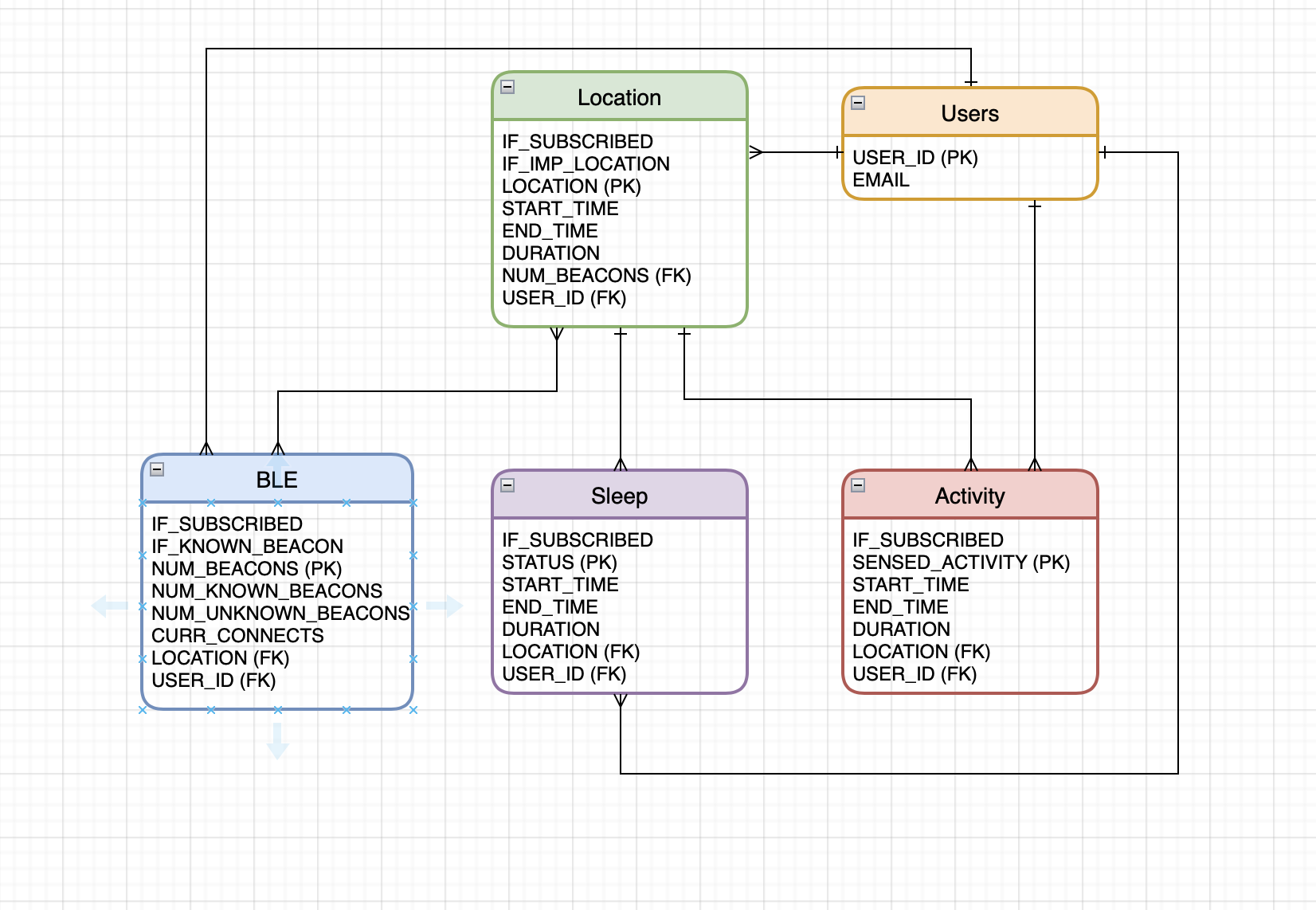
Capabilities TO DO:
- Bluetooth Monitoring: monitors surrounding bluetooth devices that are available for pairing. This helps to indicate if the user is in a populus area.
- Activity Recognition: recognizes when user is running, walking, standing, cycling, in a moving vehicle. This information is logged and stored in a Firebase DB. Activity recognition is powered by Google's Awareness API.
- Sleep Recognition: recognizes sleep, wake time, and disturbances. These metrics are also monitored and backed up to the Firebase DB.
- Location Tracking: allows users to input important locations (e.g, home, a friend's house, the library) for location tracking at frequently visited locations. Other locations of interested included by the study team include the Marshall Student Center, the Student Services Annex (Counseling Center and Student Accessibility Services, and Student Health Services.
To Install:
- Install Android Studio
- Download the zip file from GitHub using the Code button.
- Decompress the zip file.
- Open Android Studio and navigate to File > Open > choose the directory of the decompressed zip file.