This program takes an input feed and detects new objects that enter the field of vision of the camera. Implemented in python with the use of the OpenCV libaray for motion detection, video highlighting, and object highlights.
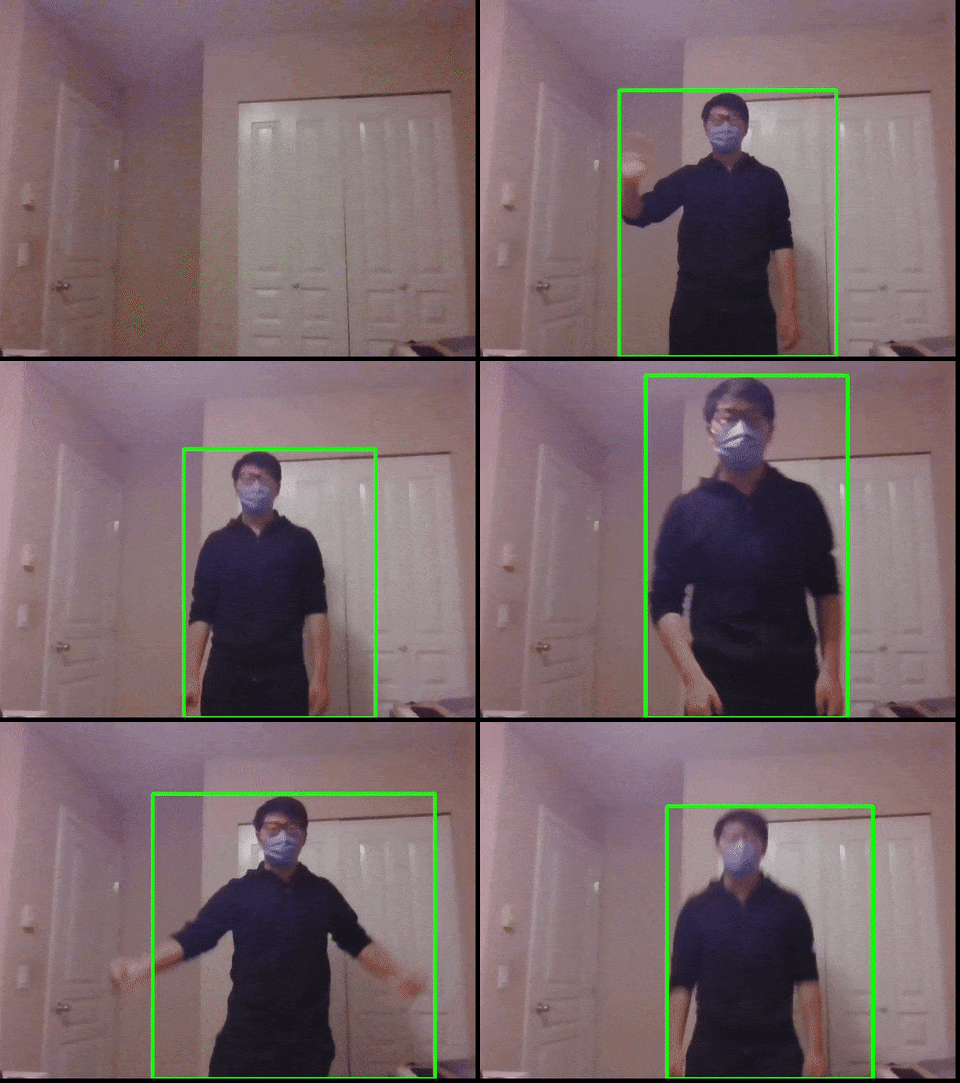
Motion detector in action:
Example motion graph output:

- This program takes the first input frame from the video and sets it as the background. It will then proceed to compare each subsequent frame with this original background frame and highlight the differences.

- Next, the program takes each frame of the input feed from the camera, converts it to grayscale, and blurs it to make the differences clearer.

- Then, the differences in intensities between the original background image and the current frame are compared, and highlighted.

- These differences are then "binary" converted where the difference is completely white, and the rest completely black. The
cv2.findContours()method will then highlight the white parts of this simplified frame and then provide coordinates for the drawing of the rectangle.

- The program then proceeds to take the coordinates of these differences and box them at the correct location over the original color feed.
First you will need to install the OpenCV library using the command pip3.9 install opencv-python. If there is still an error in the code on the import cv2 line, run the command pip3.9 uninstall opencv-python and then pip3.9 install opencv-python opencv-python-headless.
You will also have to install the pandas library and bokeh libraries if not done so. When running the program, make sure the program starts with the background with no objects in it (explained below). Make sure that you are running plotting.py and capture_video.py is in the same folder.