
Domain Age Checker Extension Easily check the age of any domain with our fast and user-friendly browser extension. Instantly retrieve domain registration and expiration dates to assess credibility, SEO value, and history. Perfect for marketers, developers, and domain investors.
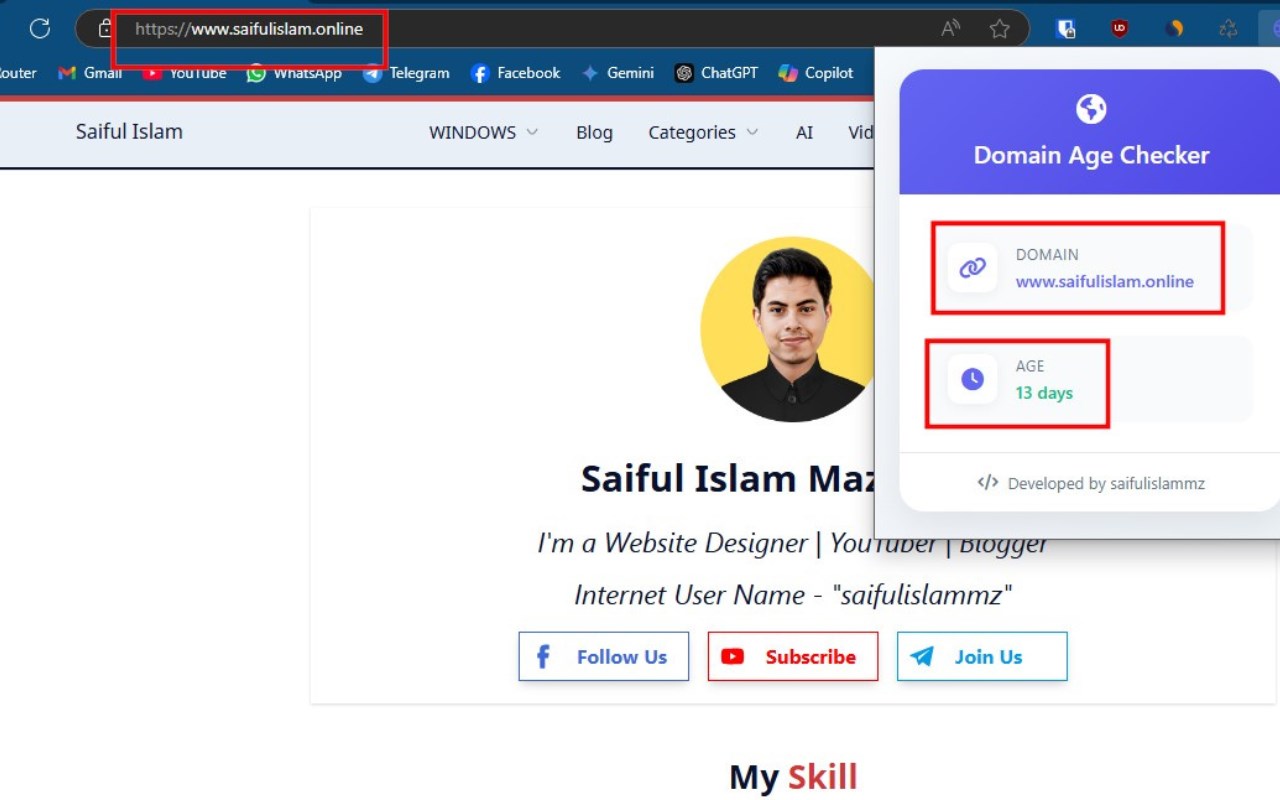
- 📥 Download the extension files or clone this repository.
- 🌐 Open your browser and go to
chrome://extensions/(for Chrome-based browsers) orabout:addons(for Firefox). - 🛠️ Enable "Developer Mode" (for Chrome-based browsers).
- 📂 Click on "Load unpacked" and select the extension folder.
- ✅ The extension will be installed and ready to use.
- 🔍 Check Domain Age: Instantly check the age of any domain.
- 💡 User-friendly Interface: Easy-to-use design for a seamless experience.
- ⚡ Real-time Data: Retrieve up-to-date domain information.
- 📱 Mobile-Friendly: Responsive design for a smooth experience across devices.
- 🔎 Open any YouTube video.
- 🛑 You will see download options below the video player.
- ⬇️ Click on the respective button to download subtitles, thumbnails, video, or MP3 audio.
This project is built using the following technologies:
- HTML – For structuring the UI.
- CSS – For styling and design.
- JavaScript – For handling interactions and logic.
- JSON – For storing extension metadata and configurations.
- PHP - For api requast.
This project is licensed under the MIT License.