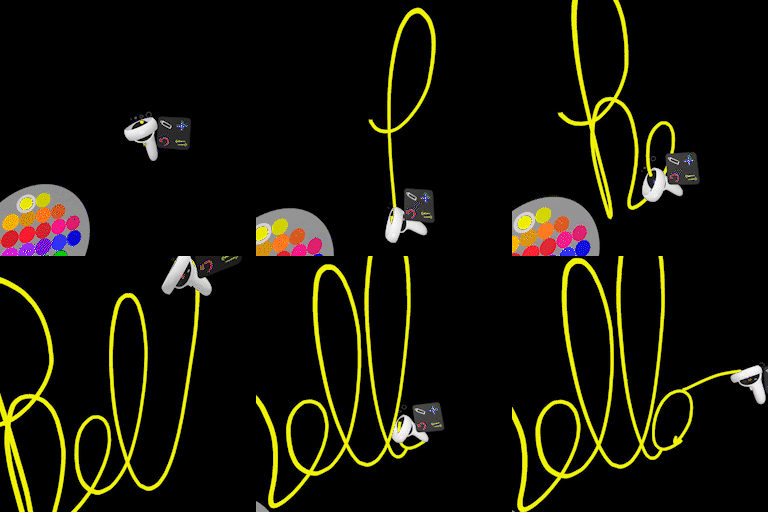
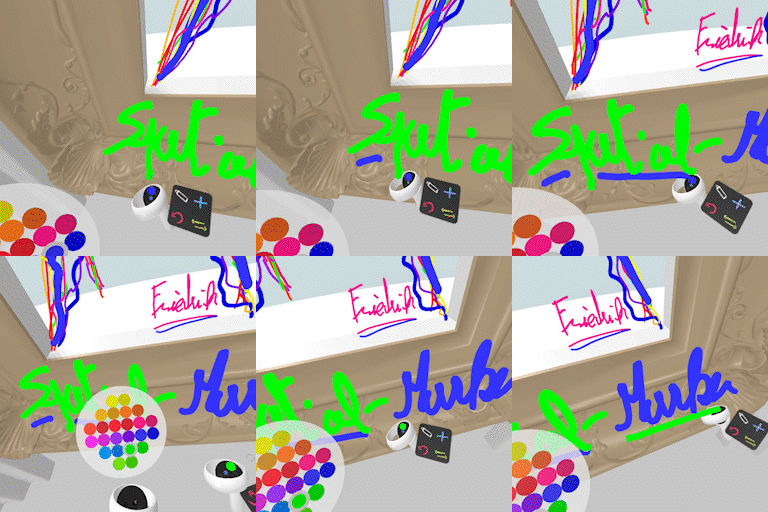
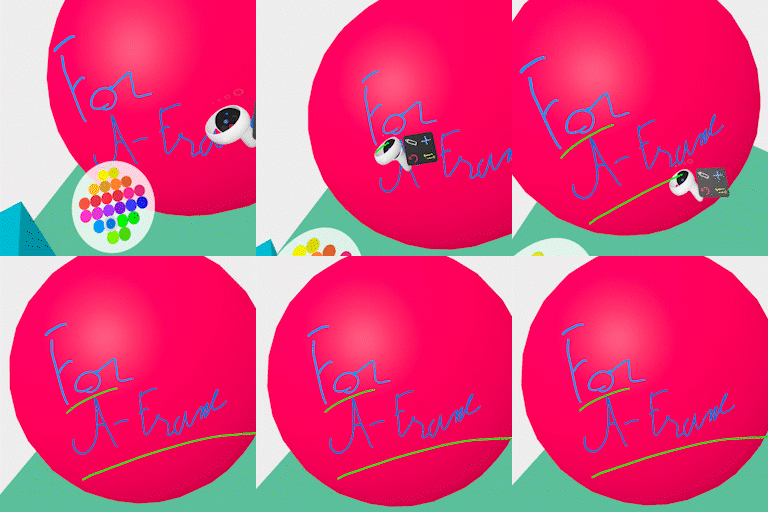
This simple VR component is made for A‑Frame projects and works along the meta‑touch controls inputs. It allows users to draw in 3D space on defined drawing areas using one of their VR controllers.
This Spatial-Marker component embeds its own movement logic using the thumbsticks, so it can be used in any A-Frame scene without any other locomotion system but the use of teleport-controls isn't recommended due to the use of the color palette.
Navigate in space with the thumbsticks to reach a defined drawing area.



Add the spatial-marker.js element along A-Frame
  <head>
    <script src="https://aframe.io/releases/1.7.1/aframe.min.js"></script>
    <script src="https://rpetitjean.github.io/spatial-marker/spatial-marker.js"></script>
  </head>
Add the spatial-marker component to your A-Frame VR Rig
  <body>
    <a-scene>

    <!-- VR Rig -->
    <a-entity  id="rig" spatial-marker>
      <a-box id="camera" camera="fov:75; near: 0.1; far: 700"  position="0 1.7 0" visible="false" ></a-box>
      <a-entity id="left-hand"  meta-touch-controls="hand: left"></a-entity>
      <a-entity id="right-hand" meta-touch-controls="hand: right"></a-entity>
    </a-entity>
    </a-scene>

</body>| Property | Description | Default |
|---|---|---|
areaSelector |
CSS selector used to find painting areas in the scene. All matching entities define valid drawing zones. | .drawingArea |
autoArea |
Automatically creates a default drawing area if none matching areaSelector are found. |
true |
areaSize |
Size of the auto-generated drawing area (width height). |
4 4 |
areaPosition |
Position of the auto-generated drawing area (x y z). |
0 0 -4 |
areaRotation |
Rotation of the auto-generated drawing area (x y z). |
-90 0 0 |
areaColor |
Color of the auto-generated drawing area plane. | #ffffffff |
areaOpacity |
Opacity of the auto-generated drawing area. | 0.1 |
areaTransparent |
Whether the auto-generated drawing area material is transparent. | true |
| Property | Description | Default |
|---|---|---|
markerSize |
List of available marker thickness values used by the size picker. | [0.0025, 0.005, 0.01, 0.02] |
hintSize |
Size of the size-picker hint plane displayed near the controller. | 0.1 |
imgHint |
Image used for the size-picker hint (typically a PNG with transparency). | UI.png |
billboardHints |
Makes size-picker hints always face the camera. | true |
| Property | Description | Default |
|---|---|---|
colors |
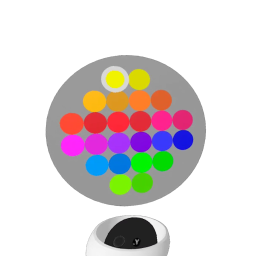
Array of 24 hex colors used by the color picker | #f2f23a,#d8d835,#f4bd36,#d29930,#f58436,#d06430,#f45336,#d13230,#f33a3a,#d13636,#f3398c,#d13470,#f339f3,#d134d8,#9933f3,#7300d8,#3333f3,#0000d8,#3399f3,#0073d8,#33f339,#00d836,#99f339,#70d134 |
I created this Palette Builder tool to make it easy to visualize and set up the 24 colors.
-
Demo
A minimalistic scene with a single drawing area to quickly get started. -
Export drawing
Export all drawn lines using the three.js glTF exporter. -
Mixed Reality mode
Draw in Mixed Reality using WebXR AR mode (compatible devices only). -
Green Screen
Create fast hand-drawn designs optimized for screen capture and recording. -
Export photographs
Export high-quality photographs of each painting zone. -
Goethe’s color diagram
An exploration of Johann Wolfgang von Goethe’s singular color diagram and the symbolic meaning of colors. -
Palette Builder (tool)
A simple tool to define and customize color palettes.
📣 Check the A-Frame Painter by A-Frame creators if you are looking for a deeper painting tool.
Most of the Javascript (and CSS) codelines were written with ChatGPT 5.0 and 5.2, and reviewed and adapted by me.
All the texts are written by me and all 3D and 2D designs are CC0 or Public Domain or were created by me, using CC0 textures when necessary.
MIT License Copyright (c) 2026 Remi Petitjean