Events Getting Started
- Right click in the project explorer or go to the Asset menu.
- Click on Create -> Scriptable Objects -> Events -> Event Type.

- Place a handler of the appropriate type on the listening GameObject.
- Link handler code through the Unity event in the Handler script.

- Link handler code directly in the Event
- Define a public Event of the type you want.
public FloatEvent DamageDealt;
2. Click the arrow icon to the left of the field to set it to either an SO for the event or an event handler.
3. In the editor, link the field to the target.
- Reference the event in the firing script.
- Call the
Firefunction.
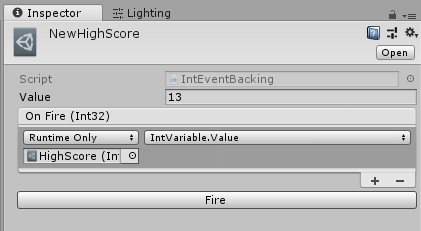
- Click on the event object in the project.
- Give a value to pass to the event when fired.
- Click the Fire button.
/Images/