- https://docs.google.com/spreadsheets/d/1v1RKLA-Yhwed0x9qBSTzaXiDYA-SZZjcI7eSJ6er1XU/edit?usp=sharing
First, clone the repo
then do this regulary if things go wrong $rootRepo:
- MAC/Linux:
rm -rf transaction_log/* - Windows:
rm -r -Force transaction_log/*
If you want to keep logs, move them to different directories.
npx hardhat compile
npm run start:ganache
^ If error: try deleting $rootRepo/ganacheDB/ directory and run again
-Successful run:
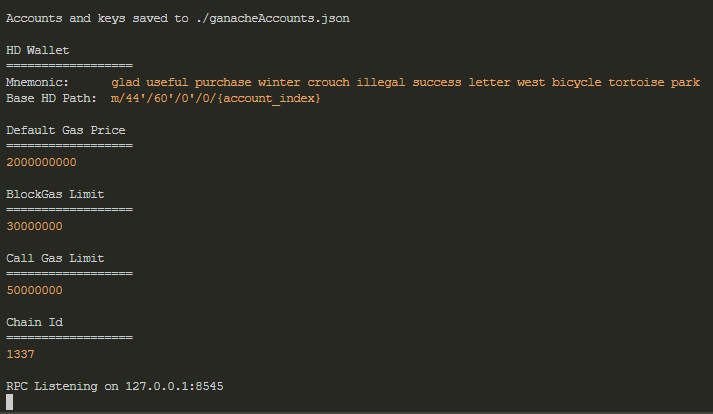
- Ganache:
npm run deploy:ganache:testnet - Polygon:
npm run deploy:polygon:testnet - Klaytn:
npm run deploy:klaytn:testnet
^ That will deploy both old and new contracts to these 3 networks.
^ It will take a while.
^ If error: Contact Devs to pump more money to these test accounts.
- Example of successful klaytn deployment:
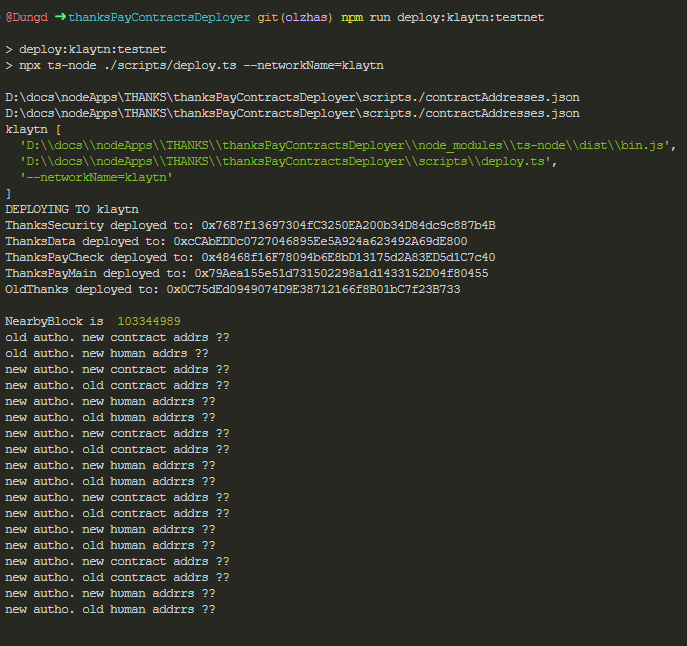
- It should be the same with Ganache, Polygon!
Now, you should understand the order of the test to read logs:
- Register 1 partner,
- Register 1 worker to that partner,
- Said partner deposits some money,
- Said Worker get some money from salary
Logs will be named after "nonce", don't need to understand what's nonce, it's basically a number, and you can read say, last 4 largest numbers are the latest test transactions for example.
- npm run
test:old2:polygon:testnet
Read on the terminal how much time does each transaction take
-Example:
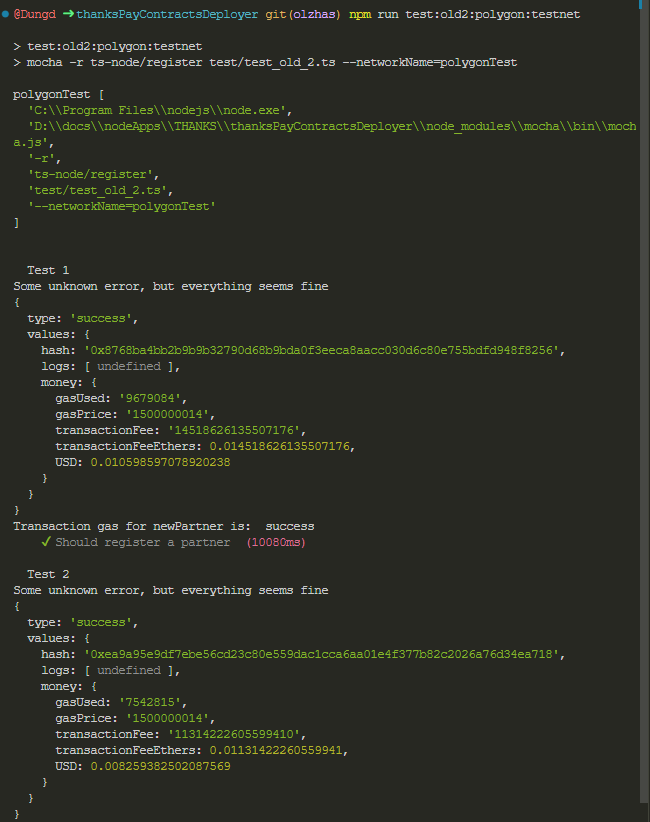
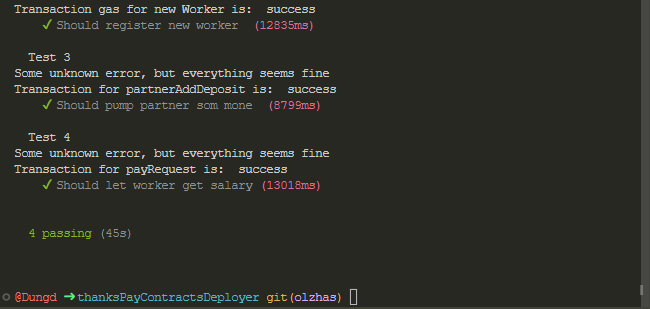
^ The red time (i.e: 13018ms) means 13.018 seconds or 13018 milliseconds.
Then navigate to $rootRepo/transaction_log/old_contract/polygontest/synced/
Then read latest 4 logs
-Example of one log: 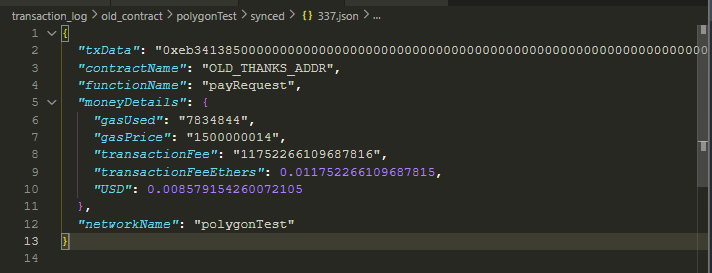
^ Things to read: gasUsed, gasPrice, USD, networkname, function used by the old contract.
- Klaytn:
npm run test:old2:klaytn:testnet
Read on the terminal how much time does each transaction take
Then navigate to $rootRepo/transaction_log/old_contract/klaytn/synced/
Then read latest 4 logs
- Example is the same as Polygon
npm run test:new2:ganache:testnet
Read on the terminal how much time each transaction takes
-Example:
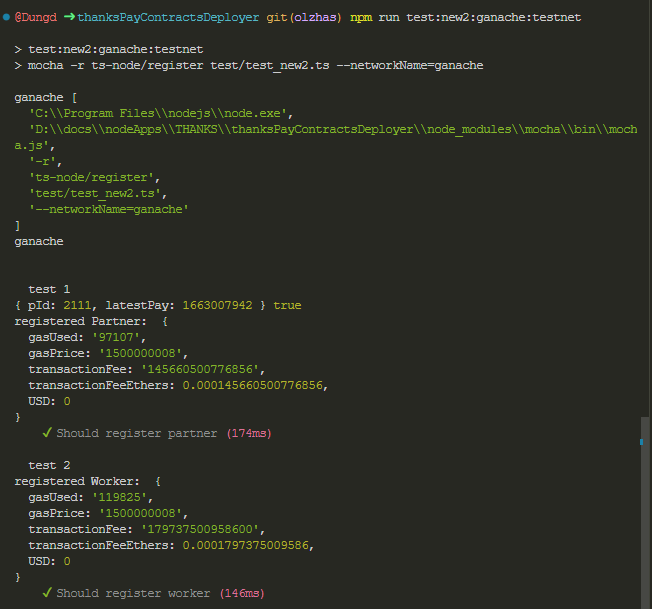
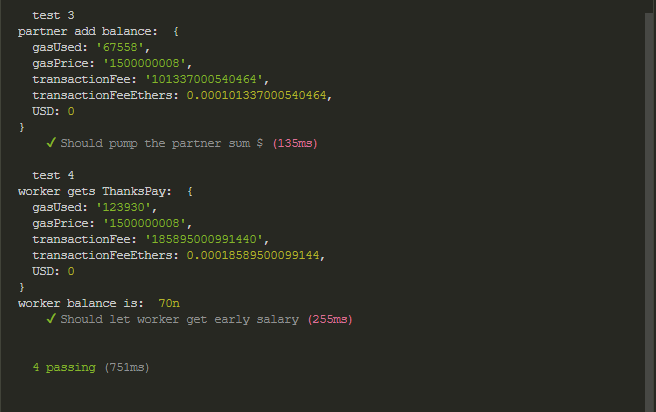
- Read the red time thingy
Then an un-synced transaction logs will be here:
- $rootRepo/transaction_log/new_contract/polygonTest/unsynced/*
- $rootRepo/transaction_log/new_contract/klaytn/unsynced/*
But you don't need to read it
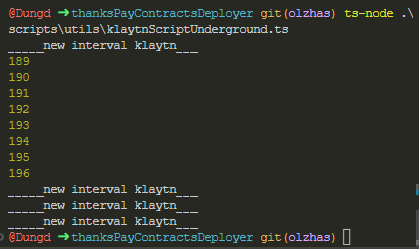
- On one terminal:
ts-node $rootRepo/scripts/utils/klaytnScriptUnderground.ts - On other terminal:
ts-node $rootRepo/scripts/utils/polygonScriptUnderground.ts
example of klaytn background script:
Then, the synced transaction logs will be here:
- $rootRepo/transaction_log/new_contract/polygonTest/synced/*
- $rootRepo/transaction_log/new_contract/klaytn/synced/*
You read them to collect costs.
- Example:
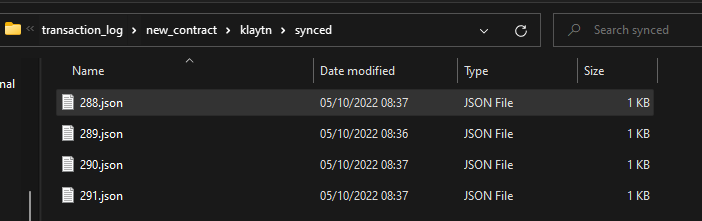
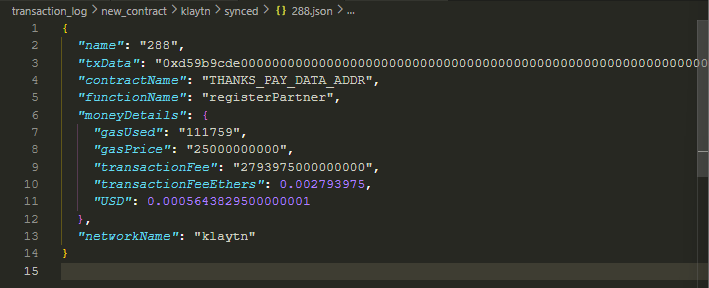
- Well, you know what to look at!
- Example for Polygon (klaytn apply same method):
npm run test:new2:polygon:testnet
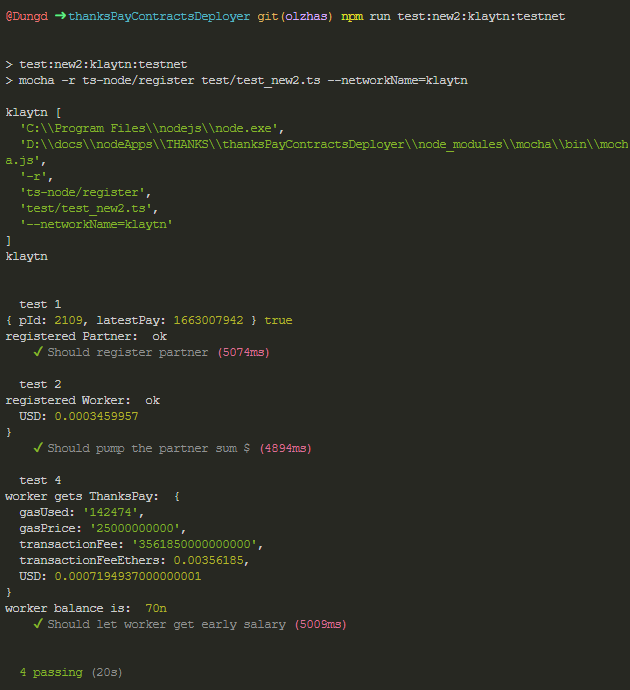
for devs (more info behind the scene): https://github.com/realInt2k/thanksPayContractsDeployer/blob/olzhas/devREADME.md