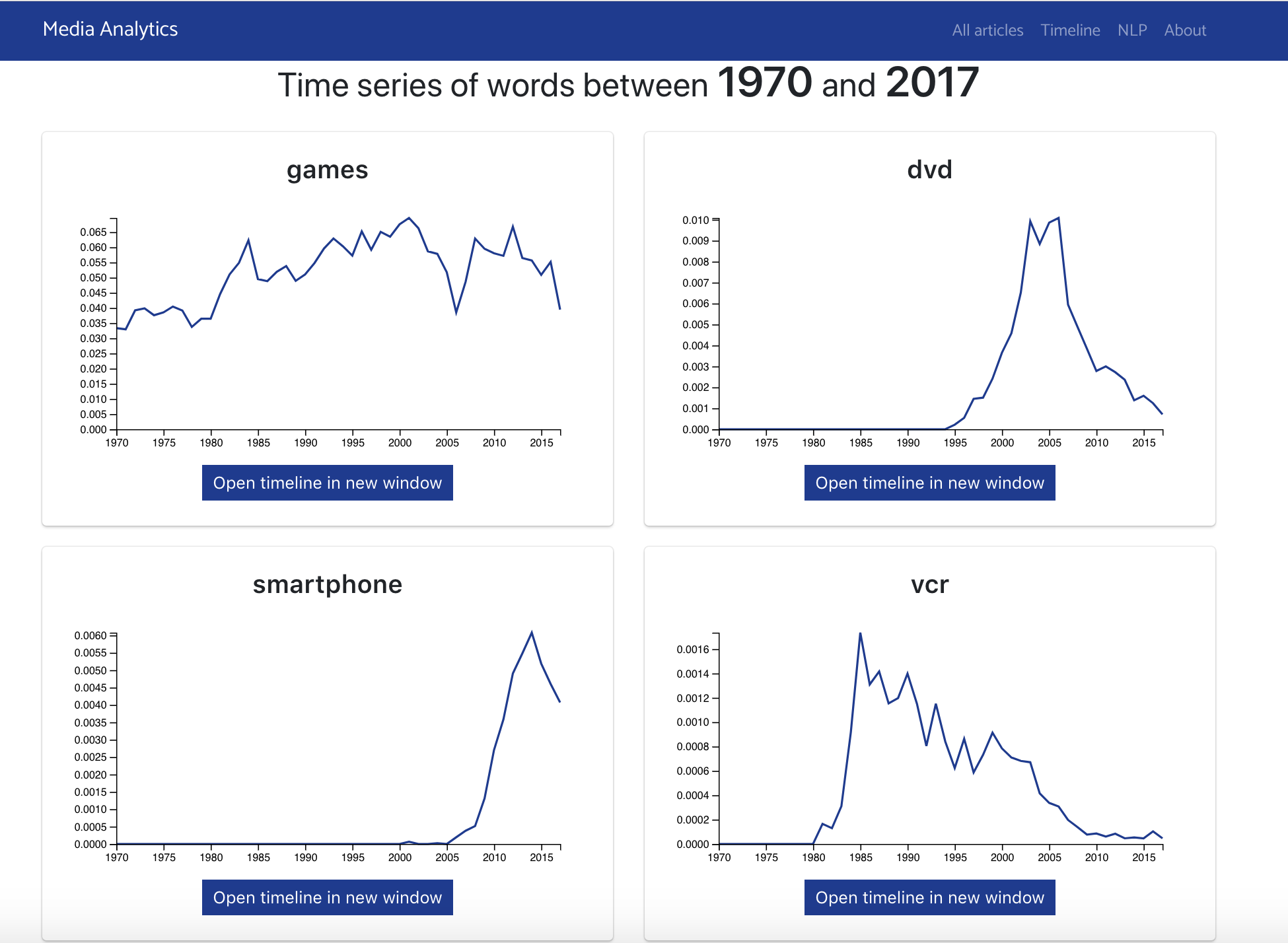
A site that allows anyone to query a large corpus of journalistic data using natural language processing tools. The tool allows for tracking the frequency of word usage over time in the New York Times data corpus as well as querying word vectors, vector representations of words that capture the semantic loadings of words as well as their semantic changes over time.
More details about the project are linked here.
- Pull down the repo
- Download Python, this will include pip to allow you to download packages
- Open the command prompt and navigate to the root directory of the repo
- Run python manage.py runserver, leave this running in the background
- Open an internet browser and navigate to http://localhost:8000/
- Download a python editor
- Download all required packages found in requirements.txt using pip
Python editor example: PyCharm
- Download a python editor
Recommended editor: PyCharm
- Pull the repo
git clone https://gitlab.op-bit.nz/BIT/Project/MediaAnalytics/mediaanalytics.git
- In the root directory of the repo, open manage.py in PyCharm
- Click 'Configure Python Interpreter' in the top right of the window
Will be in a yellow alert bar that will drop down
- In the top right of the new window click the cog then 'Add Local...'
- Check New environment and choose a location for the virtual environment
- Change the base interpreter to be python 3.6 or higher
If using polytech computers select the option 'C:\Program Files(x86)\Python36-32\python.exe'
- Check 'Inherit global site-packages' and press ok
- You will now have a virtual environment named venv
- Open command prompt and navigate to it
Any command shell will work like powershell
- Inside venv run '.\Scripts\activate'
You should now be running in your environment you will have (venv) before your command prompt
- Now navigate to the repo
- Run the command pip install -r requirements.txt this will download all the packages needed
- Now navigate into the root folder in the repo, there should be a file called manage.py in here
- Run the command python manage.py runserver
Keep this running in the background
- Now open an internet browser and navigate to http://localhost:8000
Congrats you have opened the project
- To connect to the linux server which hosts the database you will need to download PuTTY
- In putty enter 10.25.100.30 as the Host Name and Port 22
- Make sure connection type is set to SSH
- In the left navigation bar under category, click into Connection -> SSH -> Auth
- In the private key section at the bottom select Browse...
- Navigate to the Other folder and select mysql.ppk
- Connect and enter the username: user
- In the command, enter mysql -u root -p
- Enter password HelloRay12
You are now connected the server and the database - you can now use MySQL commands within the Linux terminal
- Models are stored in mediaanalytics/models
- If the folder doesn't exists create the models directory
- Move all the models that David gave into the folder that was created
- Copy the CSV import files into the folder of CSV's
- In command line Run python filesImport.py {year}.csv (e.g. python filesImport.py 2017.csv)
If you want to flush the database run python manage.py flush to reset all tables within the database
Whatever you push to the master branch will be updated on the live server Live server is located at: https://media-analytics.op-bit.nz/
ALWAYS use the Dev branch - merge it into the master if needed The master branch can only be edited by the Op's team
- requests
- django-pyodbc
- django-pyodbc-azure
- pyodbc
- Django==2.0.2
- django-cors-headers==2.4.0
- django-rest-framework==0.1.0
- djangorestframework==3.8.2
- pygments
- gensim==3.4.0
- numpy==1.14.2
- scipy==1.0.1
- pandas==0.23.0
- matplotlib
- scikit-learn==0.19.1
- Raymond Hua - Initial work
- Fawaz Khan Dinnunhan - Handover
- Project is based from the NLP site by Tom Paine http://nlp.op-bit.nz
| Frequency of word terrorism | Frequent words between 1990 to 2017 |
|---|---|
 |
 |
| NLP output between 1990 to 2017 | NLP output cont'd |
 |
 |