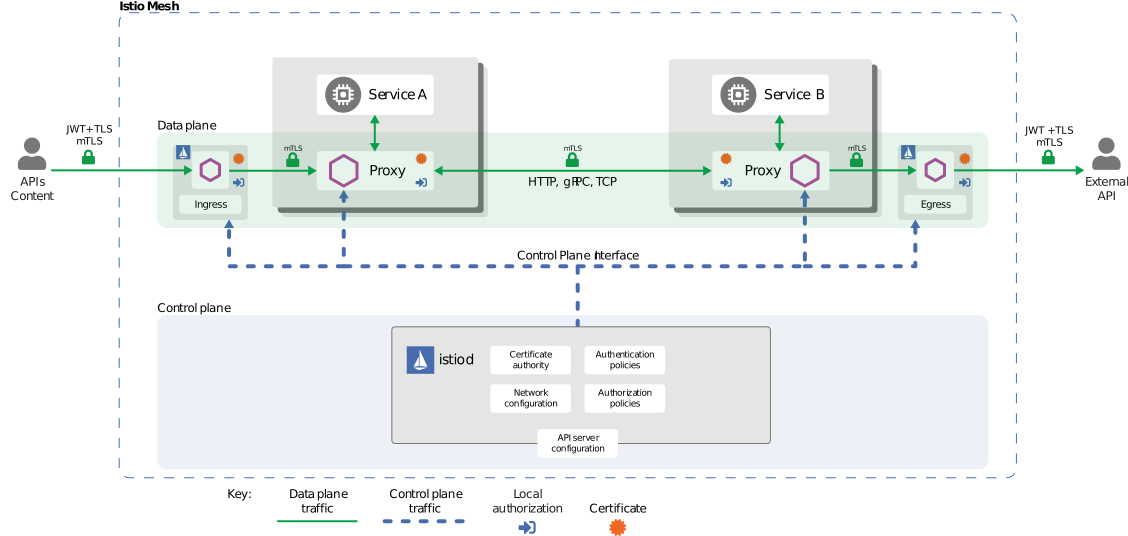
Istio is a service mesh technology and it brings traffic management, telemetry and security to complex kubernetes deployments. In a nutshell Istio uses Envoy proxy to inject proxy container to every pod to implement these features.
minikube start --cpus 6 --memory 8192 --profile istio
- download the latest Istio package from website
curl -L https://istio.io/downloadIstio | sh - - move into the directory and add /bin path to shell profile, so "istioctl" command will be available
vi .zshrc export PATH=/Users/ravi/istio-1.16.1/bin:$PATH - Install
istioctl install --set profile=demo -y
- Instruct to Istio to deploy envoy sidecar container by adding namespace label to default namespace
kubectl label namespace default istio-injection=enabled
Install sample applicatoin called microservices-demo from GoogleCloud (only work with X64 cpu architecture)
-
create a local copy of manifest file https://github.com/GoogleCloudPlatform/microservices-demo/blob/main/release/kubernetes-manifests.yaml
-
apply the manifest file
kubectl apply -f kubernetes-manifests.yaml -
Make sure all the relavant pods and services are in running state with istio proxy
kubectl get pods,svc -
To enable envoy sidecar proxy to existing deployments we need to restart the deployment
kubectl rollout restart deployment
-
Apply addons manifest files from /istio-1.16.1/samples/addons folder
kubectl apply -f ~/istio-1.16.1/samples/addons -
Make sure addons deployments are running on istio-system namespace
kubectl -n istio-system get deployments -
To access kiali dashboard from your local pc, you can use one of following methods. you need to have app:xxx label configured to kiali's datavisualization graph to work
  istioctl dashboard kiali
  # similarly you can open grafana,prometheus,jaeger dashboards
kubectl port-forward -n istio-system services/kiali 1111:20001 Forwarding from 127.0.0.1:1111 -> 20001 #can access dashboard on url 127.0.0.1:1111minikube service kiali -n istio-system --url service istio-system/kiali has no node port http://127.0.0.1:57828 # can access dashboard on this url -
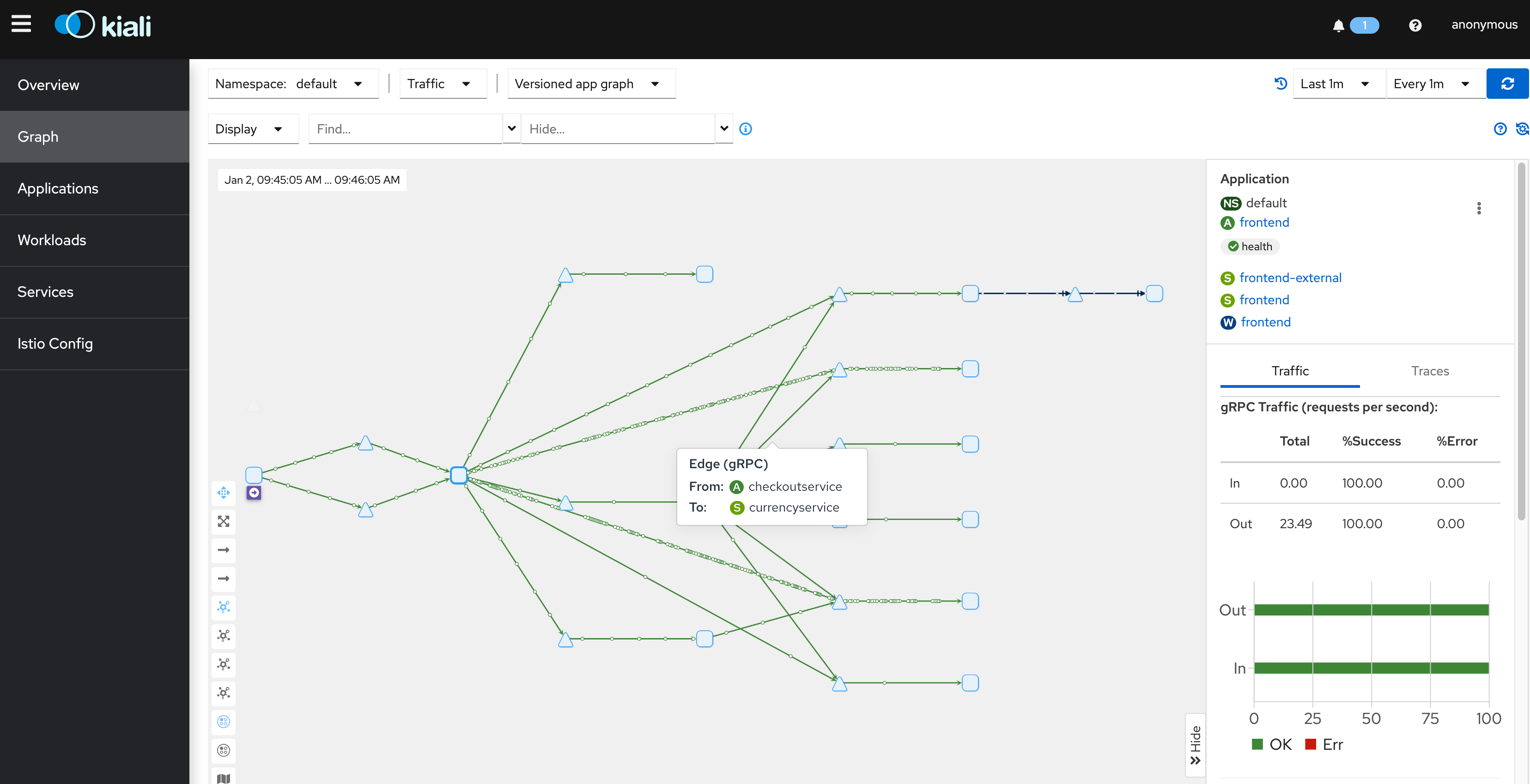
Kiali Dashboard provides good datavisualization graph how microservices are communicating with each other and other metrices.