
Professional LaTeX template for CV, Résumé, and Cover Letter
With bibliography (.bib) support and Japanese language integration




- Overview
- Key Features
- Preview
- Quick Start
- Installation
- Usage
- Japanese Language Support
- Docker Usage
- Environment
- Contributing
- License & Support
Awesome CV is a professional LaTeX template for creating polished CVs (Curriculum Vitae), Résumés, and Cover Letters. Inspired by Fancy CV, it features clean, semantic markup that's easy to customize for your specific needs.
This enhanced fork extends the original template with:
- 📚 Bibliography Support - Integrated
.bibfile formatting for academic publications - 🇯🇵 Japanese Language - Full Japanese language support with multiple font options
- 🎓 Academic Icons - Built-in icons for Google Scholar and ORCID profiles
- 🐳 Docker Support - Build without installing TeX Live locally
- Professional Design - Clean, modern layout that stands out
- Easy Customization - Semantic markup for straightforward editing
- Multi-language - Support for English, Japanese, and other languages
- Bibliography Ready - Seamlessly integrate your publications list
- Multiple Formats - Generate CV, résumé, or cover letter from one template
- Docker Compatible - No local TeX installation required
- Open Source - Free to use and modify under LPPL 1.3c license
View the complete English CV sample (PDF) | English Cover Letter (PDF)
| Page 1 | Page 2 |
|---|---|
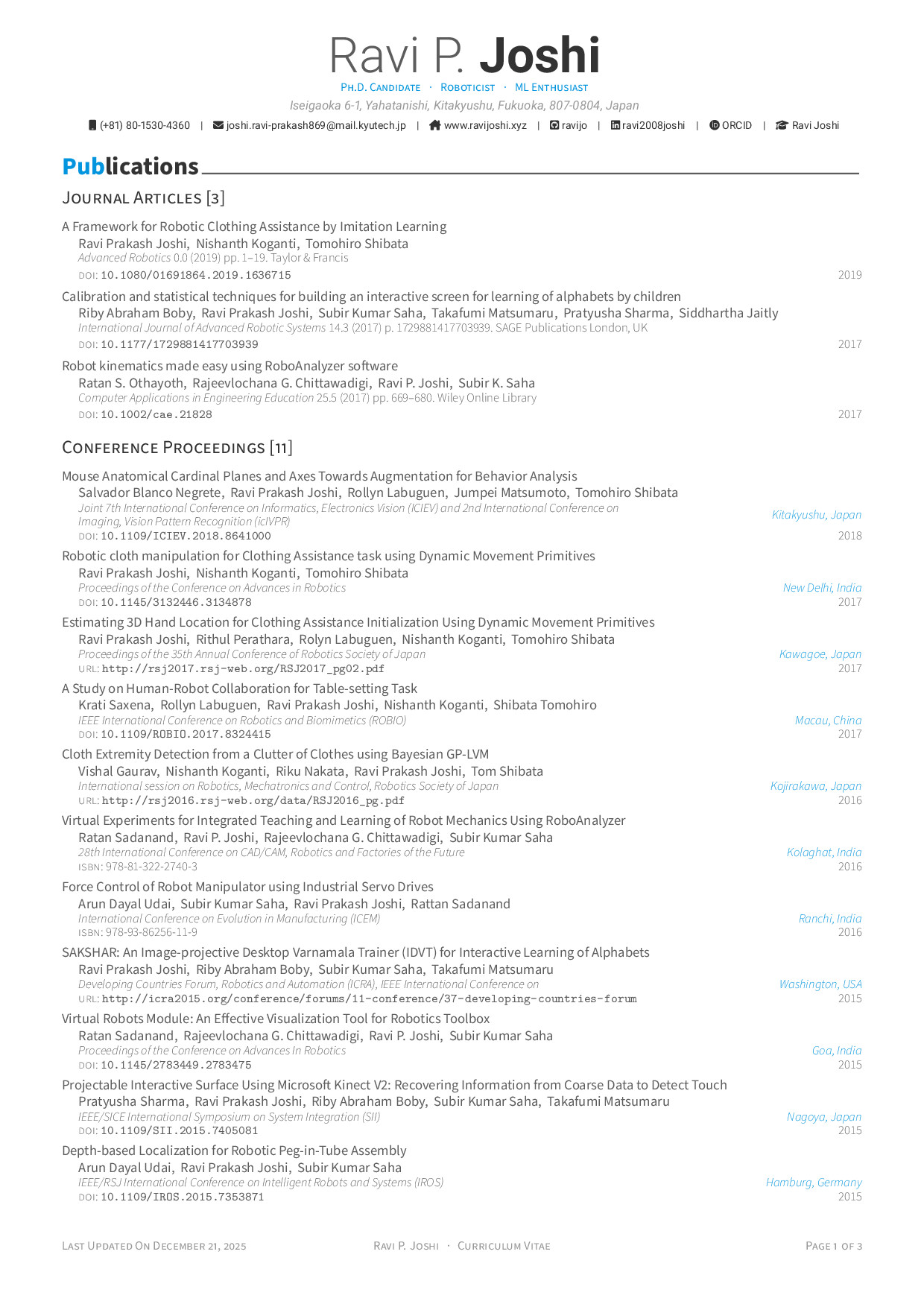 |
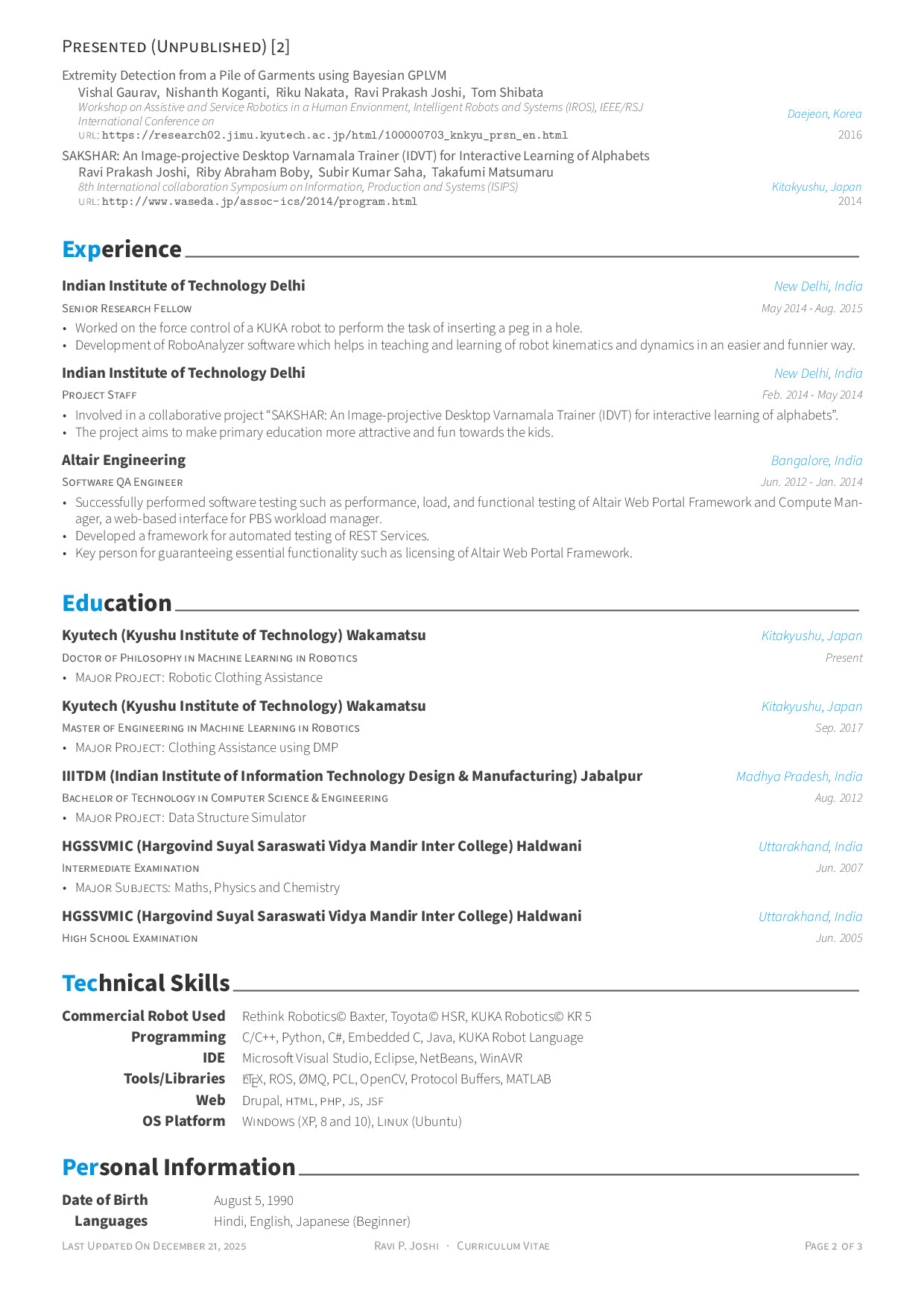 |
View the complete Japanese CV sample (PDF) | Japanese Cover Letter (PDF)
| CV Page 1 | CV Page 2 |
|---|---|
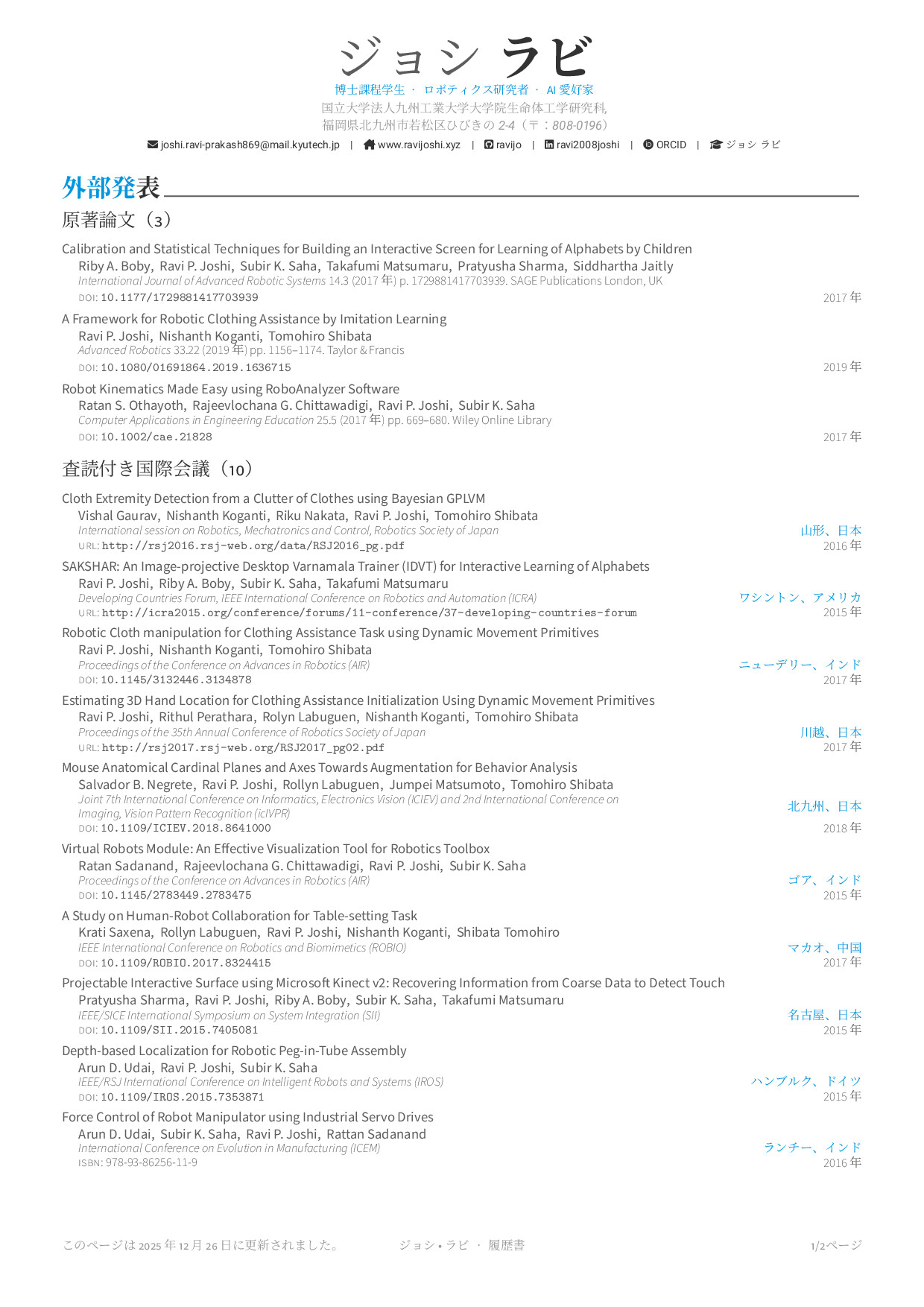 |
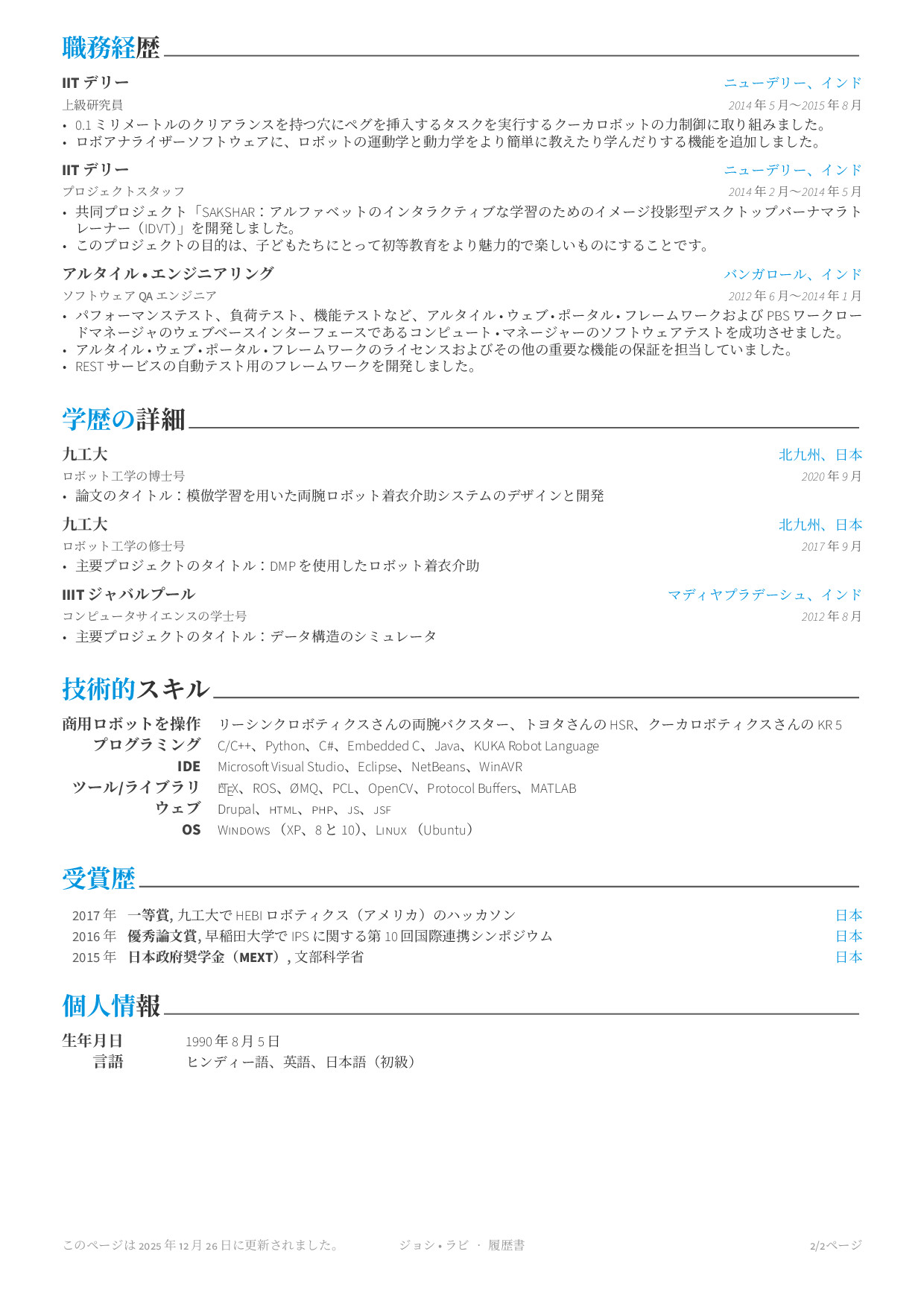 |
-
Clone the repository
git clone https://github.com/ravijo/Awesome-CV.git cd Awesome-CV -
Edit your information
- Modify
examples/cv.texwith your details - Update sections in the
examples/folder as needed
- Modify
-
Build your CV
xelatex -output-directory=examples examples/cv.tex
The
xelatexis included with TeX Live. For more info, please see Installation. -
Find your PDF
- Your CV will be generated as
examples/cv.pdf
- Your CV will be generated as
- TeX Live (recommended) - Full LaTeX distribution
- XeTeX - Included with TeX Live
- Git - For cloning the repository
TeX Live Installation is not required for Docker users. Please see Docker Usage.
Ubuntu/Debian:
sudo apt-get install texlive-fullmacOS (with Homebrew):
brew install --cask mactexWindows: Download and install from tug.org/texlive
Note: If you prefer not to install TeX Live, see the Docker Usage section below.
Navigate to your Awesome-CV directory and run:
xelatex -output-directory=examples examples/cv.texThis generates examples/cv.pdf.
xelatex -output-directory=examples examples/coverletter.texThis generates examples/coverletter.pdf.
Use the provided Makefile:
makeThis will compile all example documents (CV and cover letter in both English and Japanese).
To create a Japanese CV, simply add the ja option to your document class:
\documentclass[11pt, a4paper, ja]{awesome-cv}By default, the template uses "Harano Aji" fonts. You can customize the Japanese font:
% Use IPA fonts (classic/legacy)
\setjpfont{IPAMincho}{IPAGothic}

% Or use Noto fonts (if installed)
\setjpfont{Noto Serif CJK JP}{Noto Sans CJK JP}Japanese examples are included in the repository:
examples/cv-jp.tex- Japanese CV templateexamples/coverletter-jp.tex- Japanese cover letter template
Build your documents using Docker without installing TeX Live.
docker run --rm \
  --user "$(id -u):$(id -g)" \
  -i \
  -w "/doc" \
  -v "$PWD":/doc \
  texlive/texlive:latest \
  make
This command:
- Mounts your current directory into the container
- Runs as your user (preserves file permissions)
- Executes the Makefile to build all documents
- Removes the container when finished
For troubleshooting or manual compilation:
docker run --rm \
  --user "$(id -u):$(id -g)" \
  -it \
  -w "/doc" \
  -v "$PWD":/doc \
  texlive/texlive:latest \
  bash
Then compile manually inside the container:
xelatex -output-directory=examples examples/cv.texThis template has been tested on:
| Component | Version |
|---|---|
| OS | Ubuntu 24.04.3 LTS (64-bit) |
| TeX Live | 2025 |
| XeTeX | 3.141592653-2.6-0.999997 |
| Docker | 28.2.2 |
The template should work on other systems with compatible TeX Live installations.
Contributions are welcome! To contribute:
- Fork the repository
- Create a feature branch (
git checkout -b feature/amazing-feature) - Commit your changes (
git commit -m 'Add amazing feature') - Push to the branch (
git push origin feature/amazing-feature) - Open a Pull Request
This project is licensed under the LaTeX Project Public License v1.3c. See the LICENSE file for details.
- Bug Reports: GitHub Issues
- Feature Requests: GitHub Issues
- Questions: Check existing issues or open a new one
If you find this template helpful, please ⭐ star the repository!