Bash scripts
check_hosts.sh
Bash: Writing a Universal Script to Check Host Availability
This script is a universal availability monitoring tool that runs permanently and performs a number of actions in asynchronous mode, namely:
- 1️⃣runs the necessary checks;
- 2️⃣if problems are detected (after a specified number of unsuccessful attempts), it runs a diagnostic (or any other) command;
- 3️⃣When availability is restored, it also runs a separate command.
The host entity here is conditional. The script allows you to conveniently configure any checks, in case of failure of which the desired action will be launched. Thus, you can not only check network availability, but also track OS processes, parse logs, etc.
In my example the script:
executes pinga list of hosts; if unavailable for the problem host, executes the trace command: mtrin report mode -wb; In case of recovery, it simply displays the text "Example recovery command for ". The script also supports logging to stdout , to a file or to syslog , can work both via Systemd and independently, and also prevents re-starts using a lock file ( flock ).
Below is the script itself📑.
Download the script, for example, in ~/.local/binand make it executable:
curl --create-dirs -fsSL https://raw.githubusercontent.com/r4ven-me/bash/main/check_hosts.sh \
    --output ~/.local/bin/check_hosts

chmod +x ~/.local/bin/check_hosts
💡We talked about file rights in Linux in more detail here .
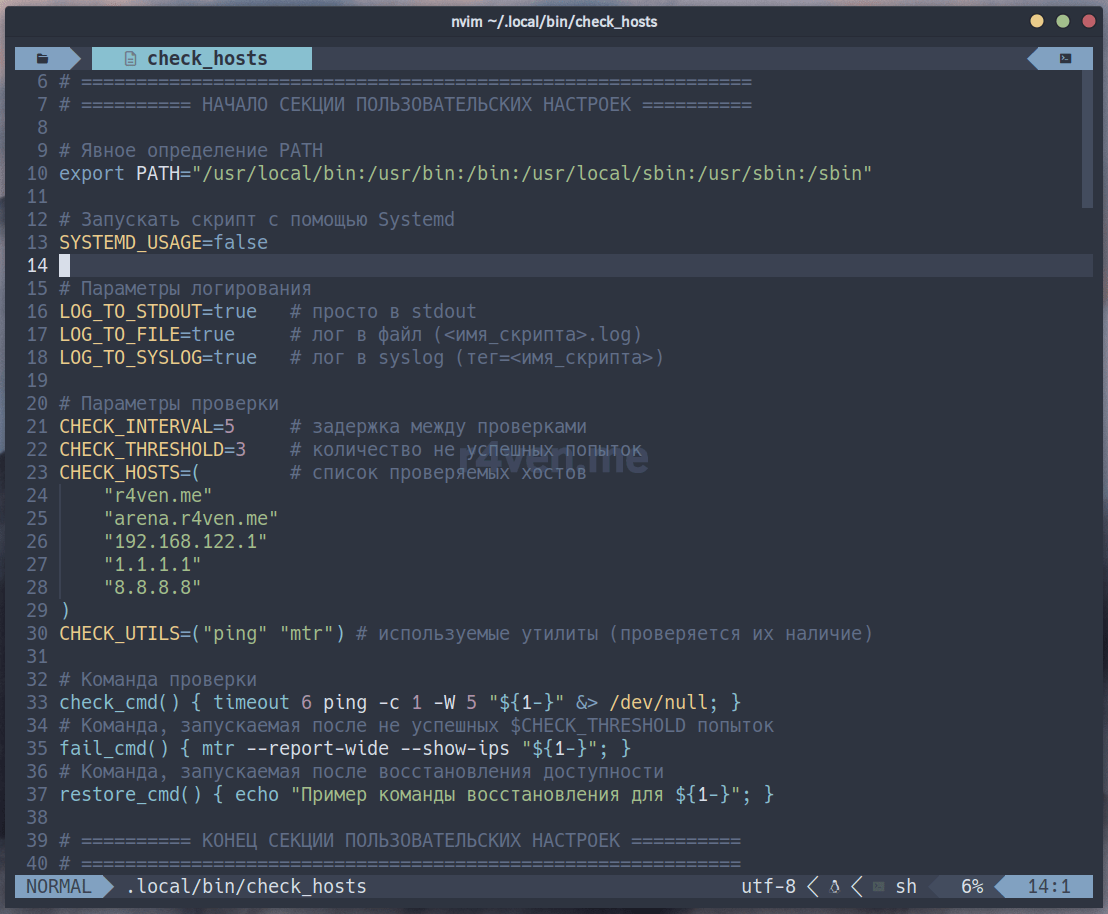
Before using, you need to set your own values. Open the script for editing with any convenient editor, for example, Neovim :
nvim ~/.local/bin/check_hostsHere you need to set the following variables to suit your needs:
SYSTEMD_USAGE— flag (true|false) specifies whether to run the script as a systemd service;LOG_TO_STDOUT— flag (true|false) determines whether to output logs to standard output;LOG_TO_FILE— flag (true|false) determines whether to save logs to a file located in the same directory as the script;LOG_TO_SYSLOG— flag (true|false), enables sending logs to the system log usinglogger;CHECK_INTERVAL— interval between host availability checks (in seconds);CHECK_THRESHOLD— the number of unsuccessful checks in a row, after which the host is considered unavailable and the command is runfail_cmd();CHECK_HOSTS— an array of IP addresses/domains/other elements to check;CHECK_UTILS— an array of utilities (e.g.,ping,ssh,curl,nc) used to check availability (the script checks their presence in the system);
And accordingly the commands:
check_cmd()— a function that infinitely checks the availability of a host;fail_cmd()— a function called once (before the counter is reset) when the host goes into an unavailable state (for example, sending a notification, restarting a service);restore_cmd()— a function called once (before the counter is reset) when the host is restored to availability (also, for example, notification, launch of recovery actions, etc.).
Demonstration of the script's operation:
check_hosts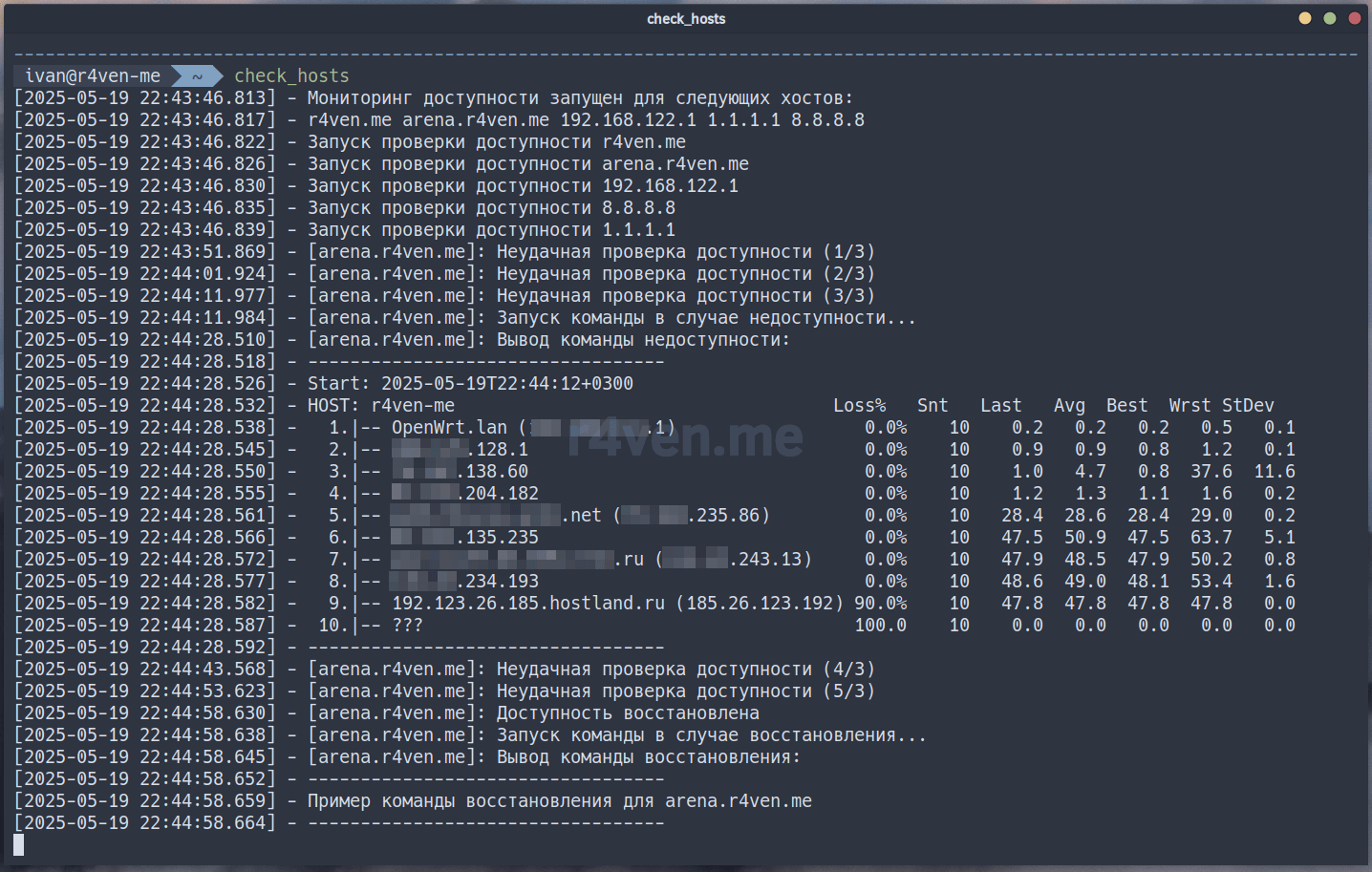
Here you can see that the host arena.r4ven.me (from $CHECK_HOSTS) was unavailable, tracing was performed, and after it was restored, the corresponding command was launched (message output 💬).
Everything works🙃.
To run the script as a Linux daemon, it is possible to launch it using the Systemd initialization system.
All the necessary settings for such a launch are already in the script. To activate, you need to open the script:
nvim ~/.local/bin/check_hostsAnd set the variable SYSTEMD_USAGEto value true, save, close and run the script as root , for example, using sudo :
💡If necessary, adjust the contents of the unit file: here-doc block (
cat << EOF).
sudo ~/.local/bin/check_hosts

sudo systemctl status check_hosts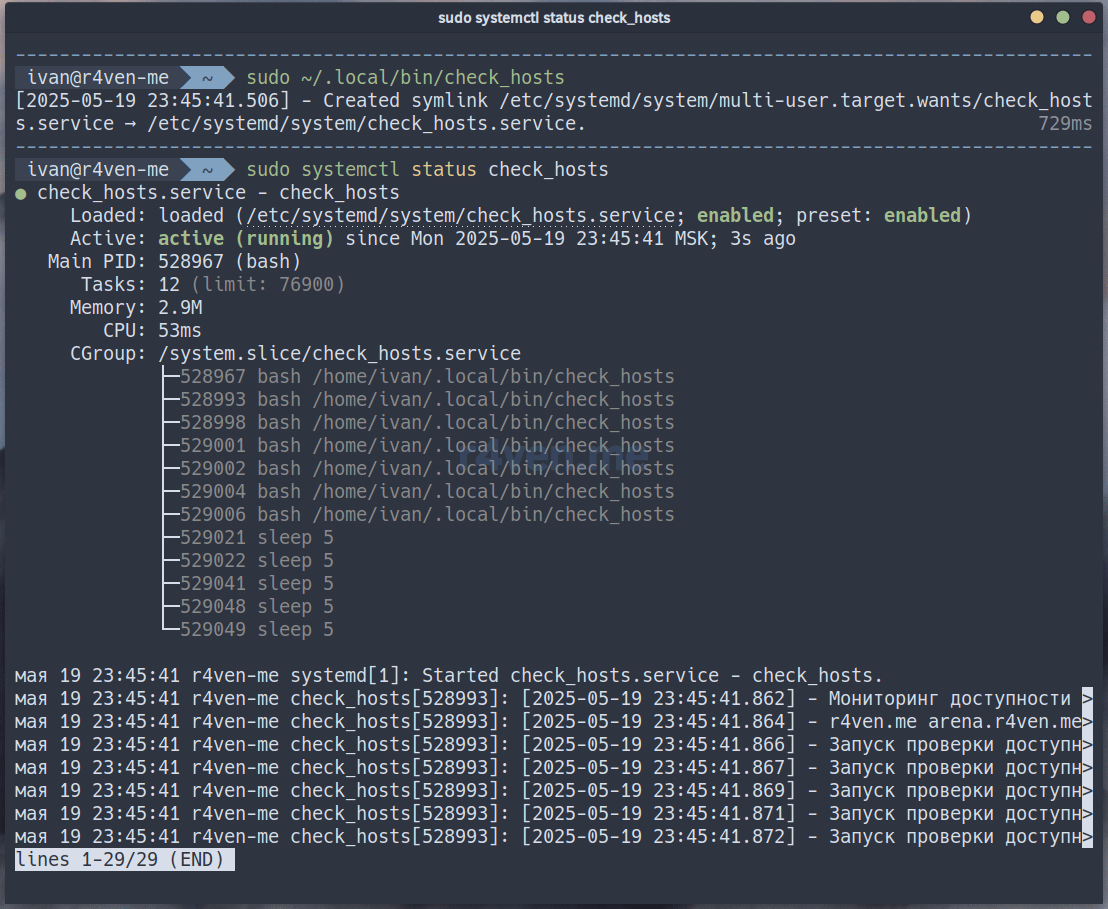
💡By default, autostart of the Systemd service is enabled when the OS starts.
You can view the script output in the system log:
sudo journalctl -fu check_hosts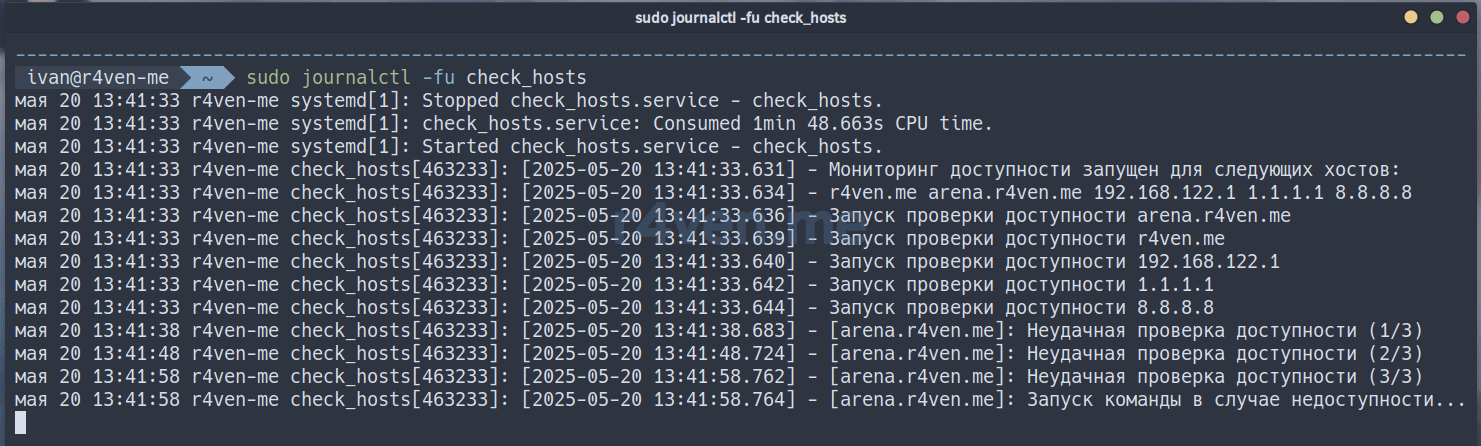
Below are some examples of using the script check_hosts.sh. As mentioned earlier, you only need to set your parameters/commands.
Option #1 - check URL availability and restart the web server:
CHECK_HOSTS=("r4ven.me" "arena.r4ven.me" "192.168.122.150")
CHECK_UTILS=("curl" "ssh")
check_cmd() {
    [[ $(curl -w "%{http_code}" -o /dev/null -fsSL https://"${1-}"/status) -eq 200 ]]
}
fail_cmd() {
    ssh \
    -o UserKnownHostsFile=/dev/null \
    -o StrictHostKeyChecking=no \
    -i "${HOME}"/.ssh/id_ed25519_web \
    -l ivan \
    -p 2222 \
    "${1-}" \
    sudo systemctl restart nginx
}
restore_cmd() {
    ssh \
    -o UserKnownHostsFile=/dev/null \
    -o StrictHostKeyChecking=no \
    -i "${HOME}"/.ssh/id_ed25519_web \
    -l ivan \
    -p 2222 \
    "${1-}" \
    systemctl status nginx
}
Option #2 — checking the availability of the TCP port and sending data to Zabbix:
CHECK_HOSTS=("r4ven.me" "arena.r4ven.me" "192.168.122.150")
CHECK_UTILS=("nc" "zabbix_sender")
check_cmd() { nc -w 5 -z "${1-}" 443; }
fail_cmd() {
    zabbix_sender \
    -c /etc/zabbix/zabbix_agent2.conf \
    -k 'site.status' \
    -o 0
}
restore_cmd() {
    zabbix_sender \
    -c /etc/zabbix/zabbix_agent2.conf \
    -k 'site.status' \
    -o 1
}
Option #3 - checking the status of the Docker container and sending notifications via Email using a console SMTP client msmtp:
CHECK_HOSTS=("unbound" "pi-hole" "openconnect")
CHECK_UTILS=("docker" "msmtp")
check_cmd() {
    [[ $(docker inspect --format='{{.State.Health.Status}}' unbound 2> /dev/null "${1-}") != "healthy" ]]
}
fail_cmd() {
    echo "Subject: Docker status\n\nContainer ${1-} is unhealthy" | msmtp kar-kar@r4ven.me
}
restore_cmd() {
    echo "Subject: Docker status\n\nContainer ${1-} is healthy again" | msmtp kar-kar@r4ven.me
}
I hope you found this material useful😇. Other posts on the topic of shell programming can be found in the section: Shell scripts 🐚.
Don't forget about our Telegram 📱and chat 💬
All the best✌️
That should be it. If not, check the logs 🙂