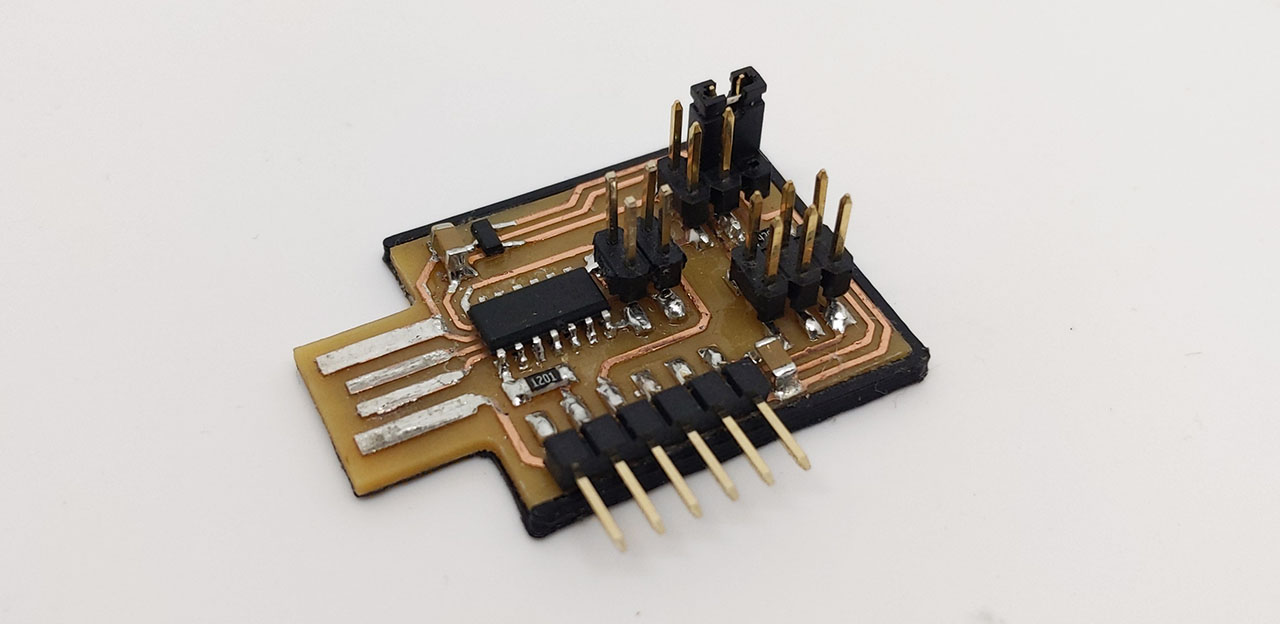
Arduino sketch to use a SAMD as a serial USB bridge, supporting baudrate/parity/stopbits change through CDC.
First, install the Arduino core for SAMD and flash the appropriate bootloader on your SAMD using EDBG or another tool. It is important to erase any existing bootloader first. The SAMD should now be detected by your computer and the Arduino IDE.
Select the right board in tools->board, in our case "Generic D11C14A".
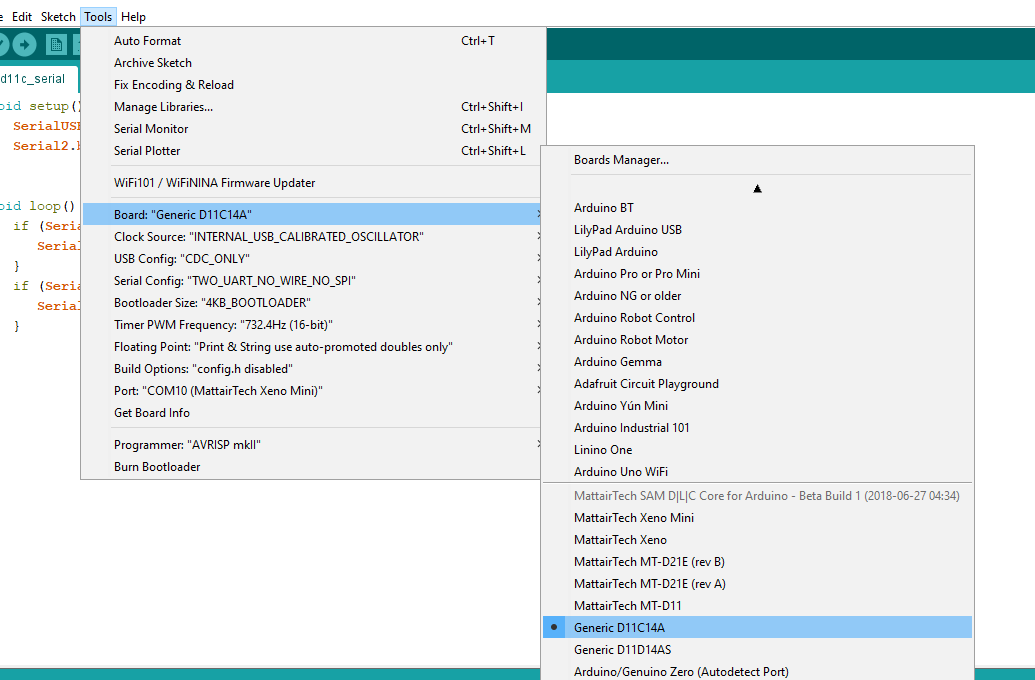
Other settings:
- USB config: CDC_only
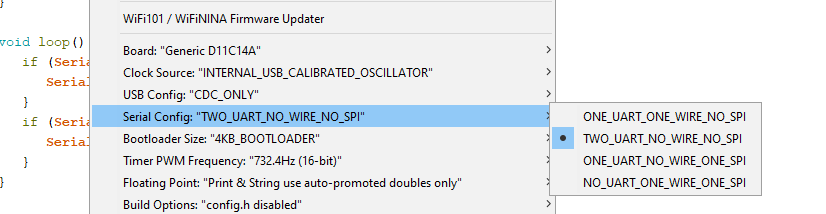
- Serial config: TWO_UART_NO_WIRE_NO_SPI
- Bootloader size: 4KB_BOOTLOADER
If you have issues, you can set #define DEBUG in the sketch and use the serial monitor. The settings are continuously printed, try to change the baudrate to see if it changes accordingly.
An example board and detailed explanations are available at http://fabacademy.org/2020/labs/ulb/students/quentin-bolsee/projects/samd11c_uart-updi/.