A specialized build script designed to integrate with Cursor AI for Xcode project builds, providing intelligent error reporting through the Cursor terminal.
Just drop build.sh into your Xcode project root folder and ask Cursor AI (with Agent activated): "Can you build using build.sh"
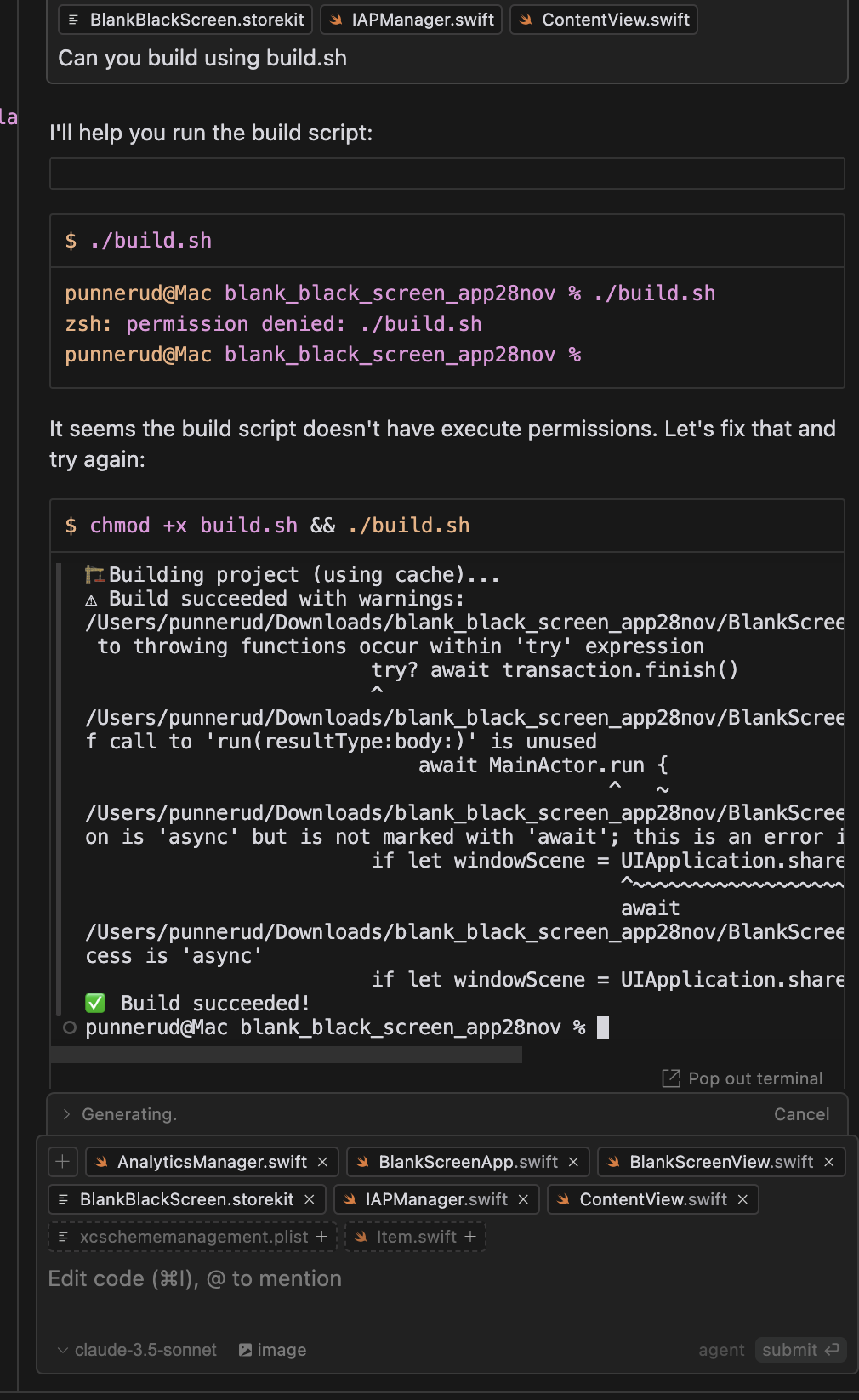
This tool serves as a bridge between Cursor AI and Xcode projects, offering automated build processes with detailed error feedback directly in your Cursor terminal.
- 🔍 Automatic Xcode scheme detection
- 📱 Smart iOS simulator selection and management
- 🔄 Intelligent build system with fallback mechanisms
⚠️ Real-time error reporting in Cursor terminal- 🧹 Automatic clean build on initial failure
-
Add the build script to your Xcode project:
- Copy
build.shto your project root - Ensure it's tracked in version control
- Copy
-
Configure in Cursor AI:
{
  "build": {
    "command": "./build.sh",
    "path": "${workspaceFolder}"
  }
}
-
In Cursor AI, trigger builds using:
- Command Palette:
Build Project - Keyboard Shortcut: [Your preferred shortcut]
- Command Palette:
-
View Results:
- Build progress appears in Cursor terminal
- Errors and warnings are highlighted inline
- Click on errors to jump to relevant code
The script provides detailed error feedback in the Cursor terminal:
- Build failures with source location
- Compiler warnings with context
- Simulator and environment issues
- Runtime configuration problems
- macOS
- Xcode installed in
/Applications - Command Line Tools for Xcode
- Cursor AI editor
Common issues and solutions:
- Build Script Permissions: Ensure the script is executable
chmod +x build.sh
- Xcode Configuration: Verify Xcode path and selected scheme
- Simulator Issues: Check available simulators in Xcode
Feel free to submit issues and pull requests to improve the integration between Cursor AI and Xcode builds.