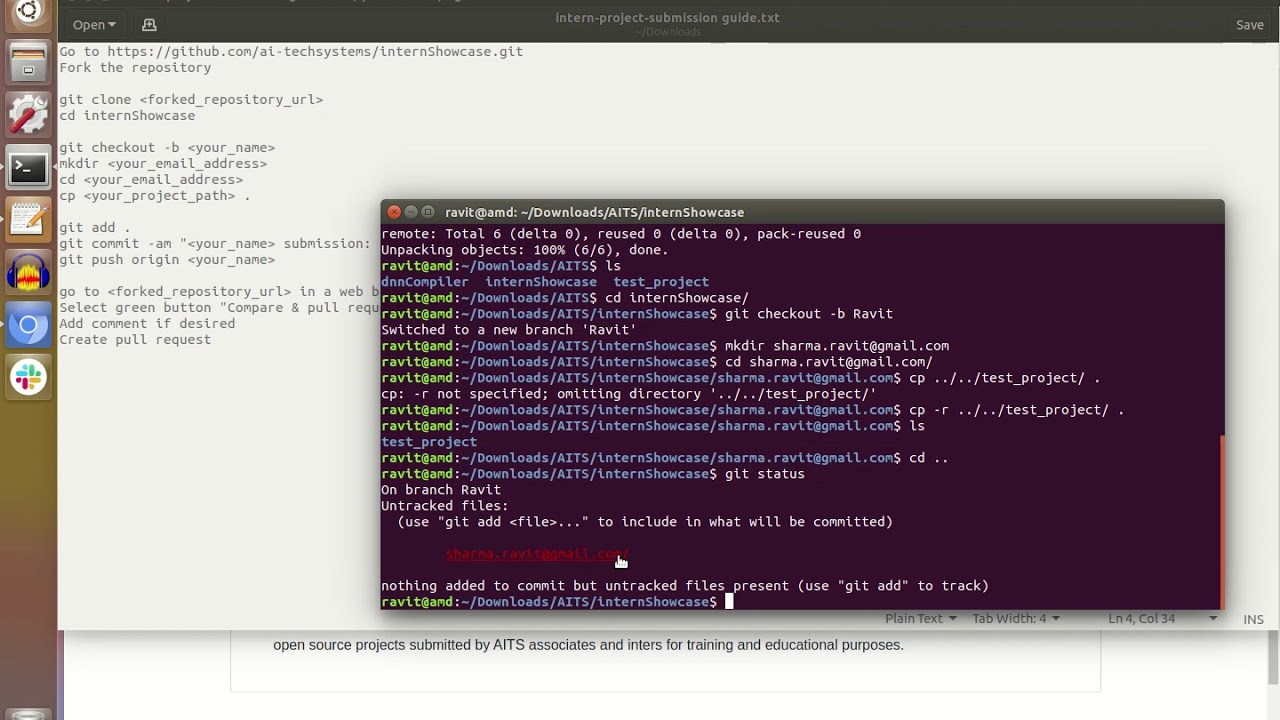
- Open your browser and go to https://github.com/ai-techsystems/internShowcase.git
- Click on Fork button.
- Type following command in a terminal
git clone <forked_repository_url>
cd internShowcase

git checkout -b <your_name>
mkdir <your_email_address>
cd <your_email_address>
cp <your_project_path> .

git add .
git commit -am "<your_name> submission: <your_project_title>"
git push origin <your_name>
- go to <forked_repository_url> in a web browser
- Select green button "Compare & pull request"
- Add project statement in the comment section.
- Create pull request
open browser with https://github.com/ai-techsystems/internShowcase and click on green button with "compare & pull request", press the button, fill in the details and click "Create pull request".