The project was made as a home task and there were following requirements:
- Every minute, fetch data from https://api.publicapis.org/random?auth=null and store success/failure attempt log in the table and full payload in the blob.
- Create a GET API call to list all logs for specific time period (from/to)
- Create a GET API call to fetch a payload from blob for specific log entry
- Publish code on GitHub (public)
Using:
- Azure Function (Cloud/Local)
- Azure Storage (Cloud /Local storage emulator)
a. Table b. Blob
- .Net Core 3.1
This project has 3 trigger functions (one time trigger and two http triggers) and
for simplicity reasons I made this project using Azure Storage Emulator.
- Download the source code and open ScraperTask solution with VisualStudio (I was using VS2019)
- Run the code from VisualStudio, open your favorite browser and type in for e.g.:
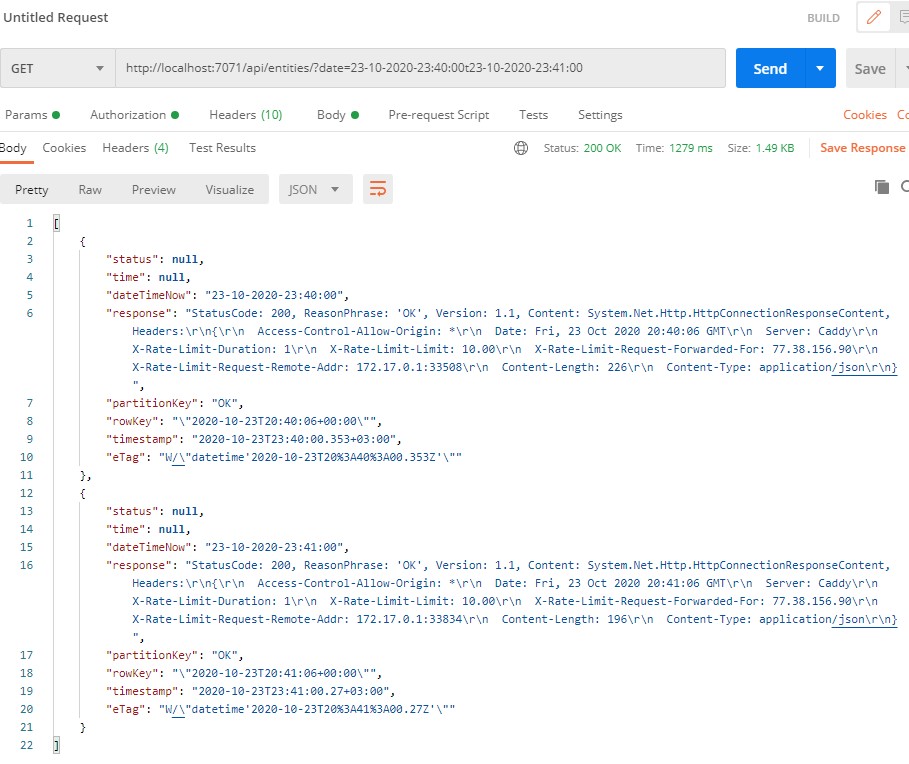
To query Azure table:
(please check the actual port when running Azure function )
Everything that comes after "?date=" is date range,
which consists of date range start (yyyy-MM-dd-HH:mm:ss)
to date range end (yyyy-MM-dd-HH:mm:ss) separated by "t" .

http://localhost:7071/api/entities/?date=23-10-2020-23:40:00t23-10-2020-23:41:00
To find a blob file from specific date: (format: yyyy-MM-dd-HH:mm:ss)
http://localhost:7071/api/getBlobByDate/?date=2020-10-25-23:32:03- input string from Get request doesn't have any validity checks
- object in response is not exactly as the "nice one", still fits
- DI is not fully implemented
- structure is rushed
- in some places code repeats
- read values from one json configuration is still not implemented
- and some other smaller ones (or maybe not)
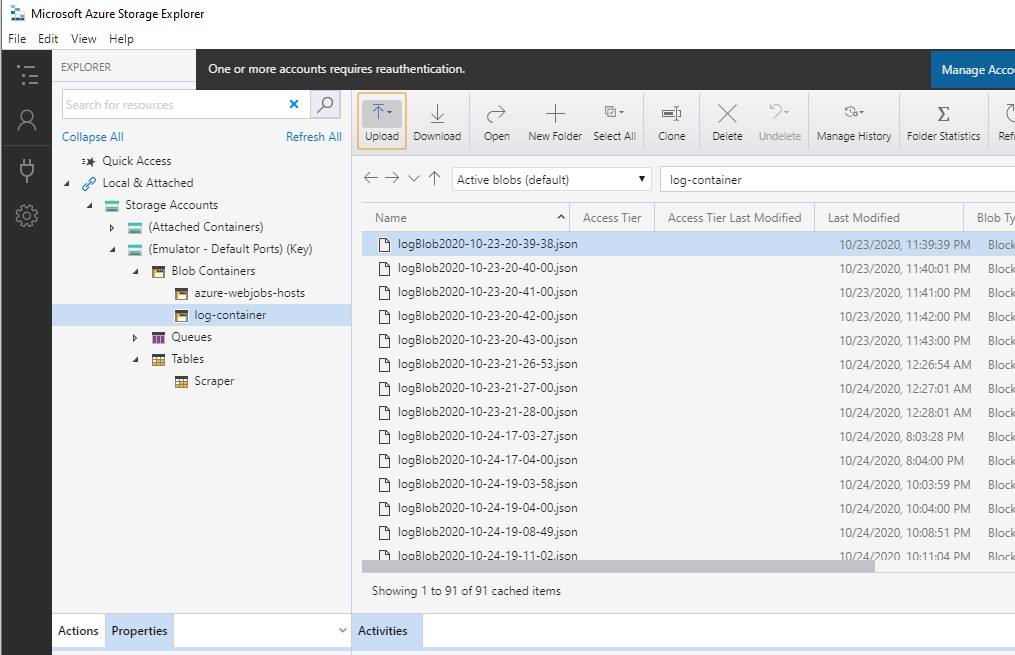
Blob files generated from request in storage manager:
 Searching for specific blob by date and time + GET requests response in browser :
 Querying DB for specific date, time range + response from GET request in Postman :