Best vimrc for CoolCeph team, used for C/C++, Python, PHP and Go.
The design principles of coolceph vimrc is simple, green and easy. Coolceph vimrc is designed running well on Linux and Mac, just need ctags, git and powerline_fonts. And also coolceph vimrc can be copied and installed anywhere by just a tarball.
Enjoy it.
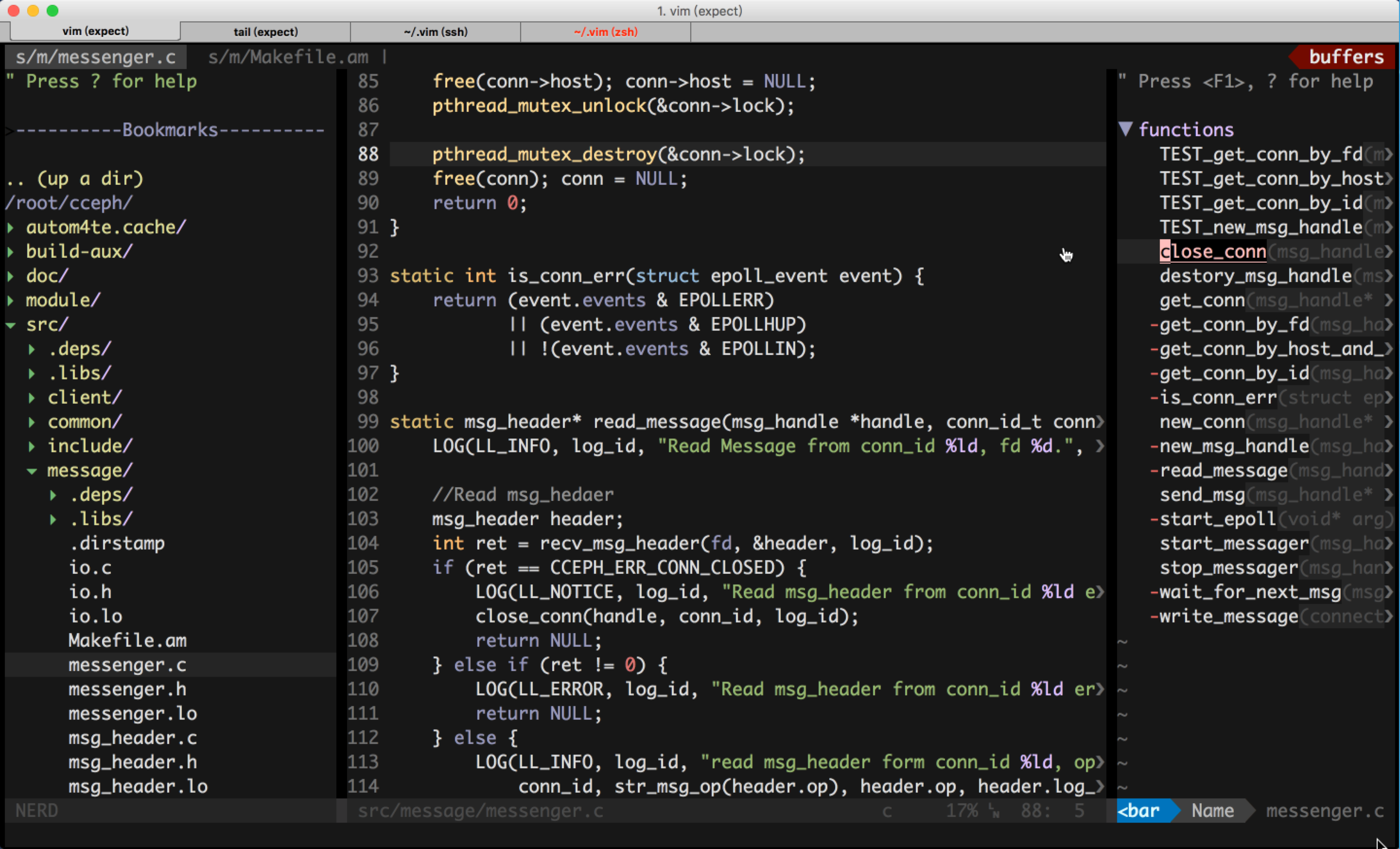


- vimrc will install to ~/.vim, require ~/.vim does not exist.
bash -c "$( curl https://raw.githubusercontent.com/coolceph/vimrc/master/setup.sh )"
| Key | Function |
|---|---|
| F2 | Paste mode toggle(normal/paste) |
| F3 | NerdTREE toggle |
| F4 | Tagbar toggle |
| F5 | LineNumber Model Switch |
| F6 | Whether or not show listchar |
| F7 | Update ctags |
| F8 | Open undotree |
| F9 | Enter multi-cursor-mode |
| F12 | Mouse mode switch (mouse=a/-a) |
| SpaceSpace | Activate Unite Search Plugin |
| Ctrl+n/p | Switch between buffers. |
| Ctrl+h/j/k/l | Switch between windows. |
| Ctrl+c | Completely quit vim without saving |
The leader key is ','.
| Cmd | Function |
|---|---|
| Ctags | Genrate ctags for pwd |
| Gotags | Genrate gotags for pwd |
| Hex/Asc | Swtich between Asc and Hex |
| Cswp | Clear swp files |
-
How should I install vimrc on a Linux server with no internet
Vim version 7.4+ is needed on your Linux server, then the steps:
-
You need install vimrc on a Mac/Linux with internet first.
-
Then run "~/.vim/setup.sh -b", a "vimrc-2016xxxx-mini.tar.gz" file will appear in your ~ dir.
-
Copy the "vimrc-2016xxxx-mini.tar.gz" to your user's home dir on Linux server.
-
Run "cd ~;rm -rf ~/.vim;tar -zxvf vimrc-2016xxxx-mini.tar.gz;.vim/setup.sh -l"
You now get full-featured vimrc on your Linux server.
-
-
My state line has strange characters
You should install the powerline fonts into your system and update the config of your terminal to use powerline fonts to display the Non-ASCII characters.
In the fonts dir, there is some powerline fonts you could choose.
You could found more powerline fonts in powerline_fonts
-
My vim is ugly, it seems some color are missing
You should set your env TERM=xterm-256color, you can do this by the following two ways:
-
run ~/.vim/install.sh, it will set TERM to xterm-256color for bash/zsh. If you use other shells, you need to set TERM yourself.
-
Your terminal util like iterm is also needed to set for xterm-256color too. You need set it yourself too.
-