Segger RTT client using ST-link debugger.
Options:
-v debugLevel where debugLevel from -3 to 4 when -3 is equal to silent output
-ramstart Ram Start address where the program is looking for RTT( hex,dec model supported).
-ramsize ramAmmount where ramAmmount is the range where the program is looking for RTT.
-tcp use tcp connection to st-link gdb server (https://www.st.com/en/development-tools/st-link-server.html)
-ap select the AP number to use (default 0), some devices have multiple APs, for example STM32H5 and STM32H7 need set AP to 1.
Can be found here.
Thanks to the -tcp option it is possible to communicate with a target using the RTT channel while debugging in STM32CubeIDE. In debug options "Shared ST-LINK" must be checked.
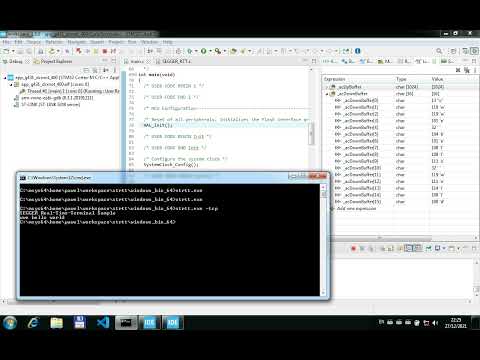
To share ST-LINK_gdbserver add -t option to serverArgs and start strtt with -tcp.
Program is using a refactored driver from the openocd project.
# in most cases default settings are OK

./strtt

# If you want to connect to RTT while debugging in your IDE share stlink and use tcp

./strtt -ramstart 0x30020000 -tcp
One experimental option is to use this program with Segger SystemView using tcp connection. To use it, the program must be built with the SYSVIEW option.
cmake -DSYSVIEW=1 ..
You can also try to use web browser version: