

The Trivy UI dashboard retrieves the Trivy Operator reports from your Kubernetes cluster and displays them.
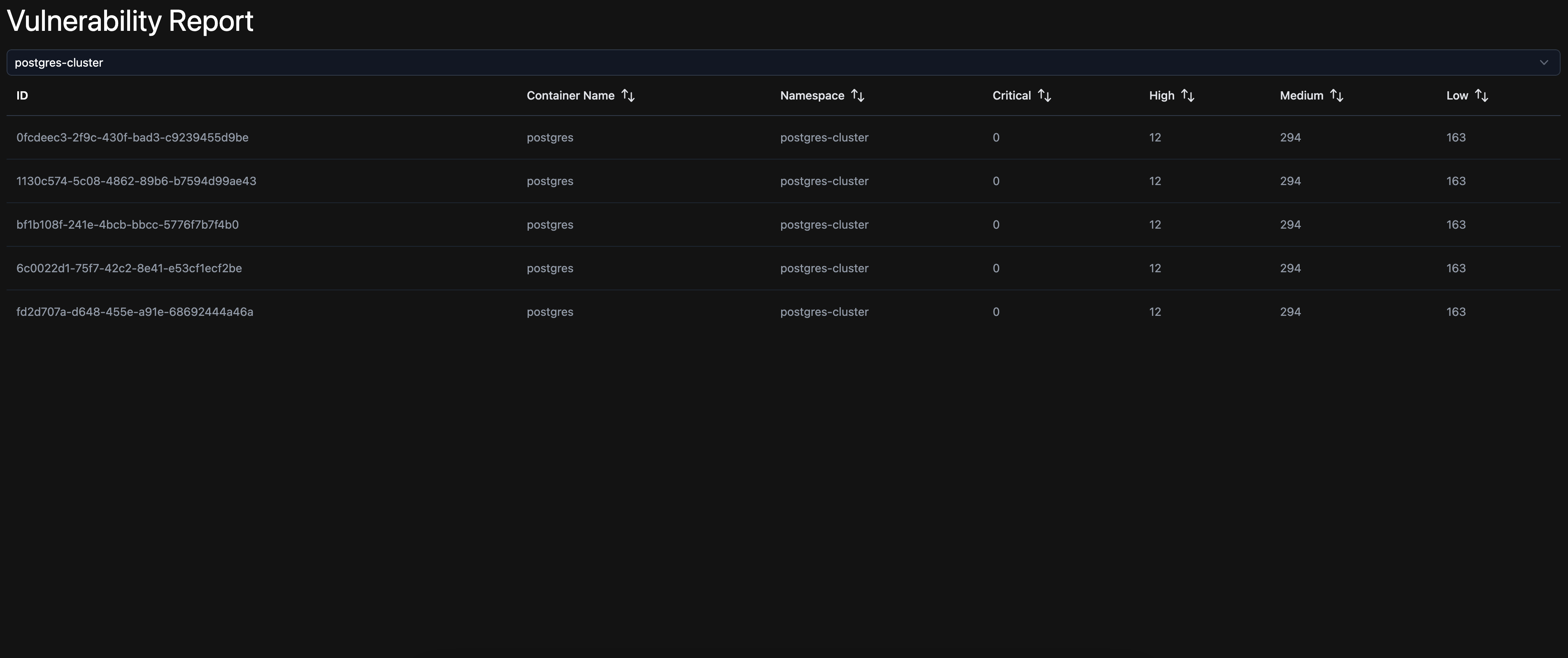
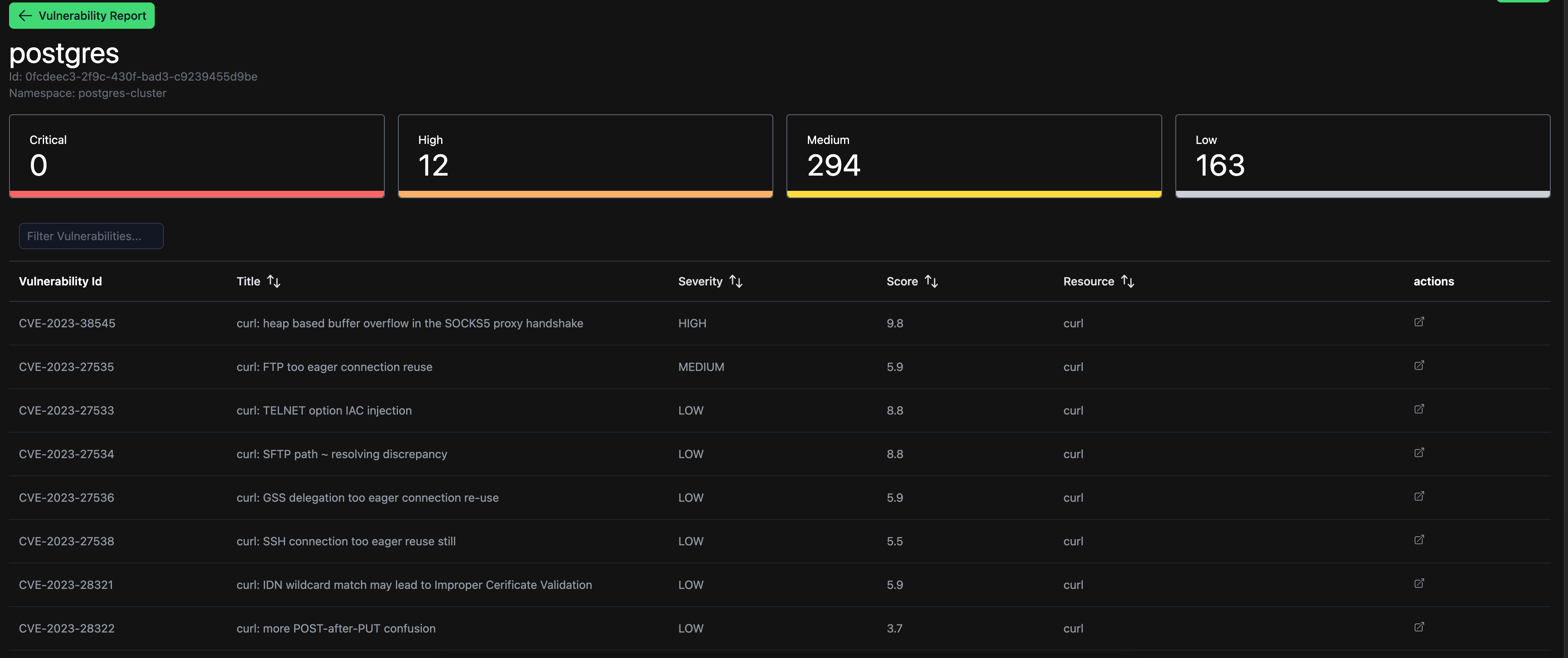
The application is currently configured to use Keycloak as authentication provider. This will be optional in the future.
- Install the dependencies
npm i - Create a configuration file
cp ./apps/ui/.env.example ./apps/ui/.envand set the options
KEYCLOAK_URL=https://YOUR_KEYCLOAK_URL/auth
KEYCLOAK_REALM=YOUR_REALM
KEYCLOAK_CLIENT_ID=YOUR_CLIENT_ID
KEYCLOAK_REQUIRED_ROLE=YOUR_ROLE (see below)
Assign a role to your Keycloak client, e.g. admin, which must be assigned to the users who should have access to the dashboard.
Roles can be assigned to users by defining a Keycloak group and configuring the role mapping to point to your client.
- Create a
kube-config.ymlfile to authenticate to your cluster locally: https://www.redhat.com/sysadmin/kubeconfig - Start the server
nx run ui:dev
- Publish a docker image to your registry:
Example .gitlab-ci.yml:
build:
  image: gperdomor/nx-kaniko:18.12.0-alpine
  stage: build
  variables:
    # Nx container
    INPUT_ENGINE: 'kaniko'
    INPUT_PUSH: 'true'
    # These tags specify to which registry the docker image should be pushed
    INPUT_TAGS: $CI_REGISTRY_IMAGE:$CI_COMMIT_SHA,$CI_REGISTRY_IMAGE:latest
  cache:
    key:
      files:
        - package-lock.json
    paths:
      - .npm/
  before_script:
    - npm ci --cache .npm --prefer-offline
    - NX_HEAD=$CI_COMMIT_SHA
    - NX_BASE=${CI_MERGE_REQUEST_DIFF_BASE_SHA:-$CI_COMMIT_BEFORE_SHA}
    # Login to the registry
    - echo "{\"auths\":{\"$CI_REGISTRY\":{\"auth\":\"$(echo -n $CI_REGISTRY_USER:$CI_REGISTRY_PASSWORD | base64)\"}}}" > /kaniko/.docker/config.json
    # Enter the same environment values that are used by your .env file
    - echo KEYCLOAK_URL=https://YOUR_KEYCLOAK_URL/auth >> ./apps/ui/.env
    - echo KEYCLOAK_REALM=YOUR_REALM >> ./apps/ui/.env
    - echo KEYCLOAK_CLIENT_ID=KEYCLOAK_CLIENT_ID >> ./apps/ui/.env
    - echo KEYCLOAK_REQUIRED_ROLE=KEYCLOAK_REQUIRED_ROLE >> ./apps/ui/.env
  script:
    - npx nx affected --base=$NX_BASE --head=$NX_HEAD -t container --parallel=3
  artifacts:
    expire_in: 7 days
    paths:
- apps/ui/.output- When preparing your Kubernetes manifest to deploy the application, please make sure that you have configured the environment variables correctly to connect to your cluster. Example:
      containers:
        - name: trivy-ui
          image: git.openforce.com:4567/openforce/trivy-ui:ba96e9a6be59d64b338b362a62017206cf8d6e99
          imagePullPolicy: Always
          env:
            - name: KUBERNETES_SERVICE_HOST
              value: "kubernetes.default.svc"
            - name: KUBERNETES_SERVICE_PORT
              value: "443"
            - name: CLUSTER_NAME
              value: "..."
            - name: CLUSTER_SCHEME
              value: "https"
            - name: CLUSTER_USERNAME
              value: "default"
          ports:
            - containerPort: 3000
The container port from the application is 3000.
- Define a service account that has sufficient permissions and assign it properly to your container.